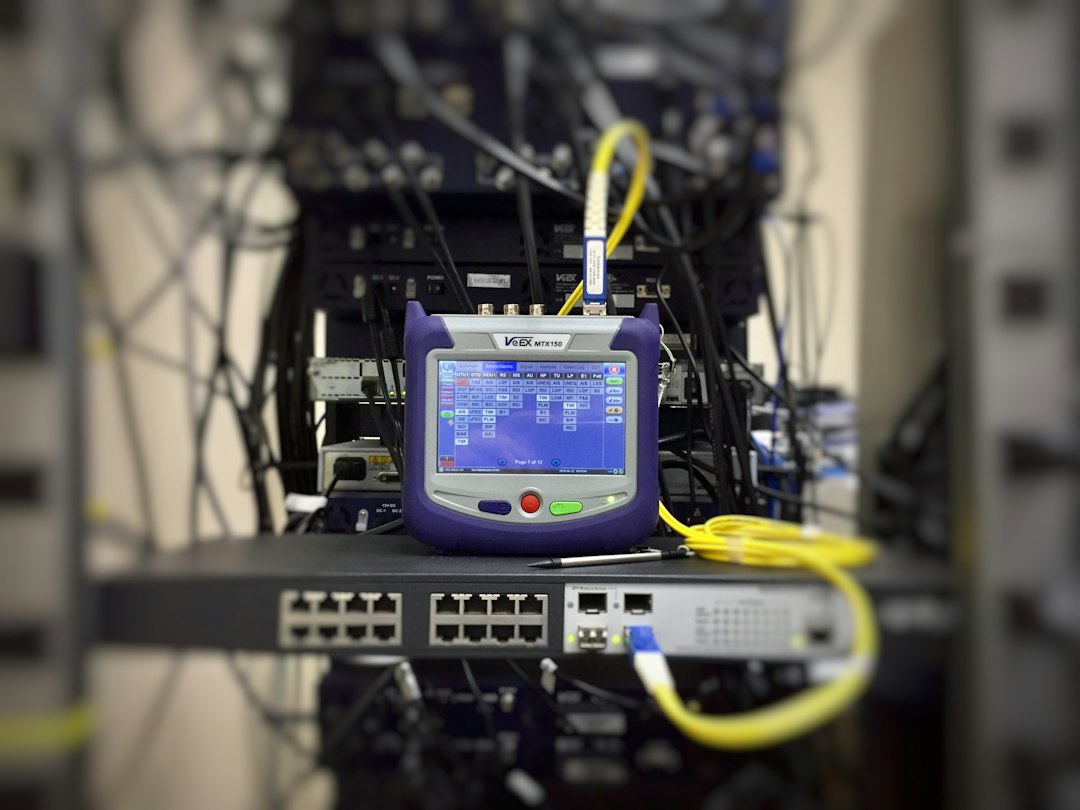
Best Network Cable Testers and Tools for Home Ethernet Wiring
You can spend a weekend running Ethernet through walls, crimping connectors and punching down jacks, then plug in a laptop and get nothing. Or worse, you get a link that works at a fraction of the expected speed. A network cable tester is the cheap, fast way to find out whether a run is good before you close up drywall, and it’s the tool most first-time cabling projects wish they’d had from the start.
This guide covers the best network cable testers for home use, the tool kit that goes with them and how to read what the results actually mean. You’ll learn the difference between a simple continuity checker and a proper certifier, which faults are most common and how to avoid them in the first place.
What a Network Cable Tester Actually Does
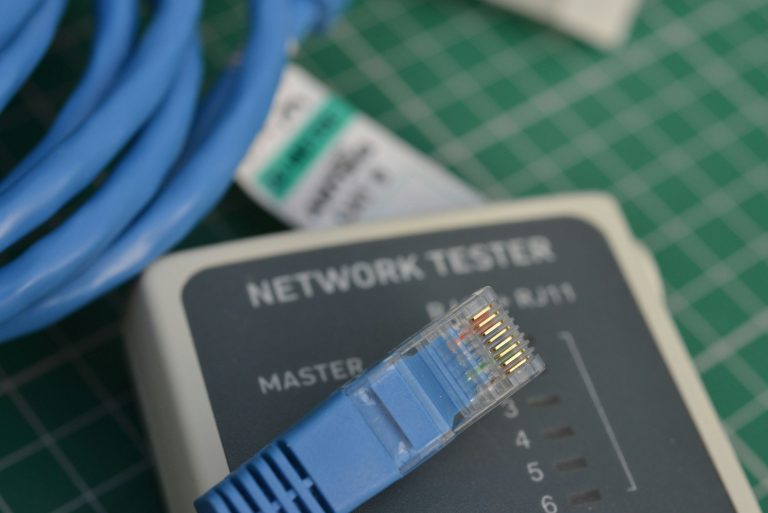
Ethernet cable contains eight conductors twisted into four pairs. A working link needs each wire to connect to the matching pin at the other end, with no breaks, no shorts between wires and no swapped pairs. A basic network cable tester checks exactly that. You plug one end of the cable into the main unit and the other into a small remote, and a row of lights steps through the eight wires in order. A good cable lights them in sequence. A fault shows up as a skipped light, a light that never comes on or two lights that glow together.
That kind of test is called a wiremap. It finds the problems that cause most failed installs:
- Open circuit — a wire isn’t connected at one end, often because it didn’t seat fully in the connector or jack.
- Short — two wires touch each other, usually from a stray strand or a bad crimp.
- Miswire — the right wires reach the wrong pins, for example from crossing the orange and green pairs.
- Split pair — a subtler fault where pin numbers match but the twist pairing is wrong. Basic testers often miss this, and it causes crosstalk and slow speeds.
The difference between a simple tester and a high-end one is how deeply it looks. The technical standard behind structured cabling, TIA/EIA-568, defines the pin assignments and pair layouts these tools verify.
Continuity Testers Versus Certifiers
Basic testers confirm the wiring is correct. Professional certifiers go much further, measuring signal quality, crosstalk, attenuation and the length of the cable, and they produce a pass or fail report against a standard such as Cat6 or Cat6A. Those units cost far more than most homeowners will ever want to spend, and installers use them to sign off on commercial jobs. Fluke has a useful cable testing basics primer if you want to see what that top tier measures.
For a home, a good wiremap tester with a few extras is usually enough, because most home problems are simple wiring mistakes. If a run passes the wiremap but the link still negotiates at 100 Mbps instead of gigabit, you’re typically looking at a marginal termination or a damaged cable, which a better tester or a re-termination will sort out.
How to Choose a Network Cable Tester
Features to compare before you buy:
- RJ45 support — every model handles standard Ethernet, and many also test RJ11 phone lines and coax.
- A remote unit — essential for testing installed runs, where the two ends are in different rooms. A tester that has only one half works for patch cables on a desk and not much else.
- Wire length measurement — a time-domain reflectometer sends a pulse down the cable and times the reflection to estimate how long the run is, or where a break lies. The time-domain reflectometer article explains the principle. It’s useful for finding a cut inside a wall.
- Tone generator and probe — lets you trace an unlabeled cable through a bundle. Great when a patch panel has ten identical cables.
- PoE detection — shows whether a port supplies Power over Ethernet and roughly what class. Our guide to the best PoE switches for home networks explains why that matters for cameras and access points.
- Shielded cable support — if you run shielded Cat6A, make sure the tester’s connectors accept it and that it can check shield continuity.
Best Network Cable Testers and Tools
Basic RJ45 Network Cable Tester: Best for Most Homes
A simple two-piece RJ45 tester is the best value for nearly every household. Plug the main unit into one end, the remote into the other and watch the lights. It verifies all eight conductors, catches opens, shorts and miswires in seconds and runs on a single battery. Keep one in your toolbox even if you buy something fancier later.
💰 Buy on Amazon → Network Cable Tester RJ45
- Best for: Testing new runs, patch cables and wall jacks
- Limitation: Won’t measure signal quality or reliably detect split pairs
Tester With Tone Generator: Best for Tracing Cables
If you’re working in an existing house with a tangle of unlabeled cables, a model with a tone generator and a probe is worth the small extra cost. You connect the tone generator at one end, then pass the probe near the bundle at the other end. It picks up the signal and lets you identify the exact cable without unplugging everything. It helps most at patch panels, in attics and in basements.
💰 Buy on Amazon → Ethernet cable tester with tone generator and probe
- Best for: Labeling and sorting an existing cable mess
- Limitation: Tone tracing can be unreliable on shielded cables or on cables powered by active equipment
PoE and Wiremap Tester: Best for Cameras and Access Points
Cameras and ceiling access points are often powered by the same cable that carries their data. A tester that also detects PoE voltage lets you confirm that a port is delivering power and that the cable can carry it before you climb a ladder to mount a device. It saves a lot of back-and-forth when a camera won’t power up and you can’t tell whether the fault is the cable, the switch or the camera.
💰 Buy on Amazon → PoE cable tester with wiremap
- Best for: Installing PoE cameras and access points
- Limitation: Reports power presence, not a full certification
The Tools That Pair With a Tester
A tester finds mistakes. These tools prevent them.
Precision Cable Stripper
A clean strip matters more than people expect. Nicking the insulation on the conductors weakens them and can cause intermittent faults months later. A dedicated cable stripper scores the outer jacket without cutting the pairs underneath, and it’s much more consistent than a utility knife.
💰 Buy on Amazon → Precision cable stripper
Flush Cutters
Trimming the conductor ends flat and even before inserting them into a connector or jack is a small detail that decides whether the wires reach the contacts. Flush cutters leave a clean edge with no stray strands to cause shorts.
💰 Buy on Amazon → Hakko CHP-170 flush cutters
RJ45 Crimp Tool
If you make your own patch cables or terminate cable ends, you need a crimp tool that matches your connector type. The crimping process deforms the connector’s contacts so they pierce the insulation and grip each conductor. A poor tool produces poor crimps, and poor crimps are the number one source of flaky links. Pass-through connectors need a tool with a built-in cutter.
💰 Buy on Amazon → RJ45 crimp tool for Cat6 and Cat6A connectors
Shielded Cat6A RJ45 Connectors
If you’re terminating shielded Cat6A, use connectors designed for it. They include a metal shell that connects the cable’s shield to ground. Mixing unshielded connectors with shielded cable defeats the point of the shield. The modular connector article shows how the RJ45 family differs across types.
💰 Buy on Amazon → Cable Matters shielded Cat6A RJ45 connectors
Cat6A Shielded Keystone Jacks
For wall plates and patch panels you’ll punch down onto keystone jacks. Shielded jacks pair with shielded cable the same way connectors do. Punch-down jacks are easier to get right than crimping for beginners, because the tool seats and trims each wire in one motion.
💰 Buy on Amazon → Cable Matters Cat6A shielded keystone jacks
Fiberglass Fish Tape
If you’re pulling cable through finished walls, fish tape is the difference between a clean job and a series of holes in the drywall. A fiberglass version doesn’t conduct electricity, which makes it safer around live circuits. Our guide on adding wired networking to an old house covers routes and techniques.
💰 Buy on Amazon → Klein Tools 50-foot fiberglass fish tape
Bulk Cat6A Cable
Cheap, undersized cable is a common reason runs fail to hit their rated speed. If you’re pulling new cable, get bulk cable that meets the standard rather than copper-clad aluminum. Our comparison of Cat6 versus Cat6A explains which grade you should install, and the Category 6 cable overview lists the performance specifications.
💰 Buy on Amazon → Cat6A Ethernet cable
How to Test a Cable the Right Way
A tester is only useful if you use it at the right moments. Follow this process on any new run.
- Test before you terminate the second end. Plug a pre-made patch cable into a simple tester to confirm the tester’s own battery and lights work, then test the new cable.
- Test each run after terminating, with the remote at the far end. Do it before the wall plate goes on and before the drywall is patched.
- Test the finished chain — jack, patch cable and panel — rather than just the in-wall cable, since a bad patch cable can masquerade as a bad run.
- Label every cable as it passes. A marker and tape take seconds and save hours.
- Plug in a real device and check the negotiated speed in your switch or operating system. A wiremap pass with a 100 Mbps link is a termination warning sign.
If you’re punching down onto a panel, see our step-by-step on how to punch down and wire a network patch panel. For making your own cable ends, how to terminate Cat6A Ethernet cables goes through each wire.
Common Faults and What They Mean
When the tester lights up wrong, the pattern points to the cause. Read the lights in order, note which positions misbehave and fix one fault at a time, because a single bad termination can sometimes show up as several symptoms at once.
- One light never comes on — an open wire. Re-terminate that end, making sure the conductor is seated fully and trimmed flat.
- Two lights come on together — a short. Check for loose strands or overly long untwisted sections inside the connector.
- Lights come on out of order — a miswire. Re-check your pin order against one standard, T568A or T568B, and use the same one at both ends.
- All lights pass but speeds are low — a split pair, a damaged cable or too much untwisted wire at the termination. Keep the twist as close to the connector as possible.
- Intermittent lights when you wiggle the cable — a poor crimp or a loose punch-down. Cut the end off and redo it.
Frequently Asked Questions
Do I really need a network cable tester for a home project?
If you’re only plugging in ready-made patch cables, probably not. If you’re terminating cable ends, punching down jacks or running cable through walls, a tester is a low-cost way to avoid hours of troubleshooting. It confirms the wiring before you seal the walls.
Can a basic tester tell me if a cable will run at gigabit speed?
Not directly. A basic wiremap tester confirms correct wiring, which is necessary for gigabit, but it doesn’t measure signal quality. If a run passes and your devices still link at 100 Mbps, look at the quality of the terminations or consider a better tester.
What’s the difference between a tester and a certifier?
A tester checks the wiring layout and sometimes length, while a certifier measures electrical performance against a standard and generates a report. Certifiers are professional tools and cost much more.
Does a cable tester work on Cat6A and shielded cable?
Most RJ45 testers work on any category of twisted-pair cable for wiring checks. For shielded cable, look for a model that also verifies shield continuity, since an unconnected shield won’t show up on a basic test.
Can I test a cable that’s already plugged into a switch?
Disconnect it first. Plugging a basic tester into a live port isn’t designed for and can confuse the readings or, in rare cases, damage the tester. PoE-aware testers are the exception, since they’re built to handle powered ports.
T568A or T568B — which should I use?
Either works as long as you use the same one on both ends of every cable. T568B is more common in North America, but there’s no performance difference. Consistency matters more than the choice.
How often should I test cables?
Test every new run once at installation, and test again whenever you troubleshoot an intermittent link. Cables inside walls rarely degrade by themselves, but connectors and patch cables do, especially in places where they get moved or bent often.