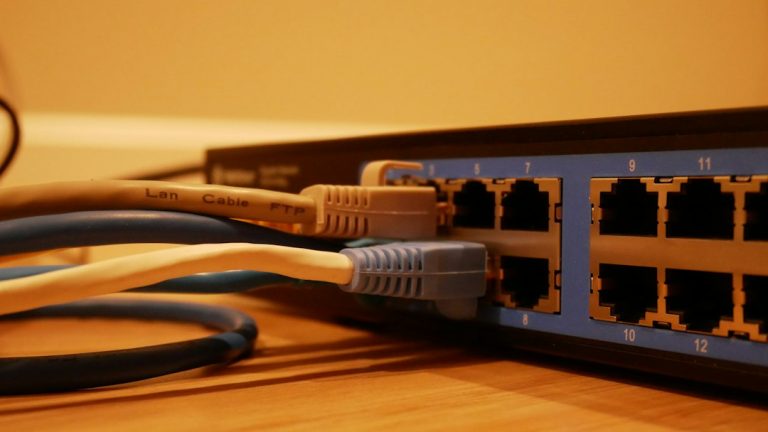
Best Fanless Firewall Mini PCs for pfSense and OPNsense
A fanless firewall mini PC is the quiet, low-power way to run pfSense or OPNsense at home. Instead of a consumer router with a locked-down firmware and a few checkbox options, you get a small x86 box with multiple network ports and a real firewall operating system. It sits in a closet or on a shelf, sips 10 to 20 watts and runs for years without a spinning fan to fail or collect dust.
This guide covers what to look for when shopping, how much hardware you really need, and the models worth considering. The picks come from the two usual camps: purpose-built appliances from Protectli and Netgate, and the cheaper multi-port mini PCs sold by CWWK and similar brands.
What to Look for in a Fanless Firewall Mini PC
A firewall box has different priorities from a desktop mini PC, and its network interface controllers matter more than its processor. Raw CPU speed matters less than network port quality, cooling and reliability. Here’s what separates a good choice from a frustrating one.
- Intel network controllers — look for Intel i225-V, i226-V or i210/i211 chips. FreeBSD, which pfSense and OPNsense are built on, has mature drivers for these. Realtek NICs work but have a spottier record under heavy load.
- At least two ports, ideally four — one for WAN, one for LAN, and extras for a separate IoT network, a DMZ or a guest segment.
- 2.5 GbE ports — future-proof for multi-gig internet plans, and many homes now have 2 Gbps fiber or cable.
- Passive cooling — a metal chassis that acts as a heatsink. Fanless units are silent and have no moving parts, but they need airflow around the case.
- AES-NI support — hardware encryption acceleration, known as the AES instruction set, makes VPN throughput far better. Almost every modern Intel chip includes it.
- Enough RAM and storage — 4 GB is workable, 8 GB is comfortable if you add packages like Suricata or pfBlockerNG. A small SSD or eMMC drive is plenty.
- Reputable support — a vendor that publishes specs, offers firmware updates and answers pre-sale questions beats a no-name listing with changing hardware.
If you’re still deciding between operating systems, our comparison of pfSense vs OPNsense explains how they differ in interface, update cadence and package support.
How Much Hardware Do You Need?
The answer depends mostly on your internet speed and what you plan to run on the firewall.
Gigabit Internet With Basic Routing
A quad-core Celeron or Pentium from the J-series or N-series handles routing, NAT, DHCP, DNS and basic firewall rules at 1 Gbps with room to spare. Even older chips can route gigabit comfortably if you skip heavy extras.
Multi-Gig Internet or Intrusion Detection
If you have a 2 Gbps or 5 Gbps connection, or you want to run an intrusion detection system like Suricata, you’ll want a newer chip such as an Intel N100 or a Celeron/Pentium J-series CPU with strong single-core performance, plus 8 GB of RAM. Inspection is far more demanding than routing, and the CPU matters here more than anywhere else.
VPN Server Duty
WireGuard performs well on modest hardware, and OpenVPN benefits from AES-NI. If you plan to have the firewall serve as a VPN endpoint for remote access, a four-core chip is plenty. Our guide to setting up a WireGuard VPN server on a mini PC walks through the setup.
Best Fanless Firewall Mini PCs
These are the models we’d shortlist. Specs vary by seller and configuration, so confirm RAM, storage and network controller on the listing before you order.
Protectli Vault VP2410
The VP2410 is a four-port 2.5 GbE appliance built around a quad-core Intel CPU in a fully fanless aluminum case. It’s the entry point for people who want a proper firewall box without gambling on an unknown brand. Protectli publishes full specs, supports coreboot on many models and has a long track record with pfSense and OPNsense communities.
💰 Buy on Amazon → Protectli VP2410 Firewall
It’s best for gigabit-to-2.5 gigabit homes that want reliable routing, VLANs and a VPN server. The case is the biggest cost advantage: it’s built to last and handle sustained heat without throttling.
Protectli Vault Pro VP2420
The VP2420 steps up the CPU and keeps four 2.5 GbE ports. It’s a good fit if you run intrusion detection, ad blocking lists and a VPN simultaneously, since the faster chip leaves more headroom. Protectli sells it in several configurations: barebones if you want to supply your own RAM and SSD, or with 8 GB RAM and a 120 GB SSD ready to install.
💰 Buy on Amazon → Protectli Vault Pro VP2420 4 Port Mini PC Firewall
Protectli VP2420 Barebones
If you’d rather buy the barebones version and save money on parts you may already own, that option is available too.
💰 Buy on Amazon → Protectli VP2420 Barebones
Protectli VP2420 With RAM and SSD
For buyers who want a turnkey option, the pre-configured version with memory and storage included gets you from box to installer in minutes.
💰 Buy on Amazon → Protectli VP2420 with 8GB RAM + 120GB SSD
Protectli Vault FW4B
The FW4B is an older four-port design with gigabit Intel NICs. It’s no longer the newest hardware, but it’s still a solid router for 1 Gbps connections, and it’s often discounted. If your internet plan is under 1 Gbps and you don’t plan to use heavy packages, it does the job without any fuss.
💰 Buy on Amazon → Protectli Vault FW4B
Skip it if you expect to move to a multi-gig plan within a couple of years. The gigabit ports will become the limit.
CWWK Intel N100 Four-Port 2.5GbE Mini PC
CWWK sells a range of fanless mini PCs aimed squarely at the pfSense and OPNsense crowd. The N100 version pairs a low-power quad-core Intel N100 with four i226-V 2.5 GbE ports, usually at a lower price than the Protectli equivalent. The N100 is efficient, handles gigabit routing with ease and has the CPU muscle for light intrusion detection.
💰 Buy on Amazon → CWWK Intel N100 4x 2.5GbE Fanless Firewall Mini PC
The trade-off is support. You’re buying from a manufacturer with less documentation and less predictable shipping configurations than Protectli. Many buyers have great results, but check that the listing includes the NICs and RAM you expect, and plan to flash your own operating system.
CWWK N6005 Firewall Mini PC
An earlier CWWK model built around the Intel Pentium N6005, this one is also popular for routing and VPN work. It’s a good middle ground for someone who wants more CPU than a J-series box but doesn’t need the newest chip.
💰 Buy on Amazon → CWWK Firewall Mini PC N6005
Pair it with a fast SSD and 8 GB of RAM and you have a solid platform for pfSense with a few packages. Like all fanless designs, give it ventilation. Don’t stack it under other equipment or push it against a wall.
Netgate 2100 and 1100 Appliances
If you want pfSense Plus on hardware designed by the people who build pfSense, Netgate’s appliances are the official route. They’re ARM-based, smaller and less flexible than x86 boxes, but they’re tuned for the software and they come with vendor support.
💰 Buy on Amazon → Netgate 2100 Base pfSense+ Security Gateway
Netgate 1100
The Netgate 1100 is the smaller, cheaper sibling and handles gigabit connections without trouble for basic routing.
💰 Buy on Amazon → Netgate 1100 pfSense+ Security Gateway
Neither is ideal for Suricata at gigabit speeds or Proxmox-style experiments, so treat them as dedicated routers rather than general-purpose mini PCs.
Setting Up Your Fanless Firewall Mini PC
Once the hardware arrives, getting it running takes about an hour. The general process is the same for any x86 model.
- Download the installer — grab pfSense CE or OPNsense from the official sites and write it to a USB drive. The OPNsense project and the Netgate pfSense documentation both publish step-by-step install guides.
- Connect a monitor and keyboard — most of these boxes have HDMI and USB ports for the first install, and some include a serial console.
- Boot from USB and install — choose the SSD as the destination disk. Default filesystem settings work fine.
- Assign interfaces — identify which physical port is WAN and which is LAN. Label them with tape so you don’t lose track later.
- Set up the LAN and DHCP — pick a subnet, enable DHCP and confirm clients get addresses.
- Harden the basics — change default credentials, disable remote administration from the WAN, and apply updates immediately.
- Add VLANs and rules — segment IoT devices, guests and trusted devices. Our guide on isolating IoT devices on a VLAN shows how the pieces fit.
For the complete picture of placing the firewall between your modem and the rest of your gear, see our walkthrough on setting up a secure home firewall gateway.
Don’t Forget the Switch and Access Points
A firewall with four ports doesn’t replace a switch. Most homes still need a managed or smart switch behind the firewall to carry VLANs to access points and wired devices. If you’re running multi-gig, a 2.5 GbE switch keeps the fast ports useful; our roundup of the best 2.5GbE switches for home networks covers options that pair well with these boxes.
Common Mistakes With a Fanless Firewall Mini PC
- Buying on CPU alone — a fast chip with Realtek NICs can still be a poor firewall. Check network controllers first.
- Ignoring thermals — fanless doesn’t mean heat-proof. A hot closet with no airflow can throttle even a good unit. Leave space around the case.
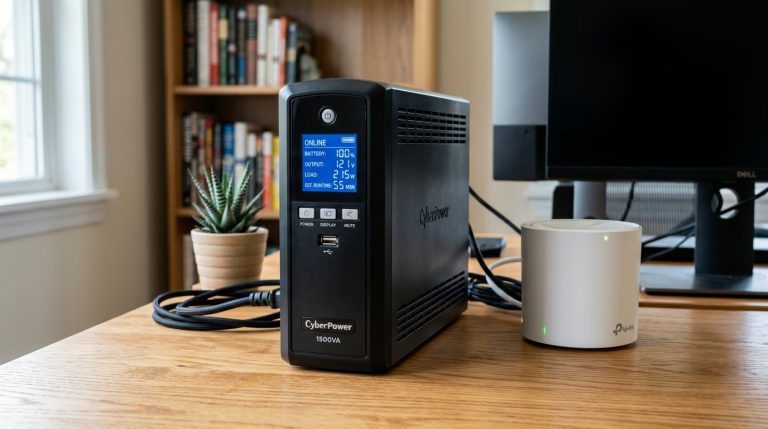
- Skipping a UPS — firewalls are sensitive to sudden power loss. A small battery backup protects the filesystem and keeps the internet up during brief outages. Our guide to choosing a UPS for your home network explains what size to buy.
- Underestimating RAM — packages like Suricata, ntopng and pfBlockerNG can use several gigabytes. Start with 8 GB if you plan to use them.
- Running everything on one box — a firewall is also a single point of failure. Keep a spare router or a backup config so you can restore service quickly.
- Forgetting configuration backups — export your config after every significant change. Restoring a firewall from a saved XML file takes minutes. Rebuilding one from memory takes hours.
Is a Fanless Firewall Worth It Over a Consumer Router?
For most households, a decent consumer router is enough. A dedicated firewall earns its place when you want network segmentation, advanced logging, a self-hosted VPN or intrusion detection, or when you’re running a homelab and want proper control. The cost is an hour or two of setup and a learning curve with firewall concepts like NAT, rules and interfaces. After that, you gain a platform that’s far more capable and more transparent than the average router. For background on the software side, the pfSense project overview is a good place to start.
You’ll also want to keep WiFi in mind: a firewall box doesn’t broadcast wireless. Pair it with one or more dedicated access points, which generally perform better than the built-in radios of a combined router anyway.
FAQ
What is a fanless firewall mini PC?
It’s a small computer with multiple Ethernet ports and no cooling fan, designed to run firewall software like pfSense or OPNsense. The metal case acts as a heatsink, so the unit is silent and has no moving parts.
How much RAM does pfSense or OPNsense need?
Basic routing works with 2 to 4 GB, but 8 GB is a better starting point if you add packages such as Suricata, ntopng or pfBlockerNG. RAM is inexpensive, so there’s little reason to skimp.
Can a fanless mini PC handle gigabit or multi-gig internet?
Yes. Modern Intel chips like the N100 and the J-series Celerons route gigabit with ease, and four-port 2.5 GbE units handle multi-gig plans. Heavy intrusion detection at multi-gig speeds needs a faster CPU.
Are Realtek network ports a problem for pfSense?
They can be. FreeBSD supports Realtek chips, but Intel controllers have better driver maturity and tend to perform more reliably under sustained load. If you have a choice, pick Intel.
Do I need a separate access point with a firewall mini PC?
Yes. These boxes don’t include WiFi, so you’ll connect one or more access points to a switch or to a LAN port. Dedicated access points usually provide better coverage than a router’s built-in radios.
How hot do fanless firewall mini PCs get?
The case may feel warm or even hot to the touch under load, which is normal for passive cooling. As long as the unit has ventilation and isn’t enclosed in a tight, unventilated cabinet, it will run reliably for years.
Should I buy Protectli or a cheaper CWWK box?
Protectli offers better documentation, support and consistent specs. CWWK units cost less and often include newer chips, but quality control and support are less predictable. If you want the smoothest experience, choose Protectli; if you’re comfortable troubleshooting, a CWWK box is a strong value.