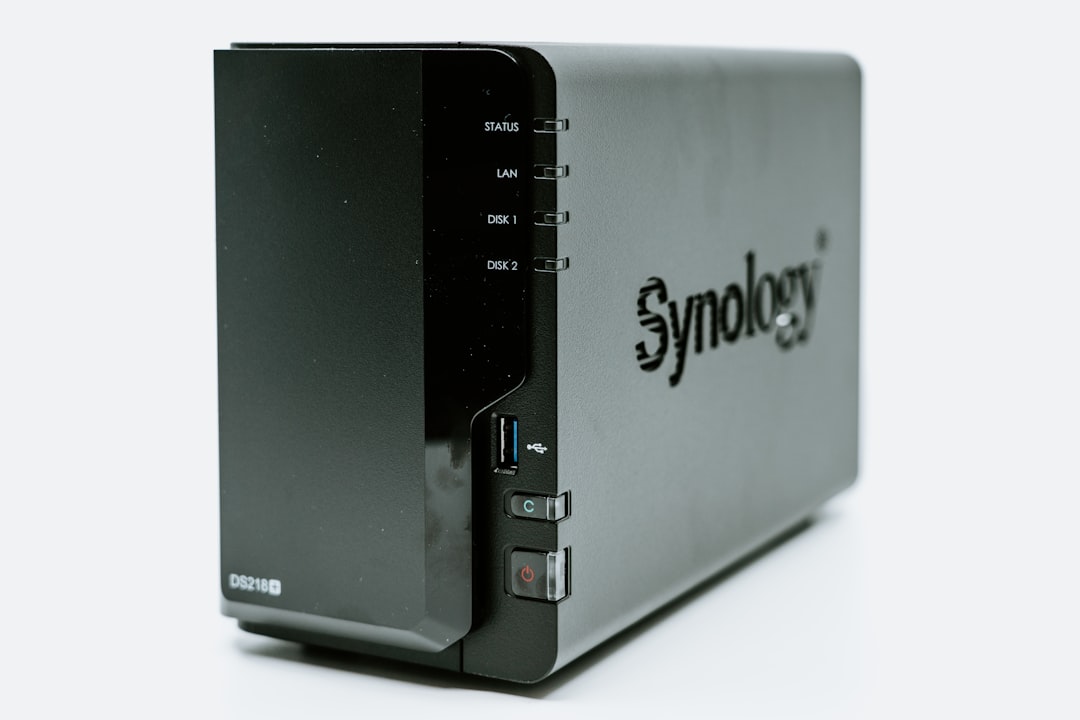
Synology DS923+ vs DS423+: Which 4-Bay NAS is Best for You?
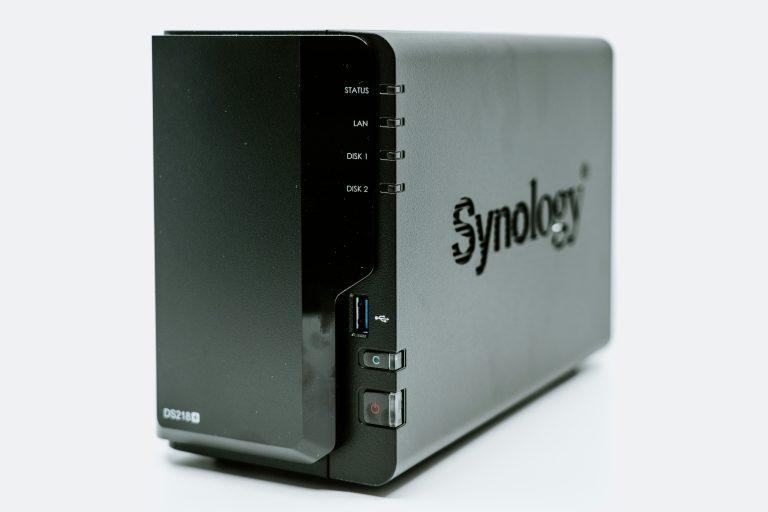
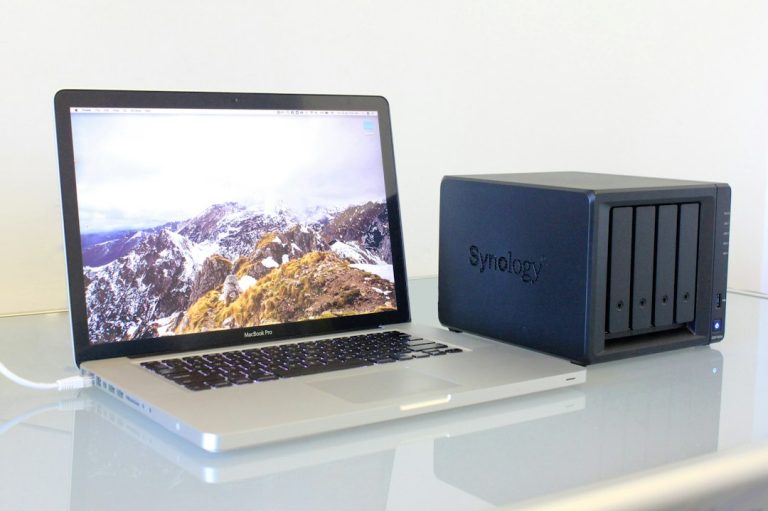
If you are planning to invest in a premium, 4-bay network-attached storage (NAS) device for your home or small office, doing a head-to-head comparison of the synology ds923+ vs ds423+ is essential. Synology has long dominated the consumer and small business NAS markets with its highly polished DiskStation Manager (DSM) operating system, which turns complex networking and storage configurations into simple click-and-run applications. However, choosing between their two most popular 4-bay models can be exceptionally confusing. On paper, both units look nearly identical: they share the same physical chassis, feature four hot-swappable drive bays, support dual M.2 NVMe SSDs for caching or storage pools, and include dual gigabit Ethernet ports.
Yet, underneath the plastic and steel enclosures, these two units are powered by completely different processors, representing two entirely distinct philosophies of home networking. One is a high-performance productivity machine designed for virtualization, high-speed file transfers, and multi-gigabit expansion. The other is a dedicated home media hub optimized for movie streaming, real-world photo indexing, and hardware-accelerated video transcoding. This comprehensive guide breaks down the core technical differences, examines real-world benchmarks, and helps you decide which of these two outstanding 4-bay systems belongs on your home network shelf.
Technical Specifications: Synology DS923+ vs DS423+
To understand how these systems compare, we must look at the physical components. While the outer shells are indistinguishable, the internal processing hardware of the synology ds923+ vs ds423+ reveals very different design priorities.
The Synology DS923+ is powered by the dual-core AMD Ryzen R1600 processor. The Ryzen is an x86-64 processor designed for heavy computing tasks, databases, and virtualization. It supports Error-Correcting Code (ECC) memory, which is a crucial enterprise feature that detects and corrects single-bit memory errors before they can corrupt your files. Out of the box, the DS923+ comes with 4GB of DDR4 ECC RAM, which can be expanded to a massive 32GB. ECC RAM provides an extra layer of data integrity that is highly valued by businesses and professional photographers.
The Synology DS423+ is powered by the Intel Celeron J4125 quad-core processor. The Celeron J4125 is a highly efficient, lower-power processor that features four physical cores compared to the Ryzen’s two. However, it does not support ECC memory. It comes with 2GB of standard, non-ECC DDR4 memory soldered to the motherboard, with a single expansion slot allowing you to expand the system to a total of 6GB of RAM. The Celeron J4125’s greatest advantage is its integrated Intel UHD Graphics 600 GPU, which is completely missing from the AMD Ryzen processor inside the DS923+.
For details on the official hardware specifications, read the Synology DS923+ Product Page and the Synology DS423+ Product Page.
Product Reviews and Hardware Overview
To help you decide, we have put together this comprehensive breakdown of the synology ds923+ vs ds423+ based on real-world testing, focusing on expansion, processing, and media capabilities.
Synology DS923+ 4-Bay NAS (High Performance)
💰 Buy on Amazon → Synology DS923+ 4-Bay NAS
In the battle of synology ds923+ vs ds423+, the DS923+ stands out as the ultimate choice for high-speed file storage and multi-gigabit networking. It is designed specifically for power users, creative professionals, and small businesses who need a server that can grow alongside their performance requirements.
The standout feature of the DS923+ is its PCIe expansion slot, located on the back panel of the unit. This slot allows you to install Synology’s proprietary 10GbE network interface card (the E10G22-T1-Mini). Installing this card upgrades your NAS connection speed from standard 1Gbps to ultra-fast 10Gbps, allowing you to transfer files at speeds exceeding 1,000 MB/s. This is a crucial upgrade if you edit high-resolution video directly off your NAS or operate multiple virtual machines that require high-bandwidth connections.
Furthermore, the AMD Ryzen processor provides significantly faster CPU performance than the Intel Celeron inside the DS423+. In multi-threaded workloads, compiling code, and database operations, the Ryzen processor is roughly 20% to 30% faster. This extra processing headroom allows the DS923+ to run heavy Docker container stacks and multiple virtual machines simultaneously without any system lag. To learn more about setting up your backup policies on Synology, consult our NAS Time Machine backups on Mac tutorial.
Synology DS423+ 4-Bay NAS (Media Optimizer)
💰 Buy on Amazon → Synology DS423+ 4-Bay NAS
If your primary goal is to build a massive home media streaming library using Plex, Jellyfin, or Emby, the Synology DS423+ is the most efficient and cost-effective 4-bay NAS you can buy.
The Intel Celeron J4125 processor inside the DS423+ includes Intel Quick Sync Video technology. Quick Sync is a dedicated hardware-accelerated transcoding engine built directly into the GPU chip. When you stream a high-resolution 4K movie to a device that does not support the native file format (such as a smartphone or a smart TV), Quick Sync converts the video in real-time to a compatible format. It performs this intensive conversion process using specialized hardware blocks, allowing the main CPU to remain completely free for other tasks.
Without this hardware-accelerated GPU, the Ryzen processor in the DS923+ must perform video transcoding using raw CPU power. This process can easily saturate the Ryzen CPU, causing movie streams to stutter and buffering wheels to spin, especially when trying to convert 4K HDR content. The DS423+ can comfortably transcode multiple 4K streams simultaneously while drawing very little power and remaining completely silent. To discover other affordable storage setups, check out our guide on the best budget NAS under $300 in 2026.
Critical Comparison Factors
To make an informed choice, let’s look at the key operational areas where these two systems differ:
- ECC Memory and Data Safety: The DS923+ supports ECC DDR4 memory, which can prevent silent data corruption. Silent data corruption (often caused by microscopic electrical interferences) can ruin photos or system files without throwing errors. If you store irreplaceable financial records, family archives, or critical code repositories, the ECC memory support of the DS923+ is an invaluable safety net.
- Networking and Multi-Gigabit Speeds: Both systems include dual Gigabit RJ45 ports that can be bonded using Link Aggregation to increase total bandwidth across multiple clients. However, only the DS923+ supports 10GbE expansion. If you have upgraded your home network with multi-gigabit switches, the DS423+ will restrict your transfer speeds to a maximum of 115 MB/s on any single computer, whereas the DS923+ can scale up to 1000+ MB/s.
- Plex Media Server Transcoding: If you run Plex and share your library with family and friends who stream remotely, the DS423+ is the undisputed winner. It transcodes video with minimal effort. While the DS923+ can stream video perfectly fine without transcoding (known as Direct Play), any file that requires real-time resolution scaling or subtitle burning will struggle on the AMD processor. You can find out more about Plex deployment configurations on the Plex Official Support Site.
- Docker Containers and Virtualization: If you run multiple home automation services inside Docker containers, both units perform exceptionally well. However, if you plan to run heavy virtual machines (such as full Windows or Linux installations inside Synology Virtual Machine Manager), the DS923+’s superior CPU power and ability to support up to 32GB of RAM make it the vastly superior platform.
- Expansion and Drive Scaling: The DS923+ features an eSATA port on the rear of the unit that allows you to connect a DX517 5-bay expansion unit. This allows you to expand your storage array to a total of 9 drives as your storage needs grow. The DS423+ lacks this expansion port, meaning you are permanently capped at four physical drives and must replace smaller drives with larger ones to expand capacity.
If you are trying to configure remote access to your files without opening security holes in your router, follow our step-by-step instructions in the NAS remote access: VPN, Tailscale, and Cloudflare tutorial.
How to Configure Your Synology NAS for Maximum Performance
Whichever unit you select, applying these professional optimization practices will ensure your new NAS remains fast, secure, and running smoothly:
- Configure SSD Cache or Storage Pools: Both units feature dual NVMe SSD slots on the underside of the chassis. Historically, these SSDs could only be used as a read/write cache to speed up access to frequently used files. In modern DSM versions, however, you can configure these NVMe drives as a dedicated, ultra-fast storage volume. Running your Docker containers, databases, and system packages directly off an SSD volume dramatically improves system responsiveness.
- Use Btrfs and Enable Data Scrubbing: When setting up your storage pools, always select the Btrfs file system instead of the older ext4. Btrfs supports metadata checksumming, which allows DSM to detect and automatically heal corrupted files using RAID parity data. Additionally, schedule monthly “Data Scrubbing” tasks in the Storage Manager to actively verify the integrity of your hard drives. You can read more about data parity protections on the Wikipedia RAID guide.
- Implement the 3-2-1 Backup Strategy: Having a RAID array does not mean your files are backed up. RAID protects against physical drive failures, but it does not protect against accidental deletions, fire, theft, or ransomware attacks. Use Synology Hyper Backup to automate backups of your critical data to an external USB drive (local backup) and an off-site cloud storage provider (offsite backup) to ensure complete data security.
- Isolate Your NAS on Your Home Network: Do not connect your primary storage server directly to the public internet. Disable default admin accounts, enforce two-factor authentication, and avoid using simple port forwarding on your router. Instead, set up a secure local VPN or Tailscale tunnel on your network firewall to access your DSM interface securely when away from home.
- Schedule regular S.M.A.R.T. Tests: Hard drives fail over time. Set up automatic monthly S.M.A.R.T. extended tests for all your physical drives, along with automatic email notifications. This allows your NAS to warn you of rising bad sector counts weeks before a drive actually fails, giving you ample time to swap the drive without risking data loss.
Frequently Asked Questions
Which is better for virtualization in the synology ds923+ vs ds423+ comparison?
The Synology DS923+ is much better suited for virtualization. Running virtual machines requires substantial CPU power and massive amounts of memory. The DS923+ features a more powerful AMD Ryzen R1600 processor and can be expanded up to 32GB of ECC DDR4 memory. In contrast, the DS423+ is capped at 6GB of non-ECC RAM, which leaves very little room to run virtualized operating systems alongside the core DSM services.
Can I run Plex on the DS923+ without hardware transcoding?
Yes, you can run Plex on the DS923+ perfectly fine, but with a major caveat: your streaming clients must support “Direct Play.” Direct Play means the player (such as an Apple TV, Nvidia Shield, or smart TV) can decode the original file natively without requiring the NAS to transcode it. If all your devices are on the local network and support the codec, the DS923+ will stream the file smoothly while using virtually zero CPU power.
What hard drives are recommended for these NAS models?
For continuous 24/7 NAS operations, you should only use dedicated NAS hard drives, such as Western Digital Red Plus/Pro, Seagate IronWolf/Pro, or Synology’s own HAT series drives. These drives are specifically engineered to withstand the continuous vibrations of multi-drive enclosures and feature specialized firmware to handle RAID rebuild processes safely. Avoid cheaper desktop drives (SMR drives), as they can cause severe RAID dropouts and data loss. Learn more about processor differences in the Wikipedia Celeron page.
Is the RAM in the DS423+ upgradable beyond the official limit?
Yes, although it is not officially supported by Synology. The DS423+ has 2GB of memory soldered to the motherboard, and Synology officially supports adding a 4GB stick for a total of 6GB. However, many users have successfully installed an 8GB or 16GB DDR4 non-ECC SODIMM stick in the expansion slot, bringing the total system memory to 10GB or 18GB. Note that using non-official memory capacities can void your warranty and cause minor stability warning messages on boot.
Can I migrate my drives directly from an older Synology NAS to these models?
Yes, Synology supports direct HDD migration between most of their models. If you are upgrading from an older 2-bay or 4-bay DiskStation, you can physically move your existing hard drives into the DS923+ or DS423+ in the exact same order. When you boot up the new NAS, the DSM interface will recognize the migrated array and guide you through a simple migration wizard that preserves your configurations and files.
Does the DS923+ consume more electricity than the DS423+?
Yes, the DS923+ has a slightly higher power draw due to its high-performance AMD Ryzen processor. In typical active operation, the DS923+ draws approximately 35.5 watts, compared to 28.3 watts for the DS423+. While this difference is relatively minor in daily usage, it can add up over years of continuous operation, making the DS423+ slightly more energy-efficient for simple file storage.
In conclusion, choosing between the synology ds923+ vs ds423+ depends on whether you value raw CPU power and future-proof networking, or dedicated hardware-accelerated media transcoding capabilities. For technical discussions on storage architectures, check out resources like the Wikipedia computer data storage guide to gain a deeper understanding of modern storage infrastructure.

2 Comments
Comments are closed.