Best Smart Thermostats for Home Assistant
Integrating a smart thermostat home assistant setup is one of the most effective ways to lower your energy bills, improve indoor comfort, and build a truly automated residence. While standard programmable thermostats have allowed basic scheduling for decades, they operate as isolated islands of hardware. They have no awareness of whether your family is currently at home, whether a window has been left wide open, or what the electricity grid’s current dynamic pricing looks like. By connecting a modern thermostat to a local smart home automation controller, you transform a simple temperature regulator into an intelligent, context-aware climate engine.
Taking control of your home’s heating, ventilation, and air conditioning (HVAC) systems through an open-source platform eliminates the security and reliability issues associated with proprietary cloud services. Instead of relying on external servers that can experience outages, latency, or sudden subscription price increases, a locally managed smart home ecosystem keeps your private schedule and environmental data entirely on your local network. This guide reviews the top hardware options, outlines essential integration protocols, and provides a framework to help you find the absolute smart thermostat home assistant choice for your residence.
Why Local HVAC Control Matters for Your Smart Home
Deploying a climate control system that relies entirely on cloud servers introduces a single point of failure into your home’s most critical infrastructure. If your internet connection goes down, or if the manufacturer’s authentication servers experience an unexpected outage, your smart schedules can fail, leaving your home uncomfortably cold in the winter or dangerously hot during a summer heatwave. Local communication protocols such as Zigbee, Z-Wave, and local-only Wi-Fi ensure that your climate systems continue to operate reliably even during total internet blackouts.
Furthermore, local integrations offer near-instantaneous response times compared to cloud-connected alternatives. When a room sensor detects occupancy, a local signal can adjust the climate settings in milliseconds. A cloud-dependent setup must route that event from the sensor to your local hub, up to the hub’s cloud, over to the thermostat manufacturer’s cloud, back down to the thermostat, and finally activate the HVAC system. This multi-hop path introduces noticeable latency and increases the likelihood of dropped commands. To learn how to build a highly responsive local smart home environment, explore our detailed guide on building a smart home from scratch in 2026.
Finally, keeping your HVAC data on your local network preserves your family’s privacy. Cloud-connected thermostats constantly upload detailed records of your daily routines, sleep schedules, and occupancy patterns to corporate servers. By running a local integration, you ensure that this sensitive personal information remains under your direct control. By combining a local climate hub with other robust local technologies, such as the best zigbee devices for home assistant in 2026, you can establish a private, high-performance local network that operates completely independent of third-party monitoring.
Choosing the Best Smart Thermostat Home Assistant Integration
When assessing a smart thermostat home assistant solution, local control is the ultimate feature to prioritize. The following reviewed models represent the top physical thermostats for local or highly reliable hybrid integration on the market today.
ecobee Premium Smart Thermostat
💰 Buy on Amazon → ecobee Premium Smart Thermostat
The ecobee Premium Smart Thermostat is widely regarded as one of the most advanced and feature-rich climate controllers available. It features a stunning zinc alloy bezel, a large touchscreen interface, an integrated air quality sensor, and a built-in smart speaker.
The ecobee Premium is particularly outstanding due to its local integration capability. While ecobee maintains a robust cloud platform, the thermostat can be added to your local network using the HomeKit Device integration. This integration, which is based on Apple’s protocol as described in the Wikipedia HomeKit overview, operates entirely over your local Wi-Fi network, allowing the system to communicate directly with your local controller without sending any data to the cloud. This means that even if your internet service provider suffers an outage, your automation hub can still monitor the temperature, adjust the setpoint, and read occupancy status from the ecobee’s remote sensors.
Additionally, ecobee’s remote SmartSensors are exceptional at detecting both temperature and motion. When paired with your local controller, these sensors can be used to trigger non-HVAC automations, such as turning on overhead lighting when you enter a room or shutting off appliances when a space has been vacant for an extended period. This makes the ecobee Premium a highly reliable smart thermostat home assistant choice for users who want premium hardware combined with local operational resilience. You can read more about integrating HomeKit devices on the Home Assistant HomeKit Device Integration page.
Nest Learning Thermostat (Gen 4)
💰 Buy on Amazon → Google Nest Learning Thermostat
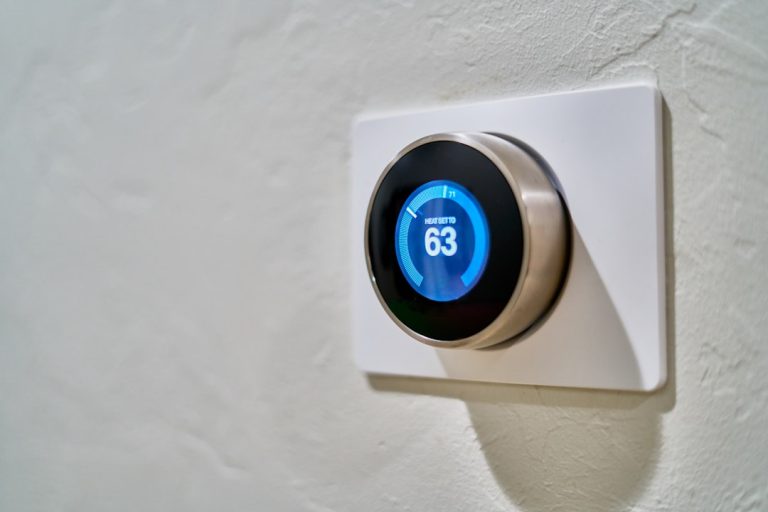
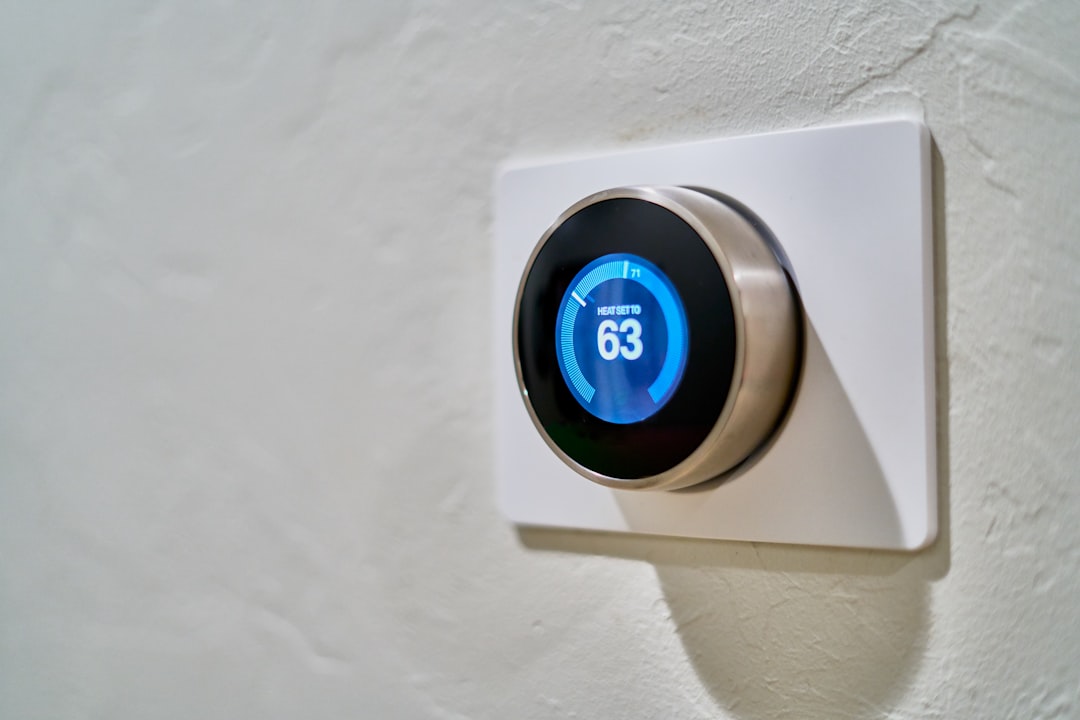
The Google Nest Learning Thermostat Gen 4 is a beautifully designed, premium climate controller featuring a high-resolution dome display, a rotating metal ring, and advanced predictive scheduling. It is highly regarded for its sleek aesthetic and its ability to learn your daily routines automatically.
Historically, Nest thermostats were difficult to integrate with open-source smart home platforms due to Google’s highly restrictive cloud APIs. However, the Gen 4 model supports the industry-standard Matter protocol over a Thread network. This is a massive development for smart home enthusiasts because Matter, which you can read about in the Wikipedia Home Automation standards guide, enables completely local, secure, and standardized communication. By pairing the Nest Gen 4 with a compatible Thread border router, you can control the thermostat locally, bypassing the cloud entirely and ensuring instant response times.
If you are using an older Nest model, you will still need to use the cloud-based Nest integration, which requires a Google Developer account and a one-time fee to set up the API access. This older method is subject to internet availability and Google’s cloud API limits. Therefore, we highly recommend upgrading to a Matter-compatible model to ensure a resilient, local-first climate setup. To understand how Matter is transforming home automation, consult our overview on Matter smart home 2026: what actually works.
Honeywell Home T9 Smart Thermostat
💰 Buy on Amazon → Honeywell Home T9 Smart Thermostat
The Honeywell Home T9 is a highly reliable, utility-focused smart thermostat that prioritizes stable climate management over flashy visual effects. It features an intuitive touchscreen interface and supports multi-room temperature sensing using Honeywell’s proprietary wireless sensors.
The T9 integrates with local automation hubs via a cloud-to-cloud API or locally using the HomeKit Device integration over Wi-Fi. By selecting the HomeKit path during setup, you can bypass the Honeywell cloud for all core climate controls, gaining local setpoint adjustments, fan controls, and sensor updates. The T9’s remote sensors are highly accurate and have exceptional range, making them ideal for larger homes where the central thermostat is located in an unrepresentative hallway.
Honeywell has a long-standing history in commercial and residential HVAC controls, which is reflected in the T9’s robust build quality and predictable relay switching. It handles complex multi-stage heating and cooling systems with ease, ensuring that your expensive HVAC equipment is never short-cycled. For budget-conscious smart home builders, configuring a lower-cost smart thermostat home assistant system allows you to gain automation benefits without spending a fortune.
Sensi Touch 2 Smart Thermostat
💰 Buy on Amazon → Sensi Touch 2 Smart Thermostat
The Sensi Touch 2 by Copeland is another fantastic contractor-grade smart thermostat that offers excellent smart home compatibility. It features a clean, high-contrast touchscreen display, a simple installation process, and a highly intuitive mobile application.
Like the ecobee and Honeywell T9, the Sensi Touch 2 can be integrated entirely locally using the local HomeKit Device integration. This setup ensures that your temperature controls, scheduling, and system status are updated instantly on your local dashboard. The Sensi Touch 2 is designed with a traditional thermostat footprint, making it incredibly easy to mount on existing wall boxes without needing to patch or paint the surrounding drywall.
One of the Sensi’s greatest strengths is its highly stable firmware. It rarely loses connection to local Wi-Fi networks and recovers gracefully from power outages. Sensi also offers highly detailed energy usage reports through its platform, allowing you to track exactly how many hours your heating or cooling has run each day. For more information on configuring local Wi-Fi integrations, you can consult the general Wikipedia Smart Thermostat guide.
How to Choose the Best Smart Thermostat for Your Automation Hub
When evaluating any smart thermostat home assistant option, you must determine whether the integration operates locally or relies on a cloud service. Here are the core factors to consider before making a purchase:
- Local Integration Protocols: Prioritize thermostats that support Matter-over-Thread, Zigbee, Z-Wave, or local HomeKit-over-Wi-Fi. These protocols guarantee that your climate control remains fully functional even if your internet connection is disrupted. Avoid systems that only offer cloud-based REST APIs.
- C-Wire (Common Wire) Requirement: Smart thermostats require constant electrical power to run their displays, Wi-Fi radios, and internal processors. This power is delivered through a dedicated “C-wire” from your HVAC system. If your home’s wiring lacks a C-wire, look for thermostats that include a Power Extender Kit (PEK) or consider running a new cable bundle.
- Sensor Ecosystem: Managing climate based on a single temperature reading from a hallway thermostat often leads to hot or cold spots in bedrooms and offices. Choose a thermostat system that supports wireless remote sensors. This allows your automation hub to average temperatures across multiple rooms or dynamically heat and cool occupied spaces.
- HVAC System Compatibility: Before buying, verify that the thermostat supports your specific HVAC system. Traditional systems use 24V AC controls, which are compatible with almost all smart thermostats. However, proprietary communicating systems, heat pumps with multi-stage auxiliary heat, and high-voltage line-voltage systems (like electric baseboards) require specialized controllers.
- Smart Plugs and Relays: In some custom home setups, you may want to control auxiliary heaters or fans in specific rooms. You can easily integrate these auxiliary devices into your climate schedules by pairing your main thermostat with the best smart plugs for automation in 2026.
By carefully reviewing these technical requirements, you can select a physical thermostat that fits your existing wiring and provides a robust, locally controllable foundation for your climate automation.
Smart Thermostat Home Assistant Automation Blueprints
Once your thermostat is successfully integrated, you can implement powerful automations that go far beyond standard time-of-day scheduling. Here are three highly effective automation strategies to configure:
1. The Open Window Safety Valve
Leaving a window open while your HVAC system is actively heating or cooling wastes an enormous amount of energy and strains your HVAC compressor. You can easily create an automation that monitors contact sensors on your doors and windows. If any window remains open for more than five minutes, the automation will pause your climate control system. Once all doors and windows are closed, the system will automatically resume its previous schedule.
2. Dynamic Zone Averaging
Instead of controlling your HVAC system based solely on the temperature at the central thermostat, you can use your automation hub to calculate a dynamic average temperature based on occupied rooms. By utilizing motion sensors in your bedrooms and home office, the hub can ignore unoccupied rooms and focus heating and cooling energy precisely where your family is currently located.
3. Presence-Based Setpoint Setbacks
Traditional geofencing relies on a single smartphone’s location, which often fails if multiple people live in the house or if a phone battery dies. By utilizing a robust local presence detection system (combining Wi-Fi connection status, Bluetooth beacons, and motion sensors), your home can automatically enter “Eco Mode” the moment the last person leaves, and return to “Comfort Mode” as soon as anyone approaches the driveway.
To ensure your home automation hub has a robust and reliable physical hardware controller, you can explore the top-performing options in our review of the best smart home hubs in 2026: which one should you buy?.
Frequently Asked Questions
Can I control my smart thermostat without an internet connection?
Yes, if your thermostat supports local communication protocols such as Matter-over-Thread, Zigbee, Z-Wave, or local HomeKit-over-Wi-Fi, you can control it entirely without an internet connection. All temperature readings, setpoint adjustments, and scheduling commands are sent directly from your local smart home server to the thermostat over your local home network.
What is a C-wire and do I absolutely need one?
A C-wire (Common wire) provides a continuous 24V AC power return path from your HVAC system’s control board to the thermostat. Smart thermostats require constant power to run their Wi-Fi radios and screens. If your existing thermostat wiring does not have a C-wire, you must install a Power Extender Kit (which is included with many ecobee models) or run a new physical wire. To learn more about thermostat wiring and options, consult the ENERGY STAR Smart Thermostat Guide.
Can I average temperatures across multiple rooms using remote sensors?
Yes, most premium smart thermostats support wireless remote sensors that measure temperature and occupancy in different rooms. Your smart home server can read these individual sensor values and calculate a real-time average. This prevents a sunny south-facing bedroom from overheating while a shady north-facing office remains freezing.
How does Matter improve smart thermostat integrations?
Matter is an open-source, local-first connectivity standard backed by major technology companies. Thermostats that support Matter-over-Thread communicate using a standardized language that does not require proprietary APIs or cloud access. This guarantees that your thermostat will work seamlessly, locally, and securely with any Matter-certified smart home platform.
Will a smart thermostat work with electric baseboard heaters?
Most standard smart thermostats are designed for low-voltage (24V AC) HVAC systems and will not work with high-voltage (120V or 240V AC) electric baseboard heaters. Connecting a low-voltage thermostat directly to line voltage will instantly destroy the thermostat and poses a severe fire hazard. If you have electric baseboards, you must purchase a specialized line-voltage smart thermostat.
Is local control essential for a smart thermostat home assistant setup?
Yes, local control is highly recommended for any smart climate control system. Relying on cloud connections introduces unwanted latency, creates a dependency on external servers, and poses a risk of losing control during internet outages. Local integrations ensure that your home’s most critical comfort and safety systems remain fully operational under all conditions.
In conclusion, integrating a smart thermostat home assistant setup into your property provides an unmatched level of comfort, efficiency, and reliability. By choosing local-first hardware and setting up context-aware automations, you can enjoy a perfectly regulated home while drastically reducing your environmental impact and monthly utility costs. To learn more about modern residential energy-saving standards, you can consult the official Energy Star Thermostat Specifications to help guide your purchasing decisions.