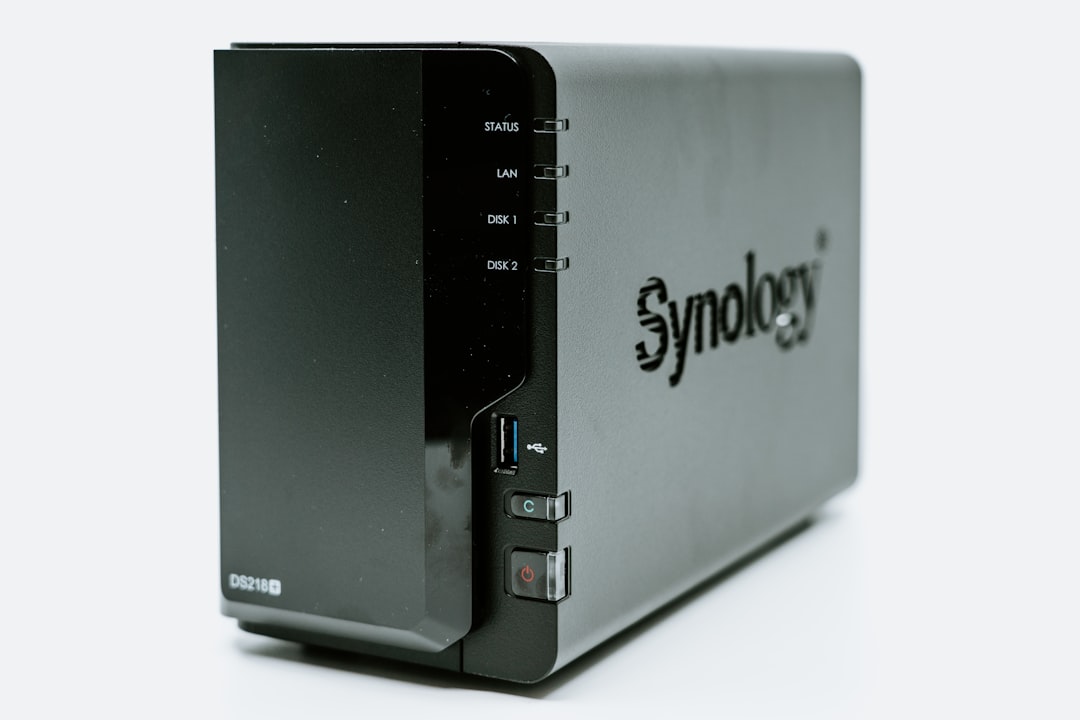
Synology vs QNAP: Which NAS Should You Buy in 2026?
When it comes to home network storage, the synology vs qnap debate is one of the most prominent discussions among enthusiasts and professionals alike. Choosing between these two industry giants shapes your entire storage architecture, determining how you back up critical files, stream high-definition media, manage virtualization hosts, and protect your digital privacy. Both manufacturers offer excellent ecosystems, but they cater to very different types of users.
Selecting the wrong system can be an expensive mistake, as a network-attached storage (NAS) unit is a long-term investment meant to run continuously for years. While both platforms provide robust data backup capabilities, their operating system designs, hardware philosophies, container management environments, and security records differ substantially. This in-depth guide compares the core aspects of the two ecosystems to help you decide which brand best matches your technical comfort level and storage goals.
The Core Philosophies: Synology vs QNAP
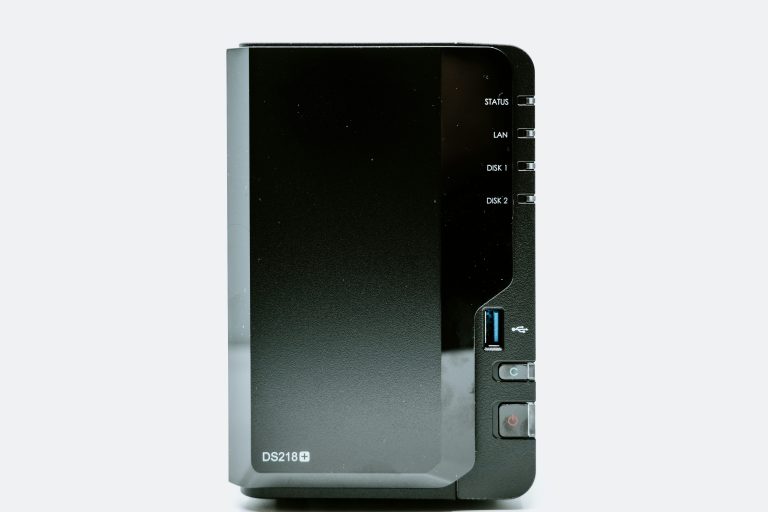
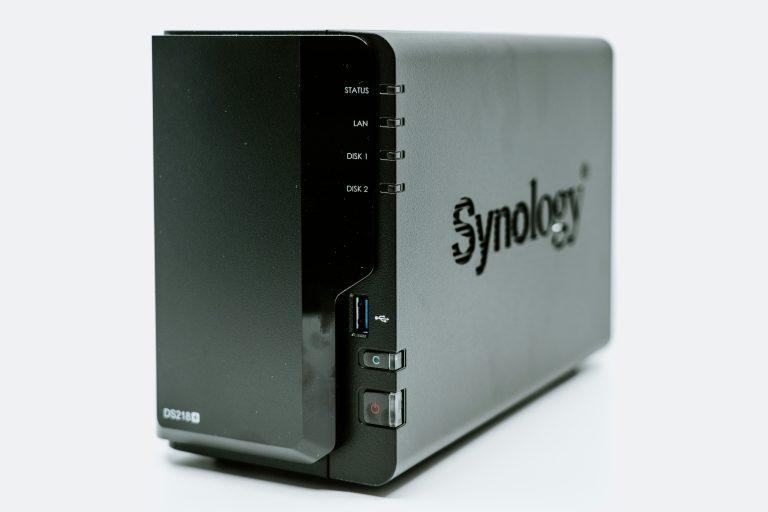
To make an informed decision, you must first understand the guiding philosophy behind each manufacturer. Synology designs its systems with a software-first approach. Their primary goal is to make network-attached storage as user-friendly as a standard desktop computer or a cloud storage provider. They prioritize system polish, application security, and intuitive workflows, often selecting conservative hardware specifications to ensure maximum system stability.
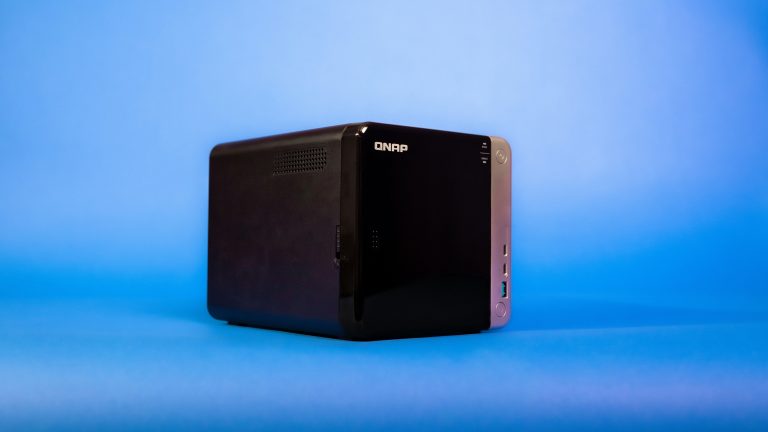
QNAP, conversely, takes a hardware-first approach. They aim to deliver the most computing power, connectivity options, and expansion potential possible for every dollar spent. QNAP hardware regularly features high-speed 2.5 Gigabit or 10 Gigabit Ethernet ports, direct HDMI outputs, PCI Express expansion slots, and multiple NVMe M.2 SSD slots at price points where Synology only offers basic Gigabit connections. QNAP systems are built for power users who want absolute control over every aspect of their hardware and are comfortable configuring complex settings.
For more information on the history and architecture of network storage, you can read the Wikipedia Network-Attached Storage article.
Hardware Specs and Value Comparison
When looking at hardware specs, the synology vs qnap comparison usually shows QNAP leading in raw value per dollar. To illustrate this difference, let us examine some of the most popular home and small-office models side-by-side.
Synology DS223j 2-Bay NAS
💰 Buy on Amazon → Synology DS223j 2-Bay NAS
The Synology DS223j is an entry-level, two-bay NAS enclosure designed for basic household file storage, automated photo backups, and document preservation. It is powered by a quad-core Realtek processor and contains 1 GB of non-expandable DDR4 memory. It features a single Gigabit Ethernet port and two USB ports.
While its computing power is modest, the DS223j operates quietly and draws very little power. It provides a simple, low-cost way to get started with the polished DSM software experience. If you are on a tight budget, our roundup of the best budget NAS under $300 covers excellent entry-level choices from both brands.
QNAP TS-264 2-Bay NAS
💰 Buy on Amazon → QNAP TS-264 2-Bay NAS
The QNAP TS-264 is a high-performance two-bay NAS that easily outclasses entry-level hardware. It is equipped with an Intel Celeron quad-core processor, 8 GB of onboard RAM, dual 2.5 Gigabit Ethernet ports, a direct HDMI 2.0 port for local media playback, and two M.2 PCIe slots for high-speed NVMe SSD caching.
This hardware combination makes the TS-264 a formidable powerhouse. The dual 2.5GbE ports can be combined using link aggregation to achieve up to 5 Gbps of local throughput, making file transfers lightning fast. It is ideal for running multiple containers, hosting virtual machines, and managing heavy media streaming workloads.
Synology DS423+ 4-Bay NAS
💰 Buy on Amazon → Synology DS423+ 4-Bay NAS
The Synology DS423+ is the go-to four-bay unit for home enthusiasts. It features an Intel Celeron processor, 2 GB of DDR4 memory (which can be officially expanded), two Gigabit Ethernet ports, and two NVMe M.2 slots for high-speed storage caching.
The four physical drive bays provide incredible storage flexibility, allowing you to configure redundant storage pools using RAID 5, RAID 6, or Synology Hybrid RAID (SHR). Before purchasing your drives, it is essential to understand NAS RAID levels so you can choose the right balance of redundancy and storage capacity. Learn more about redundant storage on the Wikipedia RAID guide.
QNAP TS-464 4-Bay NAS
💰 Buy on Amazon → QNAP TS-464 4-Bay NAS
The QNAP TS-464 matches Synology’s four-bay form factor but steps up the internal specifications significantly. It features an Intel Celeron quad-core processor, 8 GB of DDR4 memory, dual 2.5 Gigabit Ethernet connections, two M.2 NVMe slots, and a PCIe expansion slot that allows you to install a 10 Gigabit network card down the line.
The inclusion of a physical HDMI output lets you connect the TS-464 directly to your home theater receiver or television, allowing you to run media server software locally and play back 4K HDR content without using any network bandwidth. It offers a level of hardware versatility that Synology does not match at this price tier.
Synology DS923+ 4-Bay NAS
💰 Buy on Amazon → Synology DS923+ 4-Bay NAS
The Synology DS923+ is a semi-professional four-bay NAS powered by a dual-core AMD Ryzen processor. It ships with 4 GB of ECC (Error-Correcting Code) DDR4 memory, two M.2 NVMe slots, and an expansion slot that supports an official Synology 10 Gigabit Ethernet upgrade module.
The Ryzen processor handles heavy file indexing, encrypted backups, and multiple simultaneous user requests with ease. The use of ECC memory prevents silent data corruption, making the DS923+ an exceptional choice for small businesses or professional creators who cannot afford to lose a single byte of data. If you prefer to source your own hard drives separately, our review of the best NAS enclosures covers the top diskless chassis options.
Operating Systems: DSM vs QTS
Comparing the user interfaces highlights the fundamental differences in the synology vs qnap software experience. Synology’s DiskStation Manager (DSM) is widely considered the gold standard for NAS software. DSM is a fully graphic operating system that runs inside any web browser, presenting users with a polished desktop interface complete with a taskbar, custom desktop icons, a package manager, and a search engine.
DSM makes complex network administration tasks simple. Setting up user permissions, creating shared folders, configuring remote access, and scheduling automated backups can be completed in just a few clicks. The interface is clean, uncluttered, and highly responsive, requiring no prior networking knowledge to navigate. For macOS users, we have a complete tutorial on how to configure NAS Time Machine backups on Mac to ensure automated system recovery.
QNAP’s QTS operating system is equally powerful but much more complex. QTS also uses a web-based desktop environment, but it exposes a massive number of technical details, logs, and configuration choices directly on the main screens. While power users appreciate having immediate access to raw hardware data and deep system configurations, beginners can easily feel overwhelmed by the sheer volume of options and technical terminology.
If you enjoy tweaking hardware performance, defining custom storage tiering policies, and customizing operating system parameters, QTS is a playground. If you prefer a system that works reliably out of the box with minimal administrative overhead, DSM is the clear choice. For alternative storage operating system architectures, researchers often read about the Wikipedia TrueNAS documentation.
The App Ecosystem and Cloud Backups
The synology vs qnap app ecosystem is another critical decision point, as both brands offer diverse package catalogs. Both platforms provide curated “app stores” built directly into their operating systems, letting you install third-party packages with a single click.
Synology focus on providing highly polished, proprietary applications. Synology Photos is an exceptional, self-hosted replacement for Google Photos, offering AI-powered facial recognition, smart albums, and automatic mobile uploads. Synology Drive provides a private cloud syncing experience similar to Dropbox, and Hyper Backup handles automated, encrypted backups to multiple destinations.
QNAP offers its own suite of productivity tools, including QuMagie for AI photo sorting, Qsync for cross-platform file synchronization, and Hybrid Backup Sync (HBS3) for backup management. QNAP’s backup utility is highly flexible, supporting more cloud storage providers and offering advanced multi-version scheduling options than Synology’s Hyper Backup, though its interface is less streamlined.
Docker and Containerization
For advanced users running containers, the synology vs qnap comparison shifts heavily based on container runtimes. Running lightweight Docker containers allows you to host home automation servers, database engines, private search tools, and media indexers directly on your storage hardware.
Synology handles container management through its Container Manager application. It provides a simple, clean interface for searching the Docker Hub registry, downloading images, and launching containers. It supports basic docker-compose configurations, making it simple to deploy multi-service applications. However, the interface is simplified and does not expose some advanced network and volume tagging options. More details on container technology can be found on the Wikipedia virtualization page.
QNAP’s Container Station is a significantly more powerful tool. It supports Docker containers alongside Linux Containers (LXC) and full Kubernetes orchestration. Container Station provides real-time CPU and memory graphs for each running service, advanced network bridging tools, and a built-in terminal console. For homelab enthusiasts who want to host complex containerized application stacks, QNAP’s container management software is vastly superior.
Security Track Record
Reviewing security history is a crucial part of the synology vs qnap decision, especially for remote access configurations. Since a network-attached storage device holds your most private personal documents and files, keeping that data secure is paramount.
Historically, Synology has maintained a very strong security posture. Their development team prioritizes automated system patches, strictly signs administrative packages, and enforces two-factor authentication (2FA) by default. While minor security exploits occur occasionally, Synology has avoided widespread ransomware outbreaks on properly configured devices for nearly a decade.
QNAP has struggled with multiple high-profile security incidents. Between 2021 and 2023, thousands of QNAP users fell victim to the QLocker and DeadBolt ransomware attacks. These exploits targeted vulnerabilities in QTS’s built-in remote access tools, encrypting user files and demanding bitcoin payments for recovery. While QNAP has since rebuilt its security architecture, forced automatic security updates, and introduced strict default policies, their historical track record is a major concern for users who plan to expose their NAS to the internet.
Setting up secure remote access is critical. We recommend reading our guide on NAS remote access solutions to learn how to connect safely using Tailscale and VPNs.
Frequently Asked Questions
Can I mix hard drive brands and capacities inside my NAS?
While you can physically install different drive brands in your NAS, it is highly recommended to use dedicated NAS-rated hard drives of identical capacities. Standard desktop drives are not built to survive the 24/7 heat and vibration of a multi-bay enclosure. If you mix capacities in a standard RAID array, your storage pool will usually be limited by the capacity of the smallest drive installed.
Is Synology Hybrid RAID better than standard RAID 5?
Yes, for most home users, Synology Hybrid RAID (SHR) is superior to standard RAID 5. Standard RAID requires all hard drives to be the exact same capacity to utilize all storage space. SHR allows you to mix and match drives of different sizes, utilizing otherwise wasted storage space when upgrading your array. It also allows you to upgrade your storage capacity by replacing drives one-by-one over time.
Why do QNAP devices have HDMI ports while Synology devices do not?
QNAP designs its hardware to serve as multi-purpose media players alongside their storage duties. The HDMI port allows you to connect the NAS directly to a TV or monitor, letting you play 4K media directly or run a local surveillance station console. Synology believes a NAS should remain a pure network appliance, focusing on data transfer over Ethernet and leaving media rendering to client streaming devices.
Do these systems require an active internet connection to function?
No, both Synology and QNAP devices can function completely offline within your local home network. You do not need an active internet connection to store files, stream media to local devices, or run backup schedules within your house. An internet connection is only required for initial firmware updates, downloading new applications, or using remote access services.
Which brand is quieter and uses less electricity?
In general, Synology NAS units are slightly quieter and consume less electrical power than their QNAP counterparts. This efficiency is because Synology frequently utilizes energy-efficient mobile processors and optimized system fan profiles. QNAP’s high-speed processors, dual 2.5GbE network controllers, and expansive motherboard designs draw slightly more power under operational loads.
Conclusion
In the end, resolving the synology vs qnap dilemma depends entirely on whether you prefer software simplicity or hardware versatility. Choose Synology if you want a reliable storage system that requires minimal configuration, prioritizes file security, and offers a beautiful, user-friendly software environment. The DSM ecosystem makes it the ideal choice for families and standard home users.
Choose QNAP if you want the best possible hardware specs for your money, require high-speed 2.5 Gigabit networking, want to run complex Docker container stacks, or plan to connect your NAS directly to a television via HDMI. QNAP’s QTS operating system provides unmatched technical control and hardware customization for advanced network enthusiasts.