2-Bay vs 4-Bay NAS: Which Drive Capacity Fits Your Home?
Deciding between a 2-bay vs 4-bay nas is one of the most critical hardware investments you will make when planning a personal cloud or home media center. Investing in network attached storage allows you to reclaim ownership of your personal photo archives, streamline system backups across multiple household computers, and host a dedicated Plex media server free from monthly cloud subscription tiers. However, purchasing an enclosure with inadequate drive capacity can lead to premature hardware upgrades, while overbuying bay capacity can tie up capital in empty drive sleds that sit idle for years.
The choice between these two form factors goes far beyond physical dimensions and upfront retail prices. The number of drive bays directly dictates which RAID array architectures you can deploy, how efficiently you utilize hard drive storage capacity, and how easily you can expand your available volume as your digital media library expands over time. In this comprehensive comparison, we break down the operational differences, evaluate RAID performance economics, inspect the best hardware options on the market, and provide a clear framework to help you choose the ideal system for your household.
Fundamental Architectural Differences: 2-Bay vs 4-Bay NAS
To evaluate which enclosure format aligns with your storage requirements, it is essential to understand how physical drive bay counts govern disk redundancy and volume allocation.
Drive Redundancy and Usable Storage Efficiency
A two-bay unit can support only two fundamental drive arrangements: JBOD/RAID 0 (spanning or striping without redundancy) and RAID 1 (mirroring). Running a storage server without disk redundancy is extremely risky, because a single mechanical drive failure destroys the entire volume. Consequently, virtually all responsible two-bay users configure their enclosures in RAID 1. Under RAID 1, identical data is mirrored across both disks. While this setup protects your files against a single drive failure, your storage efficiency is capped at exactly 50 percent. If you purchase two 12TB drives, you gain 12TB of usable storage while 12TB remains dedicated entirely to parity mirroring.
In contrast, a four-bay enclosure unlocks access to standard RAID levels such as RAID 5, RAID 6, and RAID 10, as well as proprietary flexible storage pools like Synology Hybrid RAID (SHR). In a four-drive RAID 5 configuration, parity data is distributed across all active disks, dedicating the capacity of exactly one drive to fault tolerance. If you install four 12TB hard drives in a four-bay unit, you achieve 36TB of usable storage capacity out of 48TB raw capacity—a storage efficiency rate of 75 percent. As drives scale in size, the economic advantage of higher storage efficiency quickly offsets the higher upfront cost of the larger chassis. For deeper background on storage systems, review standard network-attached storage architectures and concepts of data redundancy.
Storage Expansion and Upgrade Lifecycles
When your storage pool reaches 90 percent capacity on a two-bay unit, expanding your volume is cumbersome and expensive. Because both bays are already populated, you must purchase two brand-new, larger hard drives simultaneously. You then pull one existing drive, insert the larger disk, wait ten to twenty hours for the mirror array to rebuild, replace the second disk, and initiate another multi-hour rebuild before your volume can expand.
With a four-bay system, storage expansion is significantly more flexible. Many users start by populating only two or three bays on day one. When storage needs increase two years later, you can simply purchase a single additional drive, slide it into an empty hot-swap caddy, and expand the storage pool online without interrupting daily file operations. This phased expansion approach allows you to take advantage of falling per-terabyte hard drive prices over time.
Top 2-Bay and 4-Bay Hardware Selections
Below are our top field-tested selections representing both form factors from industry-leading manufacturers.
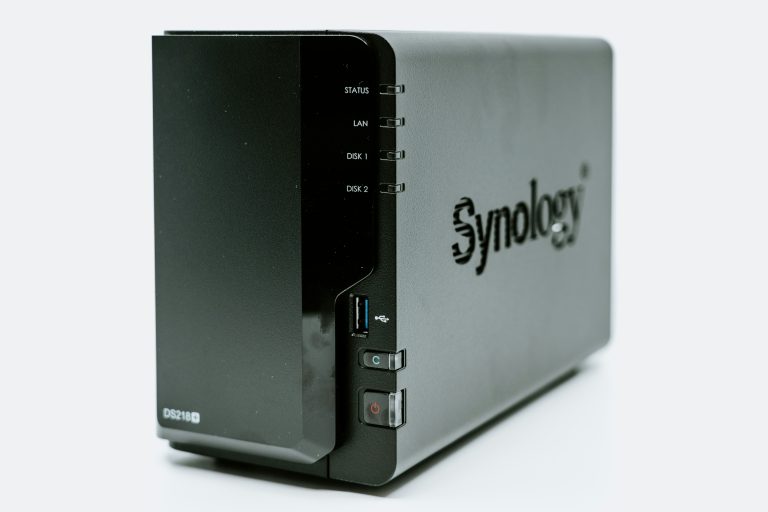
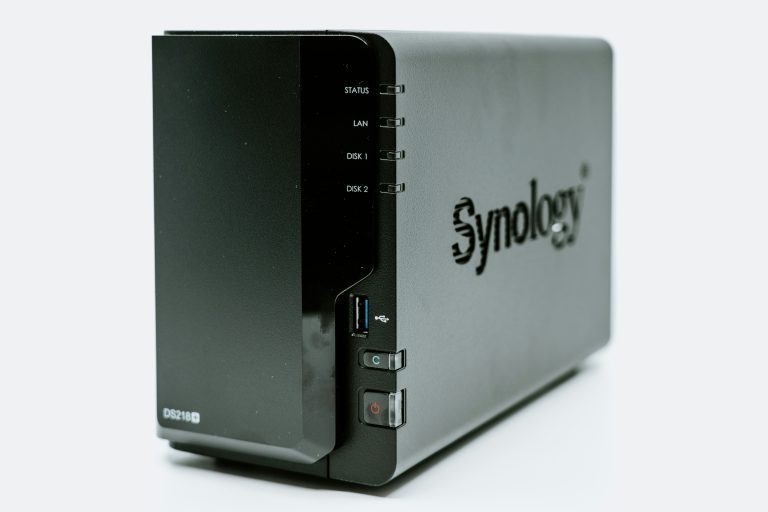
Synology DS224+
The Synology DS224+ is arguably the most capable entry-level two-bay appliance for home users. Powered by an Intel Celeron J4125 quad-core processor with hardware video transcoding acceleration, it delivers snappy performance for Plex streaming, Synology Photos indexing, and Docker container virtualization. It features dual gigabit Ethernet ports with link aggregation support and runs the polished DiskStation Manager (DSM) operating system. For single users or small apartments with modest storage needs, it offers an outstanding blend of reliability and intuitive software.
💰 Buy on Amazon → Synology DS224+
Synology DS923+ 4-Bay NAS
The Synology DS923+ represents the gold standard for enthusiast home servers and small office deployments. Featuring an AMD Ryzen R1600 dual-core processor, upgradeable ECC memory, dual M.2 NVMe SSD slots for high-speed caching or storage pools, and an optional 10GbE network expansion PCIe slot, this four-bay powerhouse is engineered to last for years. It effortlessly handles multi-stream 4K transcoding, heavy virtual machine workloads, and high-frequency automated workstation backups.
💰 Buy on Amazon → Synology DS923+ 4-Bay NAS
QNAP TS-264 2-Bay NAS
For power users who prefer high-performance hardware specifications at competitive price points, the QNAP TS-264 is a standout two-bay unit. Equipped with an Intel Celeron N5095 quad-core chip, dual onboard 2.5GbE network interfaces, an HDMI 2.0 output for direct television playback, and dual M.2 PCIe Gen 3 slots for NVMe caching, it packs impressive connectivity into a compact desktop footprint.
💰 Buy on Amazon → QNAP TS-264 2-Bay NAS
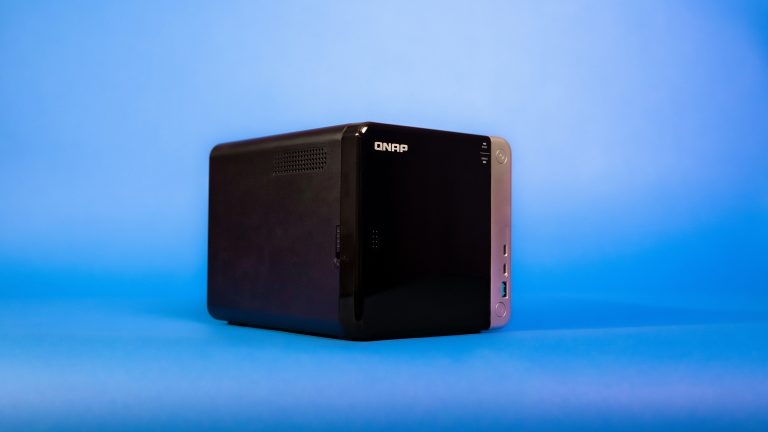
QNAP TS-464 4-Bay NAS
The QNAP TS-464 expands on the hardware superiority of the 264 by providing four hot-swappable 3.5-inch drive bays alongside dual 2.5GbE networking, expandable RAM, and PCIe slot expandability. If you run multiple demanding virtual machines, containerized homelab applications, and need massive multi-terabyte storage volumes for uncompressed video production, the TS-464 provides substantial capability without enterprise price premiums.
💰 Buy on Amazon → QNAP TS-464 4-Bay NAS
WD Red Plus NAS Hard Drives
Regardless of whether you choose a two-bay or four-bay enclosure, pairing your server with dedicated, vibration-resistant hard drives is non-negotiable. WD Red Plus drives utilize conventional magnetic recording (CMR) technology, ensuring reliable write throughput during heavy multi-drive RAID rebuild operations without the severe performance penalties associated with shingled magnetic recording (SMR) drives.
💰 Buy on Amazon → WD Red Plus NAS Hard Drives
Cost Analysis and Total Cost of Ownership
When comparing the financial impact of a 2-bay vs 4-bay nas, looking solely at the purchase price of the bare enclosure is misleading. The true financial comparison must account for cost per usable terabyte over a three-to-five-year deployment window.
Consider a practical real-world scenario where a household requires 24TB of usable storage capacity:
– Two-Bay Configuration: To obtain 24TB of usable space in RAID 1, you must purchase two massive 24TB hard drives. At current component market rates, ultra-high-capacity 24TB enterprise disks command a significant price premium per terabyte. The bare enclosure may cost around $300, but the hard drives will add upwards of $800 to $900, resulting in a total investment of roughly $1,100 to $1,200.
– Four-Bay Configuration: To achieve 24TB of usable space in RAID 5, you can purchase four modest 8TB or three 12TB drives. Standard 8TB and 12TB drives sit at the sweet spot of the storage manufacturing curve, costing significantly less per terabyte than flagship 24TB units. While the four-bay enclosure may cost $500, the four 8TB disks will cost approximately $600. The total project cost is virtually identical to the two-bay solution, but the four-bay chassis grants you superior drive flexibility, lower disk replacement costs if a drive fails, and better multi-disk read throughput.
To explore smaller footprint models, read our dedicated review of the best 2-bay NAS units for home backup. For a deep dive into drive configurations, consult our explanatory guide on NAS RAID explained and our hardware showdown between Synology DS923+ vs DS423+. Furthermore, evaluate broad ecosystem advantages in our head-to-head comparison of Synology vs QNAP.
Performance, Noise, and Physical Footprint
When evaluating a 2-bay vs 4-bay nas beyond financial metrics, operating a network server inside a residential environment introduces practical daily considerations:
- Thermal and Noise Output: A two-bay chassis houses two spinning platters and a single 80mm or 92mm cooling fan. It runs whisper-quiet and can comfortably sit on a home office desk or living room shelf without causing acoustic annoyance. A four-bay chassis houses four 7,200 RPM mechanical drives and dual 92mm or 120mm exhaust fans. Four spinning drives generate noticeable vibrational hum and head seek chatter during indexing operations. For this reason, four-bay units are best stationed in a ventilated utility closet, basement rack, or separate equipment room.
- Read and Write Speeds: Because RAID 5 stripes data and parity across multiple mechanical disks simultaneously, read operations benefit from aggregate disk throughput. A four-bay RAID 5 volume can easily saturate a 2.5GbE network interface during sequential file reads (reaching 280 MB/s), whereas a two-bay RAID 1 volume is primarily limited to the sequential read speed of a single mechanical disk (roughly 180 to 220 MB/s).
- Power Consumption: A typical two-bay system draws between 15 and 22 watts under active load, while a four-bay unit consumes between 30 and 45 watts. While the annual difference on your electrical bill amounts to only $15 to $30 depending on local utility rates, lower power consumption also translates to less ambient heat output in compact rooms.
Open-source NAS monitoring scripts and automation containers are cataloged extensively on GitHub to assist homelab builders with temperature and fan curve optimization.
Summary: Which Configuration Should You Buy?
To help you navigate the 2-bay vs 4-bay nas decision with complete confidence, use this simple checklist:
Choose a 2-Bay NAS if:
– Your total digital data archive is under 10TB and grows slowly (under 1TB per year).
– Your budget is strictly constrained and you need a complete storage solution for under $500 all-in.
– The unit must live directly in your bedroom or home office where low acoustic noise is paramount.
– You primarily want a centralized backup destination for family smartphones, laptops, and basic file synchronization.
Choose a 4-Bay NAS if:
– You manage large media libraries, high-resolution RAW photography, or 4K video surveillance footage.
– You desire maximum storage efficiency (75% usable space with RAID 5 vs. 50% with RAID 1).
– You want the ability to start with two drives today and expand storage dynamically in the future without rebuilding arrays.
– You intend to run multiple Docker containers, homelab services, and heavy Plex streaming across multiple simultaneous household users.
Frequently Asked Questions
Can I start with just two hard drives in a four-bay NAS?
Yes. Virtually all modern four-bay NAS operating systems—including Synology DSM and QNAP QTS—allow you to initialize an enclosure with only one or two drives configured in a basic mirror pool. When you require additional capacity later, you can slide a third and fourth drive into the empty bays and seamlessly convert the array to RAID 5 without reformatting your data.
Is RAID in a 2-bay vs 4-bay nas considered a complete backup?
No. RAID provides hardware high availability, meaning your data remains accessible if a single physical drive experiences a mechanical head crash. However, RAID does not protect against accidental file deletion, ransomware attacks, filesystem corruption, electrical power surges, or physical disaster. You must always maintain an offsite or secondary cloud backup following the 3-2-1 backup strategy.
What happens if a drive fails in a 2-bay vs 4-bay nas?
In a two-bay RAID 1 setup, if one drive fails, the NAS continues running from the surviving disk. You simply swap in a healthy replacement disk to rebuild the mirror. In a four-bay RAID 5 setup, if one drive fails, the system calculates missing data on the fly using parity blocks. During the rebuild process, a four-bay array experiences heavier computational stress, making it critical to use reliable CMR drives like WD Red Plus.
How much louder is a four-bay system compared to a two-bay system?
A four-bay system produces noticeably more acoustic chatter and vibration than a two-bay unit because four mechanical drive armatures are seeking simultaneously. While a two-bay unit can easily sit on a desk, a four-bay chassis is best placed in a ventilated closet, laundry room, or dedicated network cabinet to isolate drive noise.
Can I upgrade from a 2-bay enclosure to a 4-bay enclosure later?
Yes. Both Synology and QNAP support seamless HDD migration within their product families. You can power down your two-bay unit, transfer the existing hard drives into the first two bays of a new four-bay model in the exact same order, power on the new unit, and migrate your configuration with all files and application settings preserved intact.