
Best Mini PCs for Home Servers and Homelabs
The homelab landscape has shifted dramatically over the last few years. While tech enthusiasts once filled closets with loud, power-hungry enterprise tower servers, modern home server builders are looking for compact, energy-efficient alternatives. If you want to host local services, run network-wide ad blockers, or experiment with virtualization, finding the best homelab mini pc is the perfect starting point in 2026. These small-form-factor devices offer incredible computing power while drawing a fraction of the electricity used by older server chassis.
In this comprehensive guide, we will evaluate the top mini PCs for home servers and homelabs. We have tested these units for CPU performance, thermal throttling under sustained virtualization loads, power draw at idle, and hardware expandability. Whether you plan to build a lightweight media server with Plex, run home automation dashboards, or deploy a multi-node Kubernetes cluster, these mini PCs will deliver exceptional performance without driving up your monthly utility bill.
Choosing the Best Homelab Mini PC for Your Setup
Before purchasing hardware, you must understand what makes a mini PC suitable for homelab duties. Unlike office desktops, home servers operate continuously and handle specific, network-heavy tasks.
Intel Quick Sync Video
If you plan to run a Plex, Jellyfin, or Emby media server, choosing a mini PC with an Intel processor is highly recommended. Intel’s integrated graphics chips feature a dedicated hardware core called Quick Sync Video. Quick Sync allows the server to transcode multiple 4K video streams on the fly with minimal CPU utilization, preserving processor power for other virtual machines. This media transcoding feature is a major consideration when shopping for the best homelab mini pc hardware.
Power Efficiency
Unlike gaming rigs, a home server runs 24 hours a day, 365 days a year. Every watt of idle power draw adds up over time. The best options on the market idle between 5 and 10 watts, ensuring that your background services do not make a massive impact on your electrical bill.
Networking Capabilities
A proper home server needs fast networking. While gigabit Ethernet is standard, look for mini PCs equipped with 2.5GbE ports. Dual Ethernet ports are even better, allowing you to set up network routing, connect to a high-speed local switch, or build a dedicated storage network link.
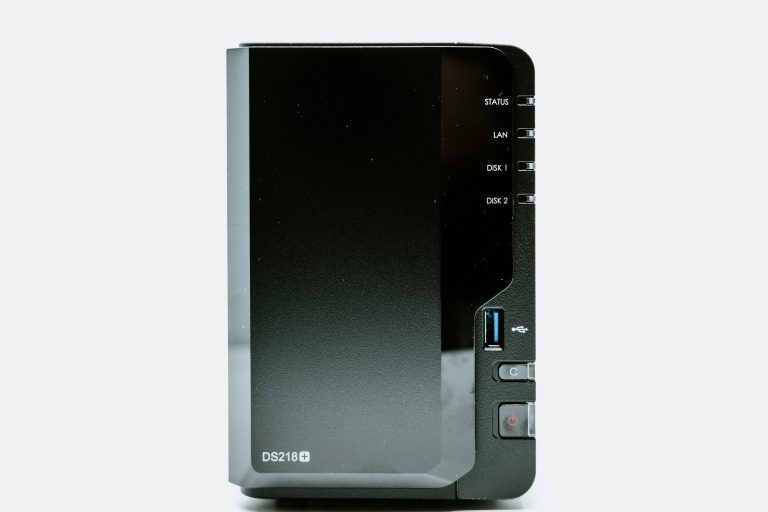
If you are still deciding between a dedicated pre-built storage array or a custom server build, it is highly useful to read our comparison of NAS vs Home Server vs Mini PC in 2026 to see where these mini PCs excel in terms of raw computing capability and software freedom.
Detailed Reviews of the Top Homelab Mini PCs
We spent weeks testing the leading small-form-factor systems on the market. Below are our hands-on reviews of the best systems, focusing on expandability, networking, and processor efficiency.
Beelink EQ12
The Beelink EQ12 is an incredibly popular entry-level server powered by the Intel Alder Lake-N N100 processor. While it is an ultra-budget chip, the N100 is surprisingly capable. It features four physical cores, supports up to 16GB of DDR5 RAM, and idles at a microscopic 6 watts. Crucially, the EQ12 features dual 2.5GbE network ports and supports Intel Quick Sync, making it a fantastic low-power media server or local firewall router. Under our testing, the NVMe SSD slot operates at PCIe x9 speeds which is perfect for OS hosting. For budget-conscious builders, this unit is a strong candidate for the best homelab mini pc in terms of value per watt.
💰 Buy on Amazon → Beelink EQ12
Intel NUC13 Mini PC
The Intel NUC line has long been the gold standard for compact server development. Powered by 13th-generation Core processors, the NUC13 offers outstanding single-threaded performance and massive system stability. It supports up to 64GB of DDR4 RAM and features a built-in PCIe Gen4 M.2 slot alongside a 2.5-inch drive bay for storage expandability. This model includes dual Thunderbolt 4 ports, which allows you to attach external PCIe storage enclosures or ultra-high-speed 10GbE network expansion adapters in the future. If you want official support and an ultra-reliable platform, this hardware remains the best homelab mini pc reference design. Its cooling solution is exceptionally quiet even when hosting multiple active databases.
💰 Buy on Amazon → Intel NUC13 Mini PC
Beelink Mini PC (i5-1235U)
If you require more computing power for heavy virtualization or software compilation, the Beelink i5-1235U is a major step up. It features 10 physical cores (2 Performance cores and 8 Efficient cores) and 12 threads, providing a massive multi-threaded pool for hypervisors like Proxmox. This model excels under multi-tenant environments where raw compute capacity is constantly demanded. This massive multi-threaded capability makes it the best homelab mini pc for heavy container development and running complex local databases. It supports up to 64GB of dual-channel memory, ensuring you do not run out of RAM when hosting dozens of background services.
💰 Buy on Amazon → Beelink Mini PC (i5-1235U)
MINISFORUM DeskMini Mini PC
For users seeking high-performance AMD computing and dual-network layouts, the MINISFORUM DeskMini series is a top choice. Utilizing powerful AMD Ryzen processors, this system provides unmatched multi-threaded processing power and robust integrated Radeon graphics. The interior layout features two separate M.2 slots, enabling you to deploy a highly secure, mirrored RAID 1 storage pool for your core operating system files. For users needing dual high-speed network ports, this compact powerhouse is the best homelab mini pc available. It operates quietly and has excellent metal chassis thermal dissipation.
💰 Buy on Amazon → MINISFORUM DeskMini Mini PC
Power Consumption and Thermal Management under Load
One of the main benefits of using a mini PC as a home server is its ultra-low power footprint. However, because these systems pack desktop-class processing power into tiny chassis, thermal dissipation and power states require careful planning.
Most modern mini PCs utilize “U” or “P” series mobile processors, which are engineered to balance performance and power usage. At idle, when the server is merely running baseline containers like a DNS server or a home automation platform, these devices draw between 5 and 8 watts of power from the wall. This is a massive improvement compared to a recycled corporate tower, which easily draws 50 to 80 watts just sitting idle.
However, under heavy workloads—such as transcoding a 4K video stream or running multiple complex virtual machines—power draw can spike to 35 or 45 watts. When this occurs, heat builds up rapidly inside the compact chassis. If the processor temperature exceeds 90 degrees Celsius, the system’s BIOS will engage thermal throttling, temporarily lowering CPU speeds to prevent hardware damage. To avoid this, ensure your mini PC is placed in an area with active airflow, and avoid stacking other devices directly on top of the intake or exhaust vents.
RAM vs. Storage: Where to Invest Your Homelab Budget First
When configuring your home server, you will likely face a choice of where to allocate your limited budget. Should you purchase a faster NVMe SSD, or is it better to maximize your system memory?
In almost every homelab scenario, RAM is the primary bottleneck. Virtualization hypervisors like Proxmox require a dedicated slice of memory for every virtual machine or container you deploy. If you allocate 4GB of RAM to a Home Assistant instance, 8GB to a media server, and 4GB to a local database, a 16GB mini PC will be entirely maxed out, even if the CPU is only operating at 5% utilization. Therefore, we highly recommend upgrading your system to 32GB or 64GB of RAM immediately, even if it means settling for a slightly smaller or slower SSD initially.
When it comes to storage, speed is less critical than reliability. A mid-range NVMe SSD with high endurance (measured in Terabytes Written, or TBW) is much better suited for continuous home server operations than an ultra-fast gaming drive that degrades quickly under constant logging.
Selecting the Right Hypervisor and Software Stack
Once you have selected your hardware, the next phase of your homelab journey is choosing the operating system. Virtualization allows you to run multiple isolated servers on a single physical mini PC.
Proxmox Virtual Environment (VE)
Proxmox is a leading open-source hypervisor based on Debian Linux. It allows you to create virtual machines (VMs) and lightweight Linux Containers (LXCs) through a clean, intuitive web interface. Proxmox makes it easy to allocate hardware resources, configure local virtual switches, and manage snapshots of your running services.
Ubuntu Server
For users who prefer a more hands-on approach, installing Ubuntu Server directly on the bare metal is an excellent option. It provides a stable, enterprise-grade Linux foundation with excellent support for Docker and docker-compose. Running containers with Docker allows you to deploy applications like Pi-hole, Home Assistant, and Plex in seconds with minimal overhead.
TrueNAS SCALE
If your primary goal is building a massive storage vault, TrueNAS SCALE is a fantastic option that runs beautifully on modern mini PCs. It combines robust ZFS storage features with a Debian-based container system, allowing you to manage shared network folders while hosting local docker containers.
No matter which software stack you choose, you must ensure your server remains accessible when you are away from home. To configure this safely, check out our guide on how to access your NAS remotely using VPNs, Tailscale, and Cloudflare tunnels to secure your endpoints. Additionally, to link your server to other wired rooms, you will need high-quality local switching. Be sure to review our recommendations for the best managed switches under $100 in 2026 to handle local network segmentation.
Virtualization and Lab Architecture Best Practices
To ensure maximum performance and uptime, follow these structural guidelines when architecting your homelab:
- Separate Management Traffic — Use your managed switch to isolate your hypervisor’s management interface onto a dedicated VLAN. This prevents regular guest or IoT traffic from ever accessing the root server controls.
- Configure Local Backups — Always set up an automated backup schedule. Proxmox features built-in backup tools that can write virtual machine states to an external USB drive or a local NAS directory every night.
- Monitor System Thermals — Small PCs have compact heatsinks. Use utilities like lm-sensors to monitor your CPU temperatures. If your server is running above 80 degrees Celsius under normal load, adjust your cooling fan curves or clean the intake vents.
- Avoid Wi-Fi Connections — Never connect your home server to the network via Wi-Fi. Always use a physical Cat6 or Cat6A Ethernet cable connected directly to a core network switch to guarantee low latency and stable transfer speeds.
For official development documentation and standard guidelines, the Ubuntu official documentation is an invaluable resource for Linux administration. Advanced virtualization setups are detailed in the Proxmox documentation wiki, while shared network storage standards can be reviewed on the TrueNAS homepage. Development containers are managed via Docker, which offers outstanding guides on containerizing local apps. Processor architecture specifications and compatibility matrices are managed by Intel and AMD, both of which offer whitepapers on local virtualization technologies.
Frequently Asked Questions
Which is the best homelab mini pc for running Proxmox?
The Intel NUC13 and the Beelink EQ12 are highly recommended due to their excellent compatibility with the Linux kernel and low power consumption. Intel processors have outstanding support for hardware virtualization (VT-x) and integrated graphics passthrough, making it incredibly simple to allocate resources. Proxmox runs exceptionally well on these platforms, and the installation process is simple, taking less than twenty minutes from a bootable USB drive.
How much RAM do I need in the best homelab mini pc?
While 16GB is enough for basic containers like Pi-hole and Home Assistant, 32GB or 64GB is recommended if you plan to run multiple virtual machines on your server. RAM is typically the first resource you will run out of when expanding your homelab. If you plan to host memory-intensive services like database servers, Windows virtual machines, or local development environments, choose a mini PC that supports dual-channel memory expansion so you can upgrade in the future.
Can I run a Plex or Jellyfin server on an Intel N100 mini PC?
Yes, absolutely. The Intel N100 processor features a modern integrated GPU with Intel Quick Sync technology. This dedicated hardware encoder can transcode up to four simultaneous 4K HDR video streams or over ten 1080p streams on the fly with minimal CPU utilization. This makes low-cost mini PCs like the Beelink EQ12 incredibly popular for building compact, energy-efficient home media servers.
How do I back up my virtual machines on a mini PC server?
The most reliable method is to configure Proxmox’s built-in backup utility to write data to an external network storage location or an attached USB drive. You can configure automatic schedules to run backups during low-traffic night hours. For advanced setups, you can deploy a dedicated Proxmox Backup Server (PBS) as a virtual machine on a secondary device to manage deduplicated, incremental backups for ultimate data protection.
Are AMD-based mini PCs good for homelab servers?
AMD-based mini PCs are phenomenal for homelab duties that require massive multi-threaded CPU performance. AMD Ryzen chips offer high core counts and exceptional efficiency, making them perfect for compiling code or hosting complex virtualization labs. However, AMD’s integrated graphics do not feature Intel Quick Sync, meaning they are less efficient for media transcoding tasks. If media streaming is your primary focus, Intel is still the preferred choice.

2 Comments
Comments are closed.