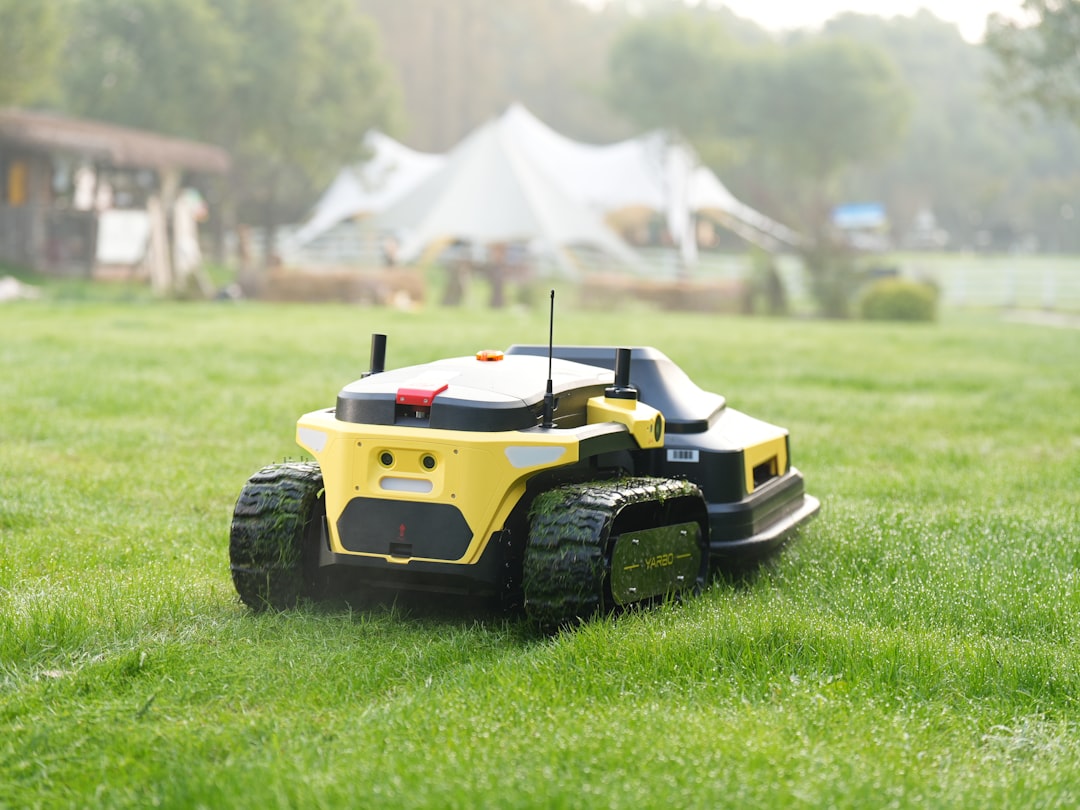
Robot Lawn Mowers: Do They Actually Work?
Mowing the lawn is the most predictable chore in home ownership. Same yard, same pattern, every week. If anything was ever going to get automated, it’s this. This guide covers robot lawn mowers in depth.
These devices have been around since the late 1990s — Husqvarna released the first Automower in 1995. For most of that time they required a perimeter wire buried around the lawn boundary, which meant a half-day installation job before you could use the thing. That changed in 2023 and 2024 when GPS-based boundary systems arrived, making setup as simple as walking the perimeter of your yard once with an app. in 2026, the technology is genuinely practical for most homeowners.
Here’s what to know before you buy one.
How Robot Lawn Mowers Work
Unlike a traditional mower that cuts tall grass in a single weekly session, robot lawn mowers operate on a different principle: they cut a small amount frequently. Most models are designed to run every day or every other day, trimming just a few millimeters each pass. The clippings are so fine they fall back into the lawn as mulch — no grass catcher, no bag to empty.
This “mulching mower” approach produces a noticeably better lawn over time. Fine clippings return nitrogen to the soil. The lawn never gets long enough to stress-cut. Edges stay consistent. Most people who switch to a robot mower report healthier grass within a season.
The trade-off: robot mowers are not fast. They wander in random or zone-based patterns and take several hours to cover a typical lawn. You’re not watching it finish in 30 minutes like a push mower — it runs for 2–3 hours, returns to dock, charges, and may run again. That’s fine when the goal is “lawn is always maintained” rather than “lawn is mowed on Saturday.”
Boundary Systems: Wire vs. GPS
This is the most important distinction to understand before buying.
Perimeter Wire (Traditional)
The original approach: bury a thin boundary wire around the lawn perimeter and any obstacles (flower beds, trees, patio edges). The robot detects the wire signal and stays inside it. Works reliably. Setup takes 2–4 hours and requires laying and staking or burying wire around the entire yard.
Most Husqvarna Automower models below the 400-series still use perimeter wire. If you have an irregular yard with lots of obstacles, wire-based systems handle complex boundaries more reliably than GPS.
RTK GPS (Wire-Free)
The newer approach, pioneered by Mammotion and now adopted by Husqvarna’s EPOS series: the robot uses RTK (Real-Time Kinematic) GPS for centimeter-level positioning. You walk the boundary of your lawn once using the app, and the robot generates a map. No wire. Setup takes 15–30 minutes.
RTK GPS systems work better in open yards with clear sky view. Dense tree canopy or nearby buildings can degrade GPS accuracy. If your yard is open and uncomplicated, wire-free is the obvious choice. If it’s heavily shaded or has complex obstacles, wire-based is more reliable.
The Best Robot Lawn Mowers in
Husqvarna Automower 315X — Best Wire-Based for Mid-Size Lawns
Husqvarna Automower 315X is the benchmark for wire-based robot lawn mowers. Covers up to 0.4 acres, handles slopes up to 40% gradient, and has GPS-assisted navigation to return to dock if it loses its position. It connects to the Husqvarna app for scheduling, zone management, and notifications — and has a solid Home Assistant integration that exposes start, stop, park, and status as entities.
At $1,500–$1,800, it’s not cheap. But it’s the model with the most documented real-world reliability over multiple seasons. The blades are replaceable (included pack lasts about a season), and the Husqvarna dealer network provides service if anything goes wrong.
For larger yards up to 0.8 acres: the Husqvarna Automower 430X at $2,200–$2,500.
Mammotion LUBA 2 AWD — Best Wire-Free for Most Homeowners
Mammotion LUBA 2 AWD is the wire-free robot mower that most people should buy in . RTK GPS boundary setup, no wire installation, covers up to 1.25 acres, handles slopes up to 75% gradient (steeper than most residential lawns), and has four-wheel drive for uneven terrain.
The LUBA 2 app lets you draw multiple zones, set no-go areas, and schedule by zone. At $1,600–$1,800, it’s priced similarly to the Husqvarna 315X but eliminates the installation overhead. The app is well-reviewed and the GPS accuracy is reliable in open yards.
The one caveat: Mammotion is a newer brand (founded 2021) with less track record than Husqvarna. The hardware is solid but the long-term reliability data isn’t there yet. Husqvarna has been making these for 30 years.
Worx Landroid M700 — Best Budget Wire-Based
Worx Landroid M700 covers up to 1/4 acre at $700–$800. Wire-based, app-controlled, handles slopes up to 35%, and has a modular accessory system (edge cutting module, ultrasonic collision sensor) sold separately.
The Landroid is the right choice if you have a small-to-mid yard and don’t want to spend $1,500+. It’s not as refined as the Husqvarna and the app has more quirks, but it does the job for smaller lawns. Home Assistant community integration exists via HACS.
Husqvarna Automower 450X EPOS — Best Wire-Free Premium
Husqvarna Automower 450X EPOS is Husqvarna’s RTK GPS system for large properties up to 1.25 acres, with professional-grade positioning accuracy. At $3,500+, it’s targeted at larger properties or buyers who want Husqvarna’s reliability without the wire installation. Overkill for a standard suburban lot but the right choice for 3/4+ acre yards in open settings.
Segway Navimow — Wire-Free Mid-Range
Segway Navimow i105N is a wire-free robot mower at $900–$1,100 for up to 0.27 acres. Uses RTK+Vision boundary technology — GPS plus a camera-based obstacle detection system. Handles complex yards better than pure GPS systems. A good option for mid-size yards where the Mammotion LUBA is more capacity than needed.
Smart Home Integration
Home Assistant
The Husqvarna Automower integration is the strongest official integration available. It exposes:
– Start, stop, park, and resume as actions
– Battery level, mowing status, next scheduled run
– Error states (stuck, lifted, outside geofence)
This lets you build real automations: pause mowing when rain is detected via a weather integration, stop when a guest arrives (presence detection), resume after a set delay, notify when the mower is stuck. See our Home Assistant getting started guide for how to set up the platform.
For Worx Landroid, the community HACS integration provides similar entity exposure — start, stop, status, battery. Less polished than the Husqvarna integration but functional.
Mammotion LUBA has no official Home Assistant integration as of March . The workaround is a smart plug for power control, though this doesn’t give you status or start/stop — it just cuts power to the dock. Not ideal.
Useful Automations
Rain gate: Connect a weather integration (Open-Meteo or Weather Underground) and add a condition to your mow schedule — skip if precipitation is forecast or if it rained in the last 2 hours. Wet grass clogs the cutting deck and leaves tracks on the lawn.
Presence-based pause: If the backyard has kids or pets, trigger a pause when motion sensors in the yard detect activity. Resume after 10 minutes of no motion. This requires motion sensors placed in the yard — outdoor-rated Zigbee or Z-Wave sensors work well.
Notify on error: Robot mowers get stuck on sticks, toys, or unexpected obstacles. A Home Assistant notification when the mower reports an error state means you find out on your phone rather than discovering it hours later sitting in the middle of the lawn.
Schedule around irrigation: If you run sprinklers in the morning, schedule mowing to start 1–2 hours after the irrigation cycle ends. Wet grass cuts badly and the robot will track moisture across dry sections. Home Assistant can read your irrigation controller’s schedule if it has an integration.
What to Know Before Buying
Lawn prep matters. Robot mowers work best on established lawns without large sticks, stones, or uneven terrain. Clear the yard before first use. Fix any ruts or low spots that would cause the robot to high-center. Remove toys, hoses, and anything the robot can’t navigate around on its own.
Edge cutting is still manual (mostly). Robot mowers don’t edge along fences, walls, or flower bed borders. The Worx Landroid has an optional edge cutting module that helps along straight boundaries, but precise edging along curves still requires a string trimmer. Budget 10 minutes of edge trimming per month rather than zero.
Blade replacement is the ongoing cost. Razor blade-style cutting elements last 1–3 months depending on lawn size and debris. Replacement blades cost $10–25 for a pack. Annual blade cost for a typical lawn is $30–60. Not a major expense but worth factoring in. Dull blades tear grass rather than cut it cleanly, which stresses the lawn and leaves ragged edges — inspect them monthly and replace on a schedule rather than waiting for visible damage. A sharp blade also puts less load on the motor, which matters for long-term motor life.
Noise level is low. A typical robot mower runs at 58–63 dB — quieter than a push mower (85–90 dB) and acceptable for early morning runs without disturbing neighbors. For comparison, a normal conversation is about 60 dB. You’ll hear it if you’re in the yard, but it won’t bother you through a closed window and it won’t wake the neighbors at 7am the way a gas mower would. Schedule daytime runs if noise is still a concern.
For more on outdoor smart home automation and connecting devices to your home network, see our robot vacuums home automation guide and best smart home hub comparison.
Installation cost for wire-based models. If you’d rather not spend a few hours laying perimeter wire yourself, most Husqvarna dealers offer installation. Professional installation runs $200–$500 depending on yard complexity and wire length. Factor that into the total cost when comparing wire vs. wire-free models — the price gap narrows when you include installation.
Winter storage. Robot mowers are not designed to operate in snow or below-freezing temperatures. At end of season, bring the unit inside, clean the deck, remove the blades for inspection, and store the dock indoors or in a weatherproof enclosure. The battery should be stored at partial charge (40–60%) to maximize longevity. Most manufacturers recommend a seasonal service check every 2–3 years.
Multiple zones. Many yards have front and back lawns separated by a house or fence. Higher-end models (Husqvarna 430X, Mammotion LUBA 2) support multiple zones — you define each area separately and the robot navigates between them through a designated passage. Entry-level models cover one contiguous zone only. If you have separate front and back lawns, verify multi-zone support before buying.
Battery life and recharge. A typical robot mower runs 60–90 minutes per charge, returns to dock automatically, charges in 45–60 minutes, and resumes. For larger lawns it may need 2–3 charge cycles to complete a full cut. This is by design — the daily mowing approach means a complete “cut” isn’t a single continuous run but the cumulative result of several sessions per week.
Frequently Asked Questions
Do robot lawn mowers work on steep slopes?
Yes, most handle moderate slopes. The Worx Landroid handles up to 35%, the Husqvarna 315X up to 40%, and the Mammotion LUBA 2 AWD up to 75%. Check the spec for the specific model against your steepest slope before buying.
Do I still need to edge and trim with a robot mower?
Yes. They maintain the main lawn area but don’t edge along fences, walls, or garden borders with the precision of a string trimmer. Most people spend 10–15 minutes per week on manual edging versus 45–60 minutes on a full push mow. Net time saving is still significant.
Are robot lawn mowers safe around children and pets?
Modern robot mowers have lift sensors (stop blades when lifted), tilt sensors, and collision detection. They should not be operated when small children or pets are unsupervised in the yard. Schedule mowing during school hours or when the yard is empty. The Husqvarna models have PIN protection to prevent children from restarting them.
How long does setup take for a wire-free robot mower?
For an RTK GPS model like the Mammotion LUBA 2, setup takes 15–30 minutes: install the reference station, walk the boundary with the app, configure no-go zones, and schedule. No digging required. For wire-based models, plan 2–4 hours to lay, stake, and bury the perimeter wire.
Can robot lawn mowers handle wet grass?
They can physically run in wet conditions, but cutting wet grass produces poor results — clumping, clogging, and tracking. Most manufacturers recommend avoiding operation during rain or immediately after. A rain sensor (built-in on higher-end models, added via smart home automation on others) handles this automatically.
What happens if the robot mower gets stolen?
GPS-enabled models (Husqvarna with GPS assist, Mammotion LUBA, Segway Navimow) log location data and trigger alarms if lifted outside their boundary. The Husqvarna models require a PIN to operate and will alert via app if moved unexpectedly. For wire-based models without GPS, a security cable or locked storage shed is the practical protection.