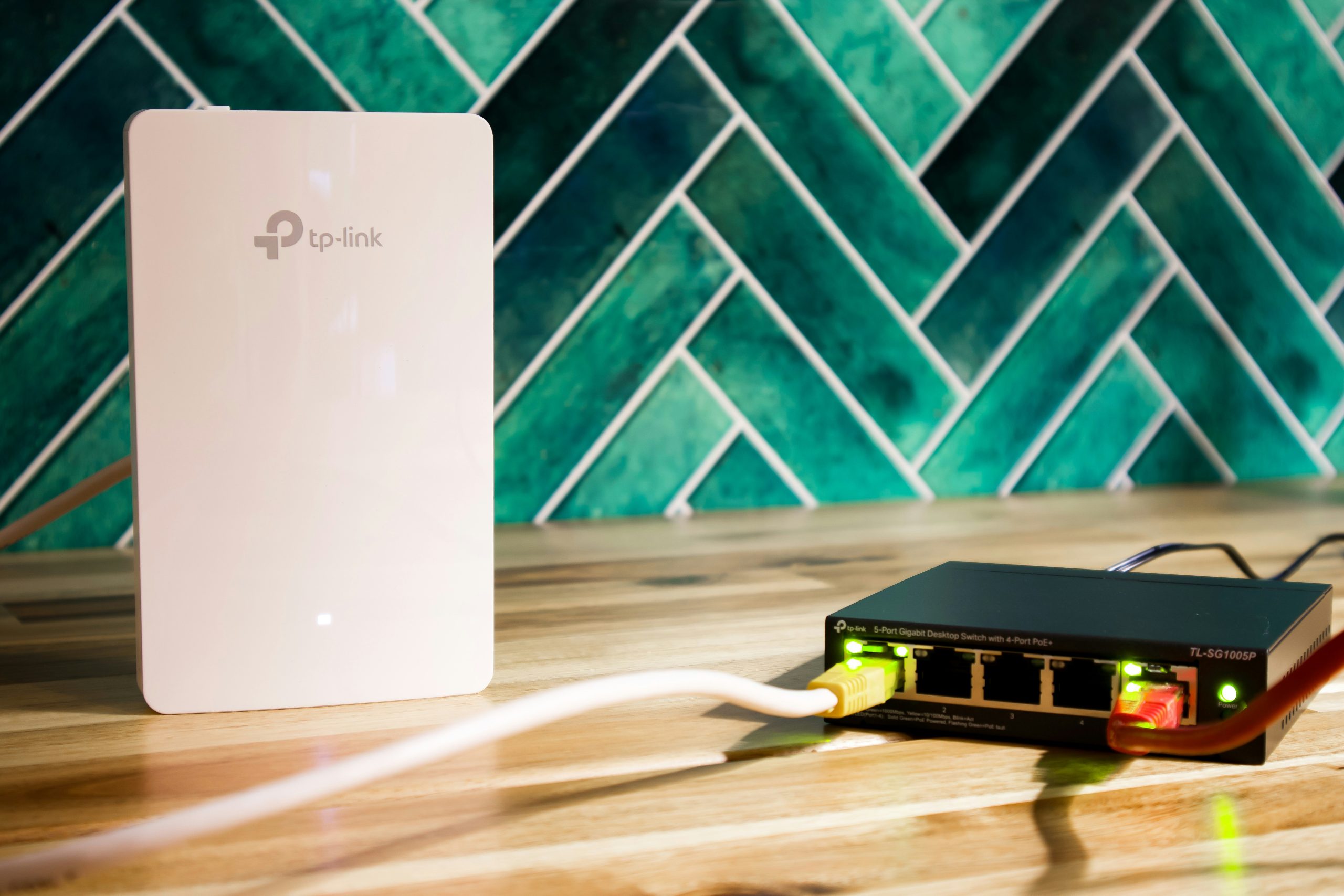
Best WiFi 7 Access Points for Home Networks
As multi-gigabit fiber internet connections become standard in modern homes, traditional all-in-one wireless routers frequently struggle to deliver full bandwidth across multi-story floor plans. Moving to a dedicated controller-based wireless infrastructure powered by the latest wifi 7 access points offers unmatched coverage, ultra-low latency, and seamless client roaming. Powered by 320 MHz wide channels, 4K-QAM modulation, and Multi-Link Operation (MLO), deploying modern wifi 7 access points transforms home network reliability.
Unlike consumer mesh kits that rely on wireless backhaul and consume valuable spectrum to communicate between nodes, standalone access points connect directly to a centralized Power over Ethernet (PoE) switch via Cat6A cabling. This architecture guarantees full wired speed to every room, offloads routing duties to dedicated firewall appliances, and lets you expand coverage seamlessly as your property demands. In this guide, we analyze the top hardware choices for homelabs and residential deployments, comparing controller ecosystems, thermal designs, and multi-gigabit uplink options.
Why Upgrade to WiFi 7 Access Points?
The 802.11be wireless standard represents a massive leap forward in wireless capacity, particularly in dense residential environments crowded with smart devices and high-bandwidth streaming endpoints.
While earlier standards brought incremental speed improvements, the latest access points introduce fundamental protocol innovations designed specifically for low latency and high concurrency:
– 320 MHz Channel Widths — By doubling the maximum channel width in the 6 GHz spectrum band compared to WiFi 6E, compatible clients can achieve theoretical PHY speeds exceeding 5 Gbps over a single spatial stream.
– Multi-Link Operation (MLO) — MLO allows client devices to send and receive packets across multiple frequency bands (such as 5 GHz and 6 GHz) simultaneously. This aggregates throughput and eliminates buffering spikes by routing around momentary radio interference.
– 4096-QAM (4K-QAM) — High-order modulation packs 20% more data into each transmission symbol, improving raw transfer rates when clients operate within line-of-sight of an access point.
– Preamble Puncturing — When secondary channels experience localized interference, the access point can slice out the narrow congested slice of spectrum while utilizing the remainder of the wide band, preventing speed throttling.
If you are currently planning a ground-up network installation or upgrading existing wall drops, pair your access points with high-speed switching hardware. Check out our guide to the best 2.5GbE switches for home networks and ensure your central rack stays online with our guide on how to choose a UPS for your home network. If you are partitioning traffic for visitors and IoT gadgets, our walkthrough on how to set up a guest WiFi network covers essential security segregation.
Key Features to Consider Before Buying
Before selecting an access point for your home, evaluate how hardware specifications align with your structural layout and network infrastructure.
- PoE Power Requirements (PoE+ vs. PoE++) — WiFi 7 radios operate multiple high-power amplifiers simultaneously across three distinct frequency bands. While standard 802.3af PoE (15.4W) powered earlier generations, modern WiFi 7 units typically require 802.3at PoE+ (30W) or even 802.3bt PoE++ (60W) to operate all spatial streams at full transmit power without dropping radios under load.
- Ethernet Uplink Speeds — An access point capable of multi-gigabit wireless transmission will be choked if connected to a 1 Gbps switch port. Look for models equipped with 2.5GbE or 10GbE RJ45 uplinks to unlock maximum local NAS and WAN transfer speeds across your entire home infrastructure.
- Controller Ecosystem vs. Standalone Mode — Enterprise-grade hardware from brands like Ubiquiti UniFi, TP-Link Omada, and Cisco Meraki relies on software or hardware controllers to manage seamless 802.11k/v/r client roaming, dynamic channel allocation, and guest portals. Ensure you are comfortable hosting a local controller container or purchasing a hardware key for your system.
- Thermal Dissipation and Fan Noise — High-performance 6 GHz radios generate substantial thermal energy. Some access points incorporate small internal cooling fans or heavy aluminum backplates. For bedroom or quiet office installations, verify whether the unit operates completely silently with passive cooling.
Top WiFi 7 Access Points Ranked
Below are the premier wireless access points available in 2026, evaluated for throughput stability, management features, and residential installation practicality.
Ubiquiti UniFi U7 Pro
The UniFi U7 Pro is widely regarded as the benchmark tri-band access point for modern homelabs and residential networking. Featuring a 2.5GbE uplink, 6-stream tri-band architecture (2×2 MIMO on 2.4 GHz, 5 GHz, and 6 GHz), and 320 MHz channel support, the U7 Pro provides blistering real-world wireless performance.
💰 Buy on Amazon → Ubiquiti UniFi U7 Pro WiFi 7 Access Point
When adopted into the UniFi Network Controller, the U7 Pro delivers complete visibility into connected clients, radio frequency scans, dynamic power management, and VLAN tagging per SSID. The unit requires an 802.3at PoE+ power source and features a sleek ceiling-mount profile that blends into residential decor.
TP-Link Omada EAP773
For network administrators seeking commercial-grade features with an affordable controller ecosystem, the TP-Link Omada EAP773 is an exceptional choice. The EAP773 boasts a full 10GbE Ethernet uplink, ensuring zero bottlenecks between the access point and your central core switch.
💰 Buy on Amazon → TP-Link Omada EAP773 WiFi 7 Access Point
With tri-band BE9300 wireless speeds and an ultra-thin form factor, the EAP773 dissipates heat efficiently through a metal backing plate without active fans. Through the Omada software controller or cloud key, users can configure fast roaming, load balancing, and guest isolation across multiple VLANs effortlessly.
Ubiquiti UniFi U7 Pro Max
If your home accommodates heavy network concurrency, high-density smart devices, or multiple simultaneous 4K streams, the UniFi U7 Pro Max offers enhanced spatial capacity. It features a 2.5GbE uplink and an upgraded 8-stream radio configuration, including a 4×4 MIMO array on the 5 GHz band and 2×2 MIMO on 2.4 GHz and 6 GHz.
💰 Buy on Amazon → Ubiquiti UniFi U7 Pro Max
The U7 Pro Max also incorporates a dedicated spectral scanning radio that continuously monitors RF environments for channel congestion and radar events without interrupting client connections. Powered by 802.3at PoE+, it is engineered for large homes where multiple users demand uncompromised performance.
NETGEAR WAX630 Tri-Band Access Point
While primarily known for its WiFi 6E and business networking deployments, the NETGEAR WAX630 remains a popular commercial AP offering high client concurrency and local web interface management for environments where a software controller is undesirable.
💰 Buy on Amazon → NETGEAR WAX630 Access Point
The WAX630 supports 2.5GbE PoE+ connectivity, eight spatial streams, and comprehensive WPA3 enterprise security policies. It is an ideal option for users who want robust ceiling-mounted coverage without installing ongoing management software or running background server daemons.
TP-Link Omada EAP783 Flagship
The TP-Link Omada EAP783 is an enterprise-grade powerhouse designed for the most demanding multi-gigabit home networks. Delivering BE19000 class tri-band speeds with dual 10GbE uplinks, the EAP783 features full 4×4 MU-MIMO arrays across 2.4 GHz, 5 GHz, and 6 GHz bands.
💰 Buy on Amazon → TP-Link Omada EAP783 WiFi 7 Access Point
Because it draws significant power to drive its quad-stream amplifiers, the EAP783 requires 802.3bt PoE++ or a dedicated 12V DC power brick. It excels in open floor plans, expansive workshops, and luxury homes requiring massive simultaneous throughput.
Ubiquiti UniFi U7 Outdoor
Extending multi-gigabit wireless connectivity into backyards, patios, and detached garages requires ruggedized hardware built to withstand seasonal weather extremes. The UniFi U7 Outdoor brings high-performance WiFi 7 coverage into open spaces with an IPX6 weatherproof housing.
💰 Buy on Amazon → Ubiquiti UniFi U7 Outdoor Access Point
Featuring internal directional antennas along with detachable omnidirectional antenna options, the U7 Outdoor allows you to project focused wireless beams down long driveways or provide broad patio coverage. It connects over a 2.5GbE PoE+ link and integrates seamlessly into the UniFi ecosystem alongside indoor APs.
Hardware Comparison of WiFi 7 Access Points
| Model | Radios / Streams | Uplink Speed | PoE Standard | Max Channel Width | Management Ecosystem |
|---|---|---|---|---|---|
| UniFi U7 Pro | Tri-Band (2×2 + 2×2 + 2×2) | 2.5 GbE | 802.3at (PoE+) | 320 MHz | UniFi Network |
| Omada EAP773 | Tri-Band (2×2 + 2×2 + 2×2) | 10 GbE | 802.3at (PoE+) | 320 MHz | TP-Link Omada |
| UniFi U7 Pro Max | Tri-Band (2×2 + 4×4 + 2×2) | 2.5 GbE | 802.3at (PoE+) | 320 MHz | UniFi Network |
| NETGEAR WAX630 | Tri-Band (4×4 + 2×2 + 2×2) | 2.5 GbE | 802.3at (PoE+) | 160 MHz | Insight / Standalone |
| Omada EAP783 | Tri-Band (4×4 + 4×4 + 4×4) | Dual 10 GbE | 802.3bt (PoE++) | 320 MHz | TP-Link Omada |
| UniFi U7 Outdoor | Dual-Band (2×2 + 2×2) | 2.5 GbE | 802.3at (PoE+) | 240 MHz | UniFi Network |
Installation, Cabling, and PoE Architecture
To obtain maximum performance from your access points, proper physical placement and cable termination are crucial.
Ceiling Placement vs. Wall Mounting
Access points featuring internal omnidirectional antennas are engineered to radiate radio frequency energy in a downward toroidal (donut-shaped) pattern. Mounting an AP flat against the ceiling in a central hallway provides optimal line-of-sight to adjacent rooms while minimizing attenuation through furniture and appliances.
If ceiling mounting is impossible, wall mounting is an acceptable compromise, but be aware that the signal will radiate outward from the wall face and may experience reduced coverage directly behind the mounting plate. For multi-story homes, staggering AP locations between floors prevents vertical interference overlaps and ensures uniform signal distribution across all living spaces.
Power over Ethernet Switching and Cable Standards
Driving high-frequency 6 GHz radios requires clean, stable DC power. When deploying multiple access points:
– Use solid copper Cat6A Ethernet Cable runs rather than copper-clad aluminum (CCA) cables to prevent voltage drop and overheating over long distances.
– Ensure your PoE switch supports adequate power budgeting. For example, a switch like the UniFi USW-Lite-8-PoE provides 52W of total PoE budget, which comfortably powers two PoE+ access points.
– If upgrading your backbone to multi-gigabit speeds, consider dedicated switches like the TP-Link TL-SG108-M2 paired with PoE+ injectors or managed 2.5GbE PoE switches.
Optimizing Multi-AP Roaming and Channel Planning
Deploying multiple access points requires proper channel planning to prevent co-channel interference (CCI). When two adjacent APs broadcast on the exact same frequency, client devices must wait for clear airtime, reducing overall network capacity.
Implementing Fast Roaming Protocols
To provide a seamless experience where laptops, smartphones, and tablets roam smoothly without dropping voice calls or video streams, enable standardized fast roaming protocols on your controller:
– 802.11k (Radio Resource Measurement) — Helps client devices quickly discover nearby access points by providing an updated list of neighbor APs and their current signal conditions.
– 802.11v (BSS Transition Management) — Allows the network controller to suggest optimal access points to client devices when their current connection weakens.
– 802.11r (Fast BSS Transition) — Caches security keys so clients can roam between encrypted WPA2/WPA3 access points without undergoing full four-way authentication handshakes each time.
Setting Up Non-Overlapping Channels
- 2.4 GHz Band — Only use non-overlapping 20 MHz channels (1, 6, and 11). Lower transmit power on the 2.4 GHz radio to Medium or Low to encourage modern dual-band clients to connect to the faster 5 GHz and 6 GHz bands.
- 5 GHz Band — Assign distinct 80 MHz channels across your APs (such as Channel 36 and Channel 149) to ensure seamless roaming without frequency collisions.
- 6 GHz Band — Take full advantage of wide 320 MHz or 160 MHz channels (Channels 37, 69, 101, or 133). Because 6 GHz signals attenuate faster through solid walls, co-channel interference is significantly reduced between rooms.
For additional background on wireless standards and official networking documentation, you can explore authoritative references on the Wi-Fi Alliance portal, the OpenWrt documentation project, the GitHub networking repositories, and the IETF RFC standards database. You can also review wireless network fundamentals in the IEEE 802.11 standards overview on Wikipedia and examine kernel driver modules on Kernel.org.
Frequently Asked Questions
Do I need a multi-gigabit switch to use WiFi 7 access points?
While a WiFi 7 access point will operate when plugged into a standard 1 Gbps Gigabit switch port, you will bottleneck wireless client speeds to roughly 940 Mbps. To unlock full multi-gigabit wireless performance from 320 MHz channels and MLO connections, connect your access point to a 2.5GbE or 10GbE PoE switch port.
How many WiFi 7 access points do I need for my home?
As a general rule, one centrally mounted access point covers approximately 1,500 to 2,000 square feet of open residential space. However, high-frequency 6 GHz signals attenuate more rapidly through brick, concrete, and drywall than 2.4 GHz signals. For a typical two-story 3,000 square foot home, deploying two or three strategically placed APs delivers optimal 6 GHz coverage and seamless roaming.
What is Multi-Link Operation (MLO) and why does it matter?
Multi-Link Operation is a cornerstone feature of WiFi 7 that allows compatible client devices to transmit and receive data across multiple frequency bands (such as 5 GHz and 6 GHz) at the same time. Instead of choosing a single band, the client dynamically bonds channels together, increasing total throughput and providing near-zero latency by bypassing congested channels in real time.
Can older WiFi 5 and WiFi 6 devices connect to WiFi 7 access points?
Yes, all WiFi 7 access points are fully backward compatible with legacy WiFi 4 (802.11n), WiFi 5 (802.11ac), and WiFi 6/6E (802.11ax) devices. Legacy devices will connect using their highest supported standard, while newer WiFi 7 clients will utilize 320 MHz channels and MLO.
Is a ceiling mount better than placing an access point on a shelf?
Yes. Ceiling mounting provides unobstructed line-of-sight across the entire room, avoiding signal absorption from furniture, appliances, and floor clutter. Access points radiate signal downward in a dome pattern, making ceiling placement the most efficient way to blanket a living space with strong wireless coverage.


One Comment