Robot Vacuums & Smart Home Automation
Your robot vacuum runs on a schedule. Your guests arrive at 6pm. Nobody told the vacuum that. It starts doing circles in the living room while everyone’s standing there. You pull out your phone, open an app, and manually stop it — which is the opposite of smart home automation. This guide covers the full integration landscape in depth.
The problem isn’t robot vacuums. It’s that most people set them up as standalone devices and never connect them to anything. The moment you integrate a robot vacuum into your home automation system, it becomes genuinely useful: it runs when you leave, pauses when someone walks in front of it, stops when the doorbell rings, and only runs in specific rooms based on what’s actually dirty.
This guide covers which robot vacuums actually work with home automation platforms — specifically Home Assistant, Matter, and Alexa/Google routines — and how to set up the integrations that make them worth having.
Robot Vacuums Home Automation: Which Brands Actually Integrate
Not all robot vacuums are created equal for home automation. There’s a big difference between a vacuum that “works with Alexa” (meaning you can yell “Alexa, start the Roomba” and it does something) and one that exposes a full API you can build automations around.
Here’s where the major brands stand:
Roborock — Best Overall for Home Automation
Roborock is the clear winner for robot vacuums home automation. Their integration with Home Assistant is deep: you get room-by-room cleaning, dock status, battery level, error states, fan speed control, and map access — all exposed as entities you can use in automations.
The Roborock S8 Pro Ultra ($1,400) is the flagship — auto-empty, auto-mop-wash, obstacle avoidance. The Roborock S8 ($600) hits the sweet spot for most homes. Both work with the Roborock Home Assistant integration natively.
Roborock also added Matter support in late 2025, which means it can be controlled directly from Apple Home, Google Home, or Amazon Alexa without any cloud bridges for basic start/stop/dock commands.
iRobot Roomba — Good Cloud Integration, Weak Local Control
Roomba is the brand most people recognize, but it’s a more complicated story for home automation.
iRobot was acquired by Amazon in 2023 and then spun back out in a messy unwinding. The current Roomba lineup works with Alexa and Google Assistant natively — if you’re already in one of those ecosystems, Roomba fits in. Home Assistant support exists via the iRobot integration, but it requires cloud polling rather than local API access, which means automations are slightly slower and dependent on iRobot’s servers being up.
The Roomba j9+ ($900) is the current top model — smart mapping, auto-empty, obstacle recognition. Works well in Alexa routines. For strict local-only Home Assistant setups, it’s not the strongest choice.
Note: iRobot announced in early it’s moving to a subscription model for some advanced features. Read the fine print before buying.
Roborock vs Roomba for Home Automation
If you’re building a home automation setup around Home Assistant: Roborock. Deeper integration, local API, room-by-room control, no subscription required.
If you’re already deep in Alexa or Google Home and don’t run Home Assistant: Roomba is fine. The Alexa integration is mature and the voice control works reliably.
Dreame — Strong Specs, Growing Integration
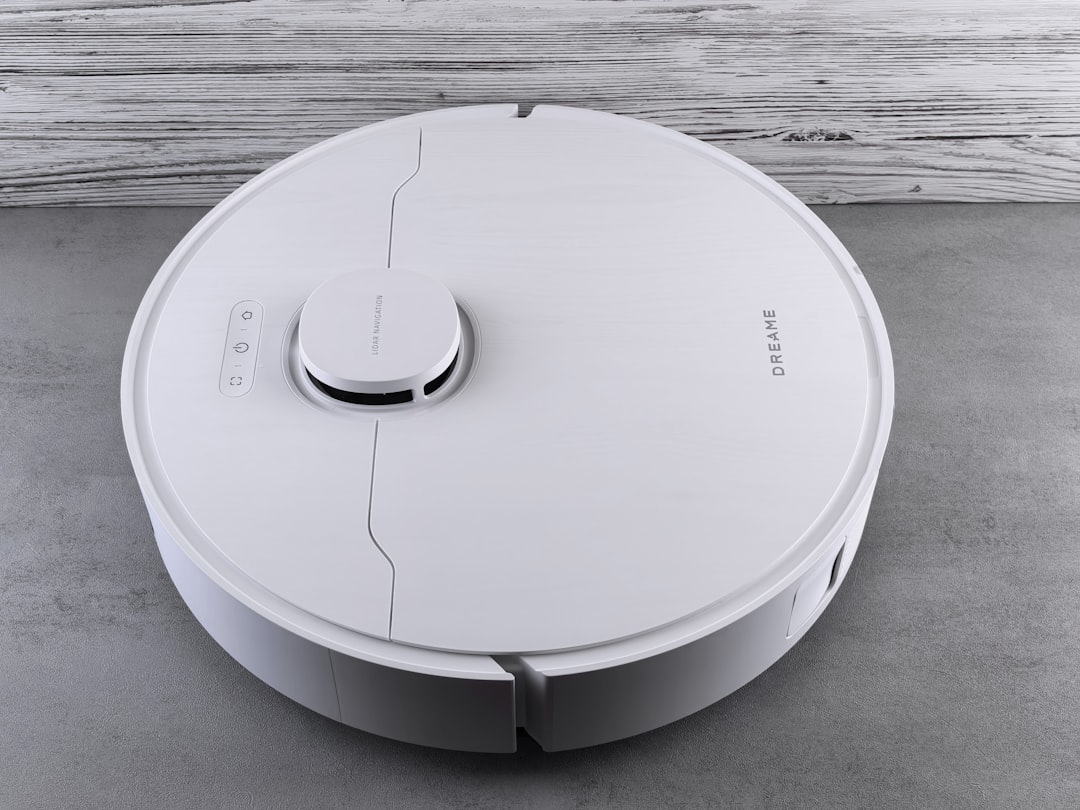
Dreame makes compelling hardware — the Dreame L20 Ultra ($1,300) has one of the best obstacle avoidance systems on the market. Home Assistant integration is available via Dreame Vacuum (a custom HACS integration) and exposes room-level cleaning and full entity control similar to Roborock.
Dreame is worth watching, especially if Roborock’s pricing is a barrier.
Ecovacs Deebot — Works, But Cloud-Heavy
Ecovacs integrates with Home Assistant via a community integration, but the implementation is cloud-dependent and historically less stable than Roborock. The hardware is good — the Deebot T20 Omni is a solid mid-range option — but if local control matters to you, Roborock is more reliable.
Shark — Alexa and Google Only
Shark robot vacuums are popular mid-range options — the Shark IQ and Shark AI lines have strong suction and reliable mapping. For robot vacuums home automation via Alexa or Google routines, they work well. Home Assistant support is limited to unofficial community integrations with inconsistent maintenance. If you’re in a pure Alexa household and want to save $200 over a Roborock, Shark is worth considering. If you run Home Assistant, it’s not the right pick.
SwitchBot — The Multi-Device Ecosystem
SwitchBot takes a different approach: their robot vacuum is part of a broader ecosystem that includes curtain openers, lock adaptors, button pushers, and hub devices. The SwitchBot S10 connects to the SwitchBot Hub, which has a solid Home Assistant integration. If you’re already in the SwitchBot ecosystem for other devices, adding their vacuum keeps everything in one integration. If you’re starting fresh, Roborock is still the stronger choice for robot vacuums home automation specifically.
Other Robotic Home Devices Worth Automating
Robot vacuums get all the attention, but robot vacuums home automation is just the start. Several other robotic devices connect meaningfully to home automation platforms:
Robot Mops
Some robot vacuums include mopping — Roborock and Dreame both do — but standalone robot mops exist too. The Narwal Freo X Ultra focuses entirely on wet mopping with self-cleaning. Home Assistant integration is limited; it works better as a standalone device triggered via Alexa routine.
Lawn Mower Robots
Husqvarna Automower models integrate with Home Assistant via the Husqvarna Automower integration. You can start, stop, park, and monitor battery and status. Useful automations: pause mowing when rain is detected (via a weather integration), stop when a guest arrives, schedule around your outdoor irrigation zones.
Pool Robots
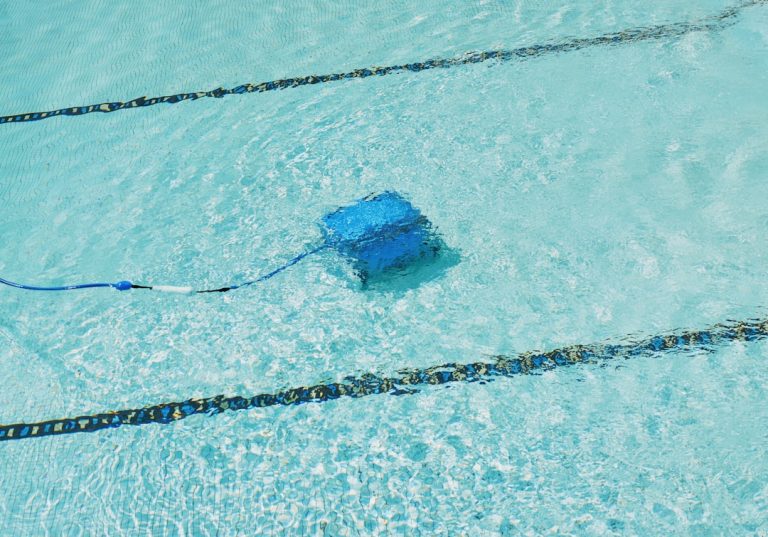
Dolphin pool cleaners by Maytronics have a cloud API, but Home Assistant integration is community-maintained and limited. For most people, these work better on a dumb timer than a smart one. Not worth forcing into your automation system unless you enjoy tinkering.
What You Need Before You Start
Before diving into automations, make sure the basics are in place:
A working map. Every modern robot vacuum with room-level control needs to complete at least one full cleaning run to build its map. Don’t try to set up room-specific automations until the map is done and rooms are labeled. Rushing this step is the most common reason automations don’t work as expected.
A stable 2.4GHz Wi-Fi connection at dock level. Your vacuum sits on its dock most of the time. If the dock is in a Wi-Fi dead zone, the integration will drop in and out. Run a speed test on your phone at dock height before finalizing the placement. If coverage is weak, a Wi-Fi access point closer to the dock solves it.
Home Assistant installed and running. If you haven’t set that up yet, start with our Home Assistant getting started guide first. Robot vacuums are a mid-tier integration — they work best once you already have presence detection and basic automations running.
The right integration installed. For Roborock, use the native integration in Home Assistant (Settings → Integrations → search Roborock). For Dreame, install Dreame Vacuum via HACS. For Roomba, use the official iRobot integration. Don’t use third-party cloud bridges unless you have to — they add latency and a dependency on external servers.
How to Actually Automate Your Robot Vacuum
Once your vacuum is connected to Home Assistant (or your preferred platform), these are the automations worth building:
Run When You Leave
This is the most useful robot vacuum automation and takes about 2 minutes to set up in Home Assistant.
Trigger: Your phone disconnects from home Wi-Fi (presence detection)
Condition: Everyone in the household is away
Action: Start the robot vacuum
Also add: Stop and return to dock when the first person arrives home. Nothing worse than coming through the door and having to step over a vacuum in the hallway.
Pause for Doorbell or Motion
Trigger: Doorbell rings OR front door motion sensor detects motion
Action: Pause the robot vacuum for 3 minutes, then resume
This works especially well if your robot vacuum supports per-room cleaning — you can tell it to avoid the entryway entirely when someone’s expected.
Don’t Run During Quiet Hours
Condition: Add to any vacuum automation — only run if time is between 9am and 8pm
Why: Robot vacuums are not quiet. 58–68 dB is typical. Running one at 6am because you happened to leave the house early is not smart home automation — it’s a nuisance.
Room-Specific Cleaning (Roborock / Dreame)
If your vacuum supports room-level cleaning via Home Assistant, you can build targeted automations:
- Run only the kitchen after a cooking automation triggers (e.g., the exhaust fan ran for more than 15 minutes)
- Run the living room on Friday afternoons before the weekend
- Skip the bedroom if the door sensor shows it’s closed
This requires your vacuum to have a completed map with labeled rooms. Most Roborock and Dreame models build this map automatically on first run.
Clean on a Smart Schedule, Not a Fixed One
Fixed schedules don’t account for when you’re actually home. A smarter approach: trigger the vacuum based on presence + time, not just time.
- If nobody has been home for 2+ hours AND it’s before 6pm: run a full clean
- If it’s Sunday AND everyone leaves for more than 30 minutes: run kitchen + living room
This way the vacuum runs when it’s actually useful, not just because it’s 10am on a Tuesday and you happen to be working from home.
What to Know Before Buying for Robot Vacuums Home Automation
A few things worth checking before you commit to a robot vacuum for a home automation setup:
Map quality matters more than suction power. A vacuum with a great map and room-level control is more useful in automations than a powerful one that cleans blindly. Roborock and Dreame both produce reliable maps on first run.
Auto-empty bases are worth it. Emptying the dustbin every 2–3 runs defeats the point of automation. Models with auto-empty bases — the Roborock S8+ ($700) and the iRobot Roomba j7+ ($600) both have them — keep the hands-off streak going.
Check integration stability before buying. Look up the current state of the Home Assistant integration on the HA community forums for any vacuum you’re considering. Integration quality varies and can change with firmware updates — a vacuum that worked flawlessly six months ago may have had its local API broken by a firmware update. Roborock’s native integration is the most stable; third-party integrations for Dreame and Ecovacs require more maintenance and occasional manual updates.
Wi-Fi band matters. Most robot vacuums use 2.4GHz only. If your router doesn’t broadcast a separate 2.4GHz SSID, you may have trouble connecting. For more on managing multiple Wi-Fi bands, see our guest Wi-Fi and network segmentation guide and how to optimize your Wi-Fi network.
For the full picture on building a smart home automation platform that ties all of this together, see our Home Assistant getting started guide and our best smart home hub comparison.
Frequently Asked Questions
Does Roomba work with Home Assistant?
Yes, via the official iRobot integration. It requires cloud access rather than local API, so automations depend on iRobot’s servers and are slightly slower than Roborock’s local integration. Basic start/stop/dock commands work reliably. Advanced room-level control is limited compared to Roborock.
Which robot vacuum has the best Home Assistant integration?
Roborock. The native integration exposes room-level cleaning, full sensor data (battery, dock status, error states, fan speed), and works via the local network without cloud dependency. It’s the strongest robot vacuums home automation option currently available.
Can I automate my robot vacuum to run when I leave the house?
Yes — this is one of the most useful automations to set up. In Home Assistant, trigger on presence detection (phone disconnects from Wi-Fi), condition on all household members being away, and action to start the vacuum. Add a return-to-dock action when someone arrives home.
Do robot vacuums work with Matter?
Roborock added Matter support in late 2025 for basic start/stop/dock commands. Full room-level automation still requires the native Home Assistant integration or the Roborock app. Other brands are slower to adopt Matter — check manufacturer release notes for the specific model you’re considering.
What’s the difference between robot vacuums for home automation vs regular scheduling?
A fixed schedule runs at a set time regardless of whether you’re home, whether the floors are actually dirty, or whether guests are arriving in 20 minutes. Home automation integration lets the vacuum respond to real conditions — presence, time-of-day logic, room-specific triggers, and pausing for doorbell events. The gap between “scheduled” and “automated” is where robot vacuums home automation actually earns its keep.
Can robot vacuums connect to Google Home or Amazon Alexa?
Yes — Roborock, Roomba, Dreame, and Ecovacs all support Google Home and Alexa for basic voice commands and routines. The depth of control varies. Voice commands handle start/stop well; complex room-level automations still require a dedicated app or Home Assistant integration.