Your Smart Home Muse: Why AI Makes Home Assistant Easier Than Ever
Setting up and expanding a modern smart home used to feel like a high-friction hobby reserved strictly for programmers and system administrators, but modern conversational technology has completely rewritten the script. In this practical home assistant ai guide, we explore how treating artificial intelligence as a personal smart home muse eliminates the traditional frustration curve. Instead of spending hours scouring community forums, deciphering technical jargon, or dreading complex setup menus, you can now interact with your smart home using everyday English. Whether you want to discover creative new routines for your living room, design visual dashboards on a tablet, or troubleshoot a finicky motion detector, conversational AI transforms Home Assistant from an intimidating software stack into an accessible, rewarding household utility.
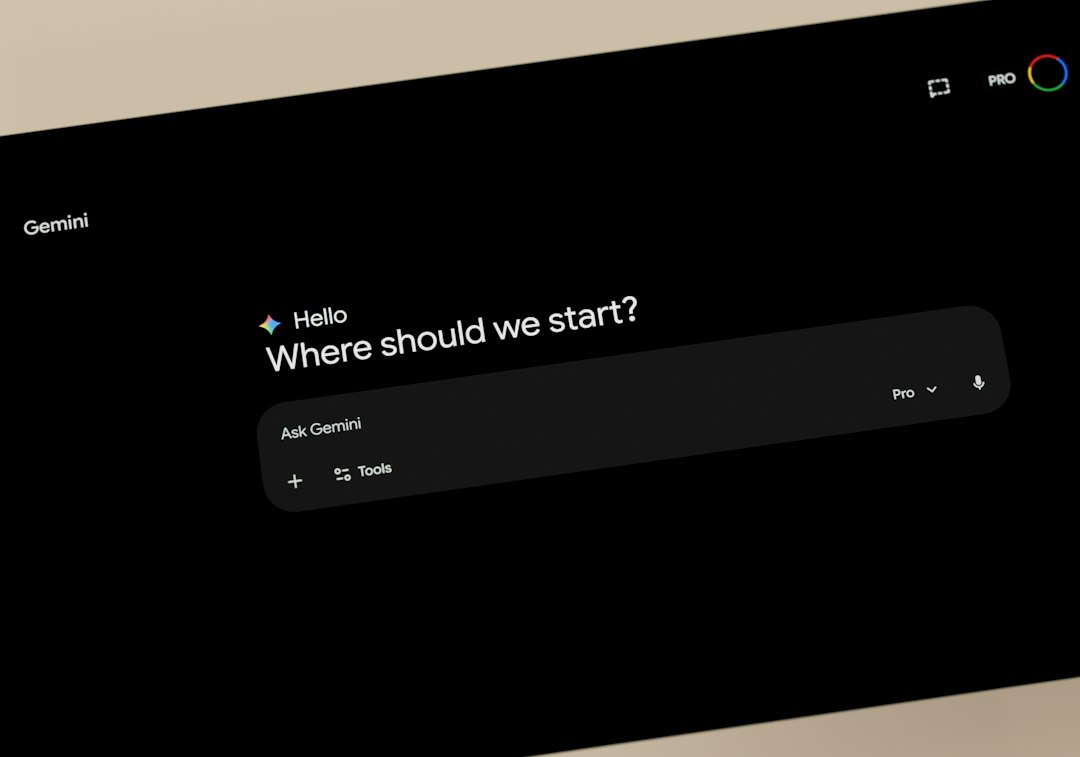
The concept of a smart home muse represents a fundamental shift in how homeowners approach automation. Traditionally, turning an idea into reality required understanding exactly which menus to navigate, which triggers to select, and how to structure multi-device conditions. As highlighted throughout this home assistant ai guide, introducing conversational AI into your workflow you simply explain what you want your home to accomplish in natural human speech. The AI helps you organize your thoughts, suggests thoughtful additions you might not have considered, and guides you through the official point-and-click user interface step by step.
Why You Need a Home Assistant AI Guide as Your Smart Home Muse
Home Assistant has earned an unmatched reputation as the most capable, private, and customizable local automation platform on the market. However, its sheer breadth of features can easily overwhelm beginners. When you first log into the dashboard, you are greeted with dozens of visual configuration options, hundreds of compatible device integrations, and limitless customization possibilities.
This is precisely where an AI assistant serves as your creative thinking partner. A smart home muse does not replace the visual controls of Home Assistant; rather, it bridges the gap between your real-world household habits and the platform’s visual automation builder.
- Eliminating decision fatigue — Rather than wondering what to automate first after pairing twenty new light switches and contact sensors, you can ask your AI partner to suggest beginner-friendly routines based on your household’s actual morning and bedtime schedules.
- Translating real human needs into visual settings — You can state a goal such as “I want the front porch lights to turn golden at sunset, brighten when someone approaches, and dim to a warm amber at midnight,” and your AI guide will outline the exact triggers, conditions, and actions to select in the visual editor.
- De-escalating technical anxiety — Because you interact entirely through natural conversational language, you never have to deal with code, developer terminology, or cryptic syntax. You get clear, friendly directions that respect your time.
When pairing this conversational approach with proper hardware foundations, such as following our smart home energy monitoring guide or optimizing your setup with our presence sensor lighting guide, the entire ecosystem feels intuitive and unified from day one.
The Visual-First Approach: No Code, No Intimidating Jargon
For years, the broader smart home community suffered from a persistent misconception: that mastering local home control required writing lines of text files, editing raw configuration scripts, or learning specialized templating markup. That era is firmly in the rearview mirror. Today, Home Assistant features a refined, beautiful user interface that allows you to manage devices, build complex automations, and organize rooms entirely with your mouse or touchscreen.
When using this home assistant ai guide to elevate your smart home, you do not write code. Instead, you use the AI to generate plain-English instructions that map directly to the visual buttons and dropdown menus inside your system.
- Visual automation cards — Every automation in Home Assistant is built around three intuitive visual blocks: “When” (triggers), “And if” (conditions), and “Then do” (actions). Your AI muse tells you exactly what to choose in each visual box.
- Menu navigation shortcuts — When you are unsure which settings screen houses a specific integration or entity setting, your conversational assistant tells you exactly which sidebar icon to click.
- Friendly explanations of device states — Rather than trying to interpret why a sensor reports binary states like “detected” versus “clear”, your AI assistant clarifies how each state behaves in daily practice.
By prioritizing visual UI tools, anyone in the household can confidently adjust lighting scenes, create custom notifications, and customize smart switches without fearing that an accidental keystroke will break the system.
Connecting Conversational AI to Your Home Assistant
Home Assistant provides native support for conversational intelligence through its built-in Assist pipeline. Setting up a conversational partner can be accomplished entirely through official visual integrations in just a few minutes. You can learn more about the initial setup process on the official Home Assistant getting started documentation.
To configure your conversational muse, you have two primary paths depending on your personal privacy preferences and existing hardware:
- Cloud-assisted conversational engines — If you want the most conversational, articulate experience with zero extra local hardware demands, you can connect an external conversational API. Through the visual Settings > Devices & Services menu, adding your preferred AI provider allows Home Assistant to process natural voice commands and brainstorm automations effortlessly.
- Local offline intelligence — For homeowners dedicated to absolute data sovereignty and local privacy, Home Assistant seamlessly integrates with Ollama and lightweight open-source models running on an existing desktop or home server. Everything stays contained within your home local network without sending conversational audio or text over the internet.
Both approaches tie directly into Home Assistant’s native voice architecture, documented comprehensively in the official Home Assistant voice control overview. Once configured, you can tap the visual Assist microphone icon on your phone or web dashboard and speak naturally to your system.
Practical Prompts: Using AI as Your Everyday Smart Home Muse
The real magic of combining artificial intelligence with home automation happens during everyday brainstorming. Instead of treating AI as a search engine, treat it as a knowledgeable consultant who understands your specific floor plan, family schedule, and comfort preferences.
Here are practical, battle-tested conversational prompts you can adapt right away:
Brainstorming Seasonal and Comfort Automations
- “I have smart dimmers in my living room, smart blinds on the south-facing windows, and an ecobee thermostat. What are three subtle, non-intrusive automations that will keep the room comfortable during bright afternoons without feeling annoying?”
- “We are hosting family for the holidays. What kind of guest-friendly lighting scenes can I set up that won’t confuse visitors who are accustomed to standard light switches?”
Crafting Intelligent Security Routines
- “I have door sensors on my back patio and front entrance, along with a compatible smart doorbell. How can I set up a bedtime notification that gently reminds me if an exterior door is left ajar after 10:30 PM, without blaring a loud alarm while everyone is sleeping?”
- To pair these routines with the best hardware, review our recommendations for the best video doorbells for Home Assistant to guarantee seamless local stream integration.
Energy Saving and Appliance Monitoring
- “I plugged my washing machine into an energy-monitoring smart plug. What is the best way to visually configure Home Assistant to alert my phone only when the laundry cycle has completely finished and power drops below 3 watts for two minutes?”
In each scenario, your AI muse translates your human goal into visual menu selections. You never have to guess threshold numbers or write logical formulas; the AI gives you the exact settings to fill into the standard visual fields.
Step-by-Step: Building Your First Automation with Your AI Guide
To illustrate how effortless this process is in practice, let us walk through building a “Gentle Morning Routine” using the standard Home Assistant visual interface alongside your conversational muse.
- Step 1: Consult your AI muse — Open your conversational AI tool of choice and type: “I want to create a gentle morning wake-up automation. On weekdays at 6:45 AM, I want my bedroom accent lamp to turn on at 10% brightness and slowly warm up over 15 minutes, but only if my bedroom motion sensor hasn’t already detected movement.”
- Step 2: Review the plain-English blueprint — Your AI assistant will break down the request into standard visual components: Trigger: Time (06:45:00 on Mon-Fri); Condition: Motion sensor state is clear; Action: Turn on bedroom lamp, set brightness to 10%, set transition time to 900 seconds.
- Step 3: Open the Visual Automation Editor — In Home Assistant, navigate to Settings > Automations & Scenes > Create Automation. Select “Create new automation” to open the visual builder.
- Step 4: Enter the visual trigger and condition — Click Add Trigger, choose Time, and set the time field to 06:45:00. Under Conditions, click Add Condition, select State, choose your bedroom motion detector, and verify the state dropdown is set to “Clear”.
- Step 5: Configure the action — Click Add Action, choose Call Service, select Light: Turn on, pick your bedroom lamp from the device selector, and use the visual sliders to dial in the brightness and transition duration.
- Step 6: Save and test — Click the orange Save button in the bottom right corner, name your automation “Gentle Morning Wakeup,” and click the visual “Run Actions” button to preview how the light responds.
By following this step-by-step home assistant ai guide workflow, you construct reliable, sophisticated automations in less than three minutes without typing a single line of code.
Troubleshooting Smart Home Glitches with Plain-English AI
Even the most thoughtfully planned smart home occasionally runs into hiccups. A smart plug might drop offline after a router reboot, an automation might trigger unexpectedly in the middle of the afternoon, or a battery-powered sensor might stop reporting state changes.
Before conversational AI, diagnosing these issues often involved scouring dense log files or searching forum threads spanning hundreds of pages. Today, your AI muse acts as a patient diagnostic technician.
- Translating activity history — Home Assistant provides a detailed visual Logbook for every device. If a porch light turns on at an odd hour, you can simply tell your AI: “My front porch light turned on at 2:14 PM today according to my logbook. My only automation for that light is supposed to run at sunset. What visual settings or linked integrations could be causing this?” The AI will systematically point you toward common culprits, such as adaptive lighting plugins or motion sensor resets.
- Resolving Zigbee and Z-Wave connectivity blips — If a wireless sensor becomes sluggish, explain the physical environment to your AI: the distance between the plug and the hub, the presence of metal appliances, or nearby Wi-Fi routers. Your AI guide will provide practical physical placement advice to heal your wireless mesh network.
- Maintaining data resilience — As you build out more automations, safeguarding your configuration is paramount. Ensure you review our guide on how to back up Home Assistant to establish automatic, off-site recovery points before making major system changes.
You can also explore the native conversational architecture in the official Home Assistant conversation integration and the emerging Home Assistant LLM APIs to see how the platform is continuously enhancing native diagnostic capabilities.
Creating Family-Friendly Dashboard Layouts with AI Guidance
One of the greatest milestones in any smart home journey is creating a central control dashboard that your spouse, children, or houseguests actually enjoy using. If a dashboard is crowded with dozens of tiny buttons and confusing technical graphs, family members will simply ignore it and flip wall switches manually.
Your AI muse can help you architect clean, visually intuitive dashboard layouts tailored specifically for wall-mounted tablets or family smartphones:
- Room-by-room zoning — Ask your AI how to organize high-traffic rooms (Kitchen, Living Room, Master Bedroom) so that the most essential controls—such as ceiling fan speeds and main lighting scenes—are prominent and touch-friendly.
- Glanceable status badges — Have your AI suggest high-priority status indicators for the top of your screen, such as garage door position, exterior door security, and indoor temperature.
- Simplified guest profiles — Design a dedicated guest view that only exposes media volume, guest bedroom climate, and outdoor lighting while hiding administrative settings.
By consulting your AI muse during the design phase, you ensure that every screen in your home is inviting, purposeful, and effortless for everyone under your roof to navigate.
Frequently Asked Questions
Do I need any coding or programming knowledge to use this home assistant ai guide?
No. This entire home assistant ai guide is built around the modern, visual Home Assistant user interface. Every automation, dashboard modification, and device setting is handled through standard dropdown menus, visual sliders, and point-and-click buttons. The role of AI is to give you plain-English directions on what buttons to click, eliminating the need to write code or memorize technical syntax.
Does integrating AI with Home Assistant compromise my personal privacy?
Not necessarily. While cloud-based conversational engines send voice queries or text prompts to external servers, you have full control over what data is shared. Furthermore, Home Assistant supports 100% local, offline language models through integrations like Ollama. If you choose a local model running on your own hardware, none of your smart home telemetry, voice clips, or device lists ever leave your local home network.
What is the difference between Home Assistant Assist and commercial voice assistants?
Traditional commercial smart speakers (such as Amazon Alexa or Google Assistant) prioritize cloud ecosystems, proprietary shopping features, and mandatory vendor accounts. Home Assistant Assist is privacy-focused, highly customizable, and designed specifically to control local smart home devices directly. When paired with an AI muse, Assist understands contextual home automations with far greater nuance and zero advertising.
Can conversational AI help me pick the right smart home hardware?
Yes. One of the best uses of an AI muse is hardware compatibility checking before you make a purchase. You can describe your current hub, your preferred wireless protocol (such as Zigbee or Matter), and your budget, and the AI will help you identify reliable, vendor-agnostic devices that work locally without requiring proprietary cloud subscriptions.
What should I do if my AI-suggested automation does not trigger as expected?
First, navigate to Settings > Automations & Scenes, locate the automation, and click Traces in the upper right corner. Traces provide a clear, color-coded visual diagram showing exactly where the automation stopped (for example, if a condition evaluated to false). You can describe the trace results to your AI assistant in plain English, and it will immediately pinpoint the conflicting setting.
More from Wiredhaus
- How to Set Up a Home Assistant Backup (Automatic and Off-Site)
- Best Video Doorbells for Home Assistant: Local and Cloud Picks
- How to Automate Smart Lighting with Presence Sensors: Step-by-Step Home Assistant Guide
- Smart Home Energy Monitoring: Complete Setup Guide
- Best Zigbee USB Coordinators for Home Assistant