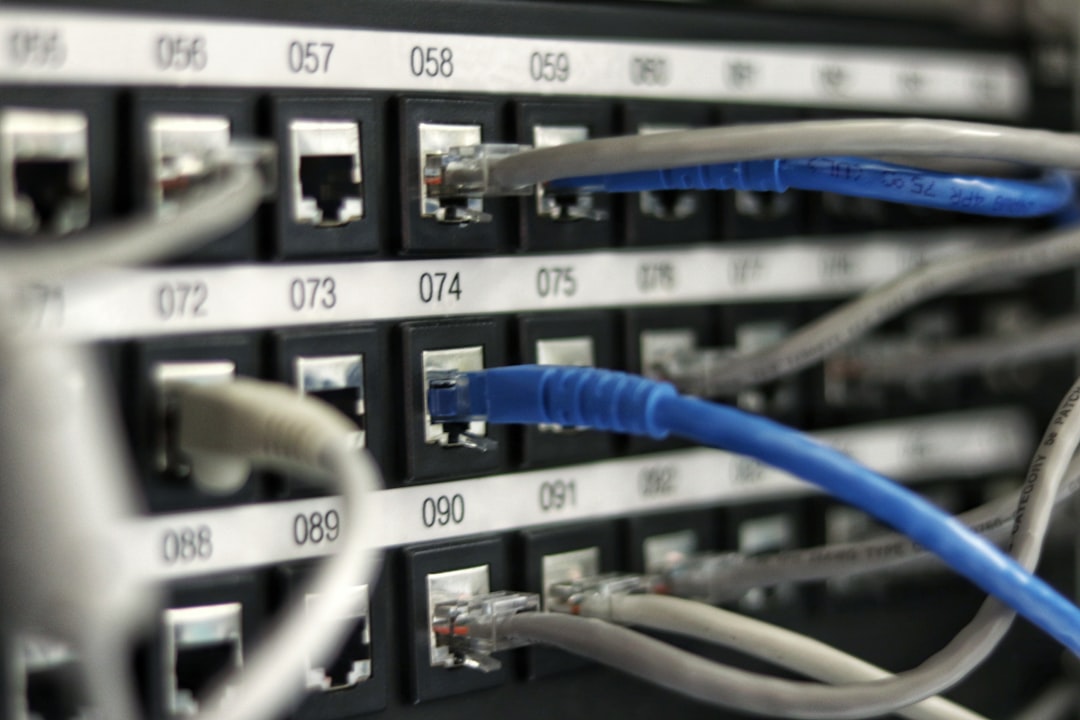
Best 2.5GbE Switches for Home Networks
If you want to upgrade your home network beyond standard gigabit speeds without spending a fortune on enterprise-grade hardware, finding the best 2.5gbe switch is the most cost-effective solution. Standard 1Gbps Ethernet has been the bottleneck of home offices, media servers, and creative workstations for over a decade. With modern internet plans exceeding 1,000 Mbps and modern network-attached storage (NAS) units easily saturating gigabit cables, moving to 2.5 Gigabit Ethernet (2.5GbE) provides an immediate 150% speed increase. Best of all, it runs over the existing Cat5e or Cat6 copper cables already installed in your walls, eliminating the need for expensive and labor-intensive rewiring.
Whether you are a media professional editing 4K video directly off a local server, a gamer wanting lower latency and faster local game transfers, or a power user running a virtualization lab, multi-gigabit networking is a game-changer. By replacing your central desktop switch with a multi-gigabit model, you create a high-speed highway between your primary high-bandwidth devices. This guide reviews the top options, explains what to look for, and helps you identify the best 2.5gbe switch to future-proof your network infrastructure.
Why Upgrade to 2.5GbE Networking Today
The transition from 1G to 2.5G is the most practical upgrade for home and small office networks in 2026. While 10G networks have existed for years, they remain expensive, run hot, require noisy active cooling fans, and draw significantly more power. In contrast, 2.5GbE hardware is affordable, highly energy-efficient, and operates entirely silently using fanless passive cooling. This makes it ideal for home offices, bedrooms, or living rooms where noisy cooling fans are unacceptable.
Performance is the most immediate benefit. A standard gigabit connection caps real-world file transfers at roughly 115 MB/s. Under this limitation, backing up a 1TB drive or moving large video project folders to a network share can take hours. Upgrading to a multi-gigabit platform increases that ceiling to approximately 280 MB/s, allowing you to back up computers and transfer large media files in a fraction of the time. To get the most out of your high-speed switch, you can combine it with high-performance host adapters, which we cover in our guide on the best mini PCs for home servers and homelabs in 2026.
Additionally, modern internet service providers regularly offer fiber packages with speeds of 1.2 Gbps, 1.5 Gbps, or even 2.5 Gbps. If you plug a multi-gigabit internet gateway into a standard gigabit switch, any speed above 940 Mbps is completely wasted. By deploying a high-speed local switch, you ensure that multiple devices can utilize your high-speed internet plan simultaneously without bottlenecks. If you are building out a robust home backbone, pairing your switch with the best poe switches for home networks in 2026 will allow you to power security cameras and wireless access points while maintaining high backbone speeds.
Let’s review the top hardware options currently available to help you find the best 2.5gbe switch for your budget and performance needs.
Top 2.5GbE Switches Reviewed
Our testing has identified the following top-performing models that represent the best 2.5gbe switch options on the market today.
TP-Link TL-SG108-M2 (8-Port Unmanaged 2.5G Switch)
💰 Buy on Amazon → TP-Link TL-SG108-M2
The TP-Link TL-SG108-M2 is our top overall recommendation for users who want to upgrade multiple devices to multi-gigabit speeds without any configuration hassle. This unmanaged switch features eight physical 2.5G ports housed in a durable, fanless metal casing that ensures completely silent operation and efficient heat dissipation.
Operating this switch is as simple as plugging in the power adapter and connecting your Ethernet cables. There are no web interfaces, IP addresses, or settings to manage, making it a true plug-and-play solution. Its fanless design means you can place it directly on your desktop or inside a media cabinet without worrying about noise.
With a total switching capacity of 40 Gbps, the TL-SG108-M2 can handle simultaneous full-duplex transfers across all eight ports without dropping packets or slowing down. It is the perfect central hub for a home office, connecting your primary workstation, NAS, gaming PC, and router backbone. For complete specifications and compatibility details, check out the TP-Link Official Site.
TP-Link TL-SG105-M2 (5-Port Unmanaged 2.5G Switch)
💰 Buy on Amazon → TP-Link TL-SG105-M2
If you only need to connect a few high-speed devices and want to minimize costs, the TP-Link TL-SG105-M2 is the ultimate budget-friendly choice. It offers the same exceptional performance and fanless metal construction as its larger sibling but features five physical 2.5G ports instead of eight.
The TL-SG105-M2 is incredibly compact, occupying less desk space than a smartphone. This makes it ideal for tight spaces, such as behind a television console, inside a small wiring closet, or directly on a crowded workbench. It is designed to run cool and silent under full load, making it a reliable addition to any home network.
With a 25 Gbps switching capacity, this five-port model easily handles full-speed local data transfers between your primary desktop and a network storage server. If you are looking for the absolute best 2.5gbe switch that offers a balance of price and performance for a small setup, this model is the clear winner.
QNAP QSW-1105-5T (5-Port Fanless 2.5G Switch)
💰 Buy on Amazon → QNAP QSW-1105-5T
The QNAP QSW-1105-5T is another highly reliable, five-port unmanaged multi-gigabit switch designed specifically for home laboratories and media streaming setups. QNAP is a well-known leader in the network-attached storage industry, and their networking hardware is engineered to match the high standards of their storage systems.
This switch features five 2.5GbE RJ45 ports and offers a loop detection feature that automatically blocks ports if a network loop is detected, preventing your entire network from crashing due to accidental cabling mistakes. It is built with a sturdy metal housing and operates completely silently.
The QSW-1105-5T is highly power-efficient, drawing minimal electricity even when all ports are active with heavy data transfers. It is an excellent choice for connecting a QNAP storage server and your high-end editing computers, ensuring smooth, uninterrupted transfers. You can read more about QNAP’s hardware ecosystem and products on the QNAP Official Site.
QNAP QSW-M2108-2C (Managed 10G/2.5G Hybrid Switch)
💰 Buy on Amazon → QNAP QSW-M2108-2C
For advanced users who require network management features like VLAN tagging, Link Aggregation, and Quality of Service (QoS) controls, the QNAP QSW-M2108-2C is an outstanding hybrid solution. It is a web-managed switch that combines both 2.5G and 10G ports to provide the ultimate flexibility.
The QSW-M2108-2C features eight physical 2.5G RJ45 ports for your standard high-speed clients, along with two high-speed 10G combo ports (supporting SFP+ fiber or RJ45 copper). This allows you to connect your main storage server or virtualization host at ultra-fast 10G speeds while distributing robust 2.5G connections to your surrounding computers and switches.
The QNAP Switch System (QSS) web interface is incredibly user-friendly, offering live bandwidth monitoring, port controls, and network security configuration. It allows you to partition your network into separate VLANs to secure your smart home, which is a key recommendation we discuss in our guide on best managed switches under $100 in 2026.
FENVi 2.5G PCIe Network Interface Card
💰 Buy on Amazon → FENVi 2.5G NIC
To actually achieve multi-gigabit speeds, your computers must have compatible network cards. If your desktop PC only has a standard gigabit port on its motherboard, installing the FENVi 2.5G PCIe Network Interface Card is the easiest way to upgrade.
This expansion card plugs directly into any open PCIe slot on your computer’s motherboard, adding a high-speed 2.5G Ethernet port. It is powered by the highly stable Realtek RTL8125B controller, which features native driver support in Windows 10, Windows 11, Linux, and various virtualization platforms.
The card comes with both standard and low-profile brackets, allowing it to fit into full-size desktop towers as well as slim, small-form-factor office PCs. Upgrading your client machines with this card is essential to unlock the full potential of your new high-speed switch. By adding physical PCIe adapters to your older hardware, you can cost-effectively bypass the integrated motherboard limitations and run high-speed local network links directly to your central network switch.
How to Choose the Best 2.5GbE Switch for Your Home Network
When shopping for a multi-gigabit switch, understanding a few key technical specifications will help you make an informed decision. Here is what you should consider:
- Unmanaged vs. Managed Switches: Unmanaged switches are plug-and-play devices with zero configuration required. They are affordable and perfect for simple networks. Managed switches cost more but allow you to configure VLANs to segregate untrusted smart home devices, set port-speed limits, and monitor traffic. For more information on managed options, consult the general Wikipedia Network Switch guide.
- Port Count Requirements: Always buy a switch with more ports than you currently need. If you have four high-speed devices to connect, buying a 5-port switch leaves you with only one spare port, which will be occupied by the uplink to your main router. An 8-port switch provides comfortable room for future expansion.
- Cabling Compatibility: One of the greatest advantages of 2.5G networking is that it works perfectly over standard Cat5e cables at distances up to 100 meters (328 feet). You do not need to replace your existing in-wall wiring to achieve full 2.5G speeds. However, if you are installing new runs, choosing Cat6 or Cat6A copper cables is recommended for future compatibility.
- Power Consumption and Heat: Since multi-gigabit switches process significantly more data than standard gigabit models, they generate more heat. Look for fanless models with thick metal enclosures, which act as passive radiators to keep the switch cool without the noise or mechanical failure risks of internal fans.
- Combo and Uplink Ports: Some high-end switches feature dedicated 10G SFP+ or RJ45 uplink ports. These are extremely useful if you want to connect a central NAS or server that serves multiple 2.5G clients simultaneously, preventing the uplink port from becoming a bottleneck during heavy concurrent transfers.
By keeping these factors in mind, selecting the best 2.5gbe switch for your home network becomes a simple and predictable task that anyone can accomplish.
Frequently Asked Questions
Do I need to buy new Ethernet cables to use a 2.5GbE switch?
No, you do not need to replace your existing Ethernet cables. The 2.5GBASE-T standard was specifically engineered to run over standard Cat5e copper cables at distances up to 100 meters. As long as your existing cables are properly terminated and undamaged, they will support full 2.5G speeds without any issues. If you are running new cables, using Cat6 is recommended, and you can learn more about cabling differences in the IEEE 802.3bz Wikipedia guide.
Can I mix 1Gbps and 2.5Gbps devices on the same switch?
Yes, multi-gigabit switches are fully backward-compatible. Each physical port will automatically negotiate the maximum speed supported by the connected device. If you plug a 2.5G-capable desktop into port 1, it will run at 2.5 Gbps. If you plug an older gigabit printer or smart home hub into port 2, it will run at 1 Gbps. The switch handles these differing speeds simultaneously without any performance degradation for the faster devices.
Does upgrading to a 2.5G switch increase my internet speed?
Upgrading your local switch will only increase your internet speed if your internet plan is faster than 1 Gbps and your current gigabit router or switch is bottlenecking that connection. If you have a 500 Mbps internet plan, your download speeds will remain exactly the same. However, your local network transfer speeds (such as transferring files between your computer and a local storage server) will increase dramatically.
Do I need a special router to use a 2.5GbE switch?
No, you can connect a 2.5GbE switch to any standard home router. The switch will connect to one of your router’s LAN ports. Any devices plugged into the multi-gigabit switch will be able to communicate with each other at full 2.5 Gbps speeds, while traffic heading to the internet or other parts of the house will route through the router at its maximum supported speed.
Are fanless 2.5G switches reliable for continuous operation?
Yes, modern fanless 2.5G switches are exceptionally reliable. Manufacturers design these switches with heavy-duty metal chassis and internal thermal pads that draw heat away from the main chips and dissipate it through the outer casing. Because they have no moving parts, there are no cooling fans to wear out or collect dust, leading to a much longer operational lifespan.
How do I verify that my devices are actually connecting at 2.5G?
You can easily verify your connection speed through your computer’s operating system. On Windows, open the Settings app, go to Network & Internet, select Ethernet, and look at the “Link speed” field. On macOS, open System Settings, select Network, click on Ethernet, click Advanced, and view the Hardware tab. If properly configured, the link speed should display as 2500 Mbps (or 2.5 Gbps).
In summary, integrating the best 2.5gbe switch into your home network removes local bottlenecks and provides a seamless high-speed backbone for your connected life. To understand more about the standard protocols governing modern copper Ethernet connections, you can consult authoritative technical overviews such as the Wikipedia Ethernet standards guide or the official technical FAQ resources on the Netgear KB site to expand your networking expertise.



2 Comments
Comments are closed.