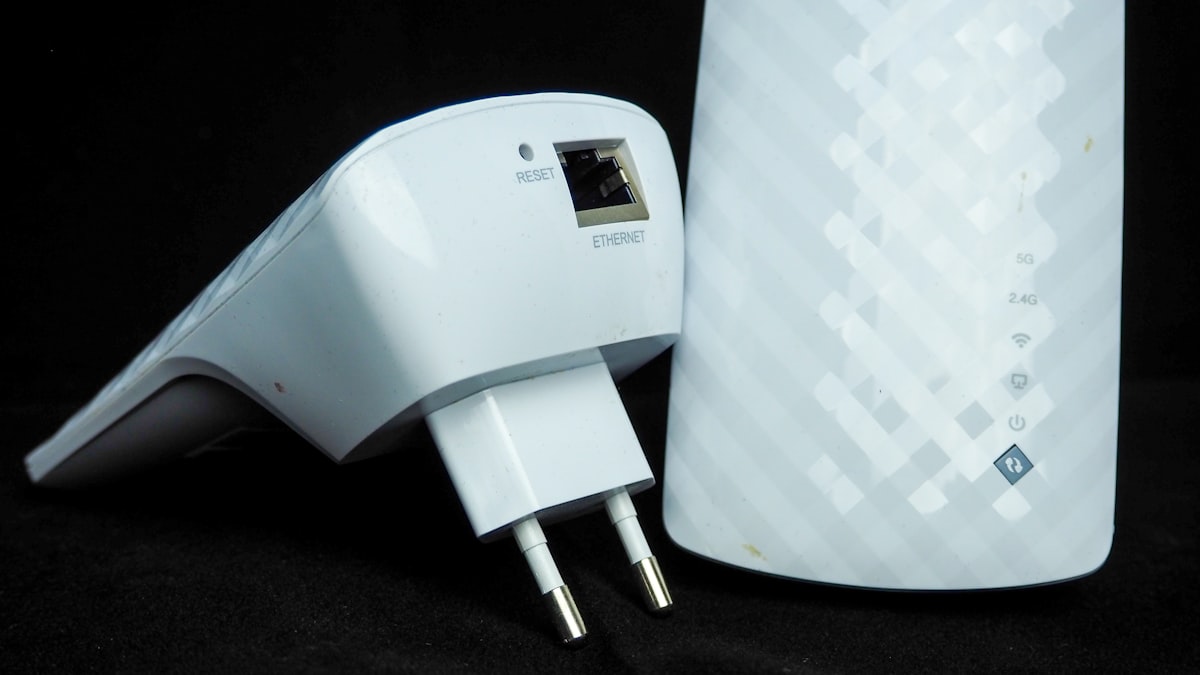
Powerline Networking Interference: What You Need to Know
Powerline networking promises to turn your home’s electrical wiring into a network backbone — no new cables, no drilling, just plug adapters into wall outlets and go. But powerline adapters share your electrical wiring with everything else in your house: lamps, refrigerators, microwave ovens, chargers, and every appliance you own. Does that cause problems? The answer is: yes, sometimes significantly, and the powerline networking interference devices issue is more nuanced than most people realize.
Understanding which powerline networking interference devices affect your specific circuits helps you plan adapter placement more effectively.
The IEEE 1901 standard that governs powerline networking specifies how adapters should coexist with other electrical devices, but real-world performance depends entirely on your home’s specific wiring quality, circuit layout, and what’s plugged into the same circuits.
How Powerline Networking Works (Briefly) – Understanding Powerline Networking Interference Devices
Powerline adapters modulate network data onto your home’s existing AC electrical wiring. They use frequencies between 2MHz and 86MHz — well above the 50/60Hz AC power frequency that your appliances use. In theory, this frequency separation means powerline data and electrical power coexist without interfering with each other. In practice, the line noise generated by many common household devices bleeds into the frequency range that powerline adapters use, degrading network performance.
Think of it like this: you’re trying to have a conversation at one end of a crowded room (the electrical wiring). The AC power is the room’s background hum — always there but at a frequency your ear naturally filters out. But other devices in the room are also talking, and their conversations overlap with yours. The more noise, the harder it is to communicate clearly.
Devices That Interfere With Powerline Networking
Not everything on your electrical system causes problems. Here’s what does and what doesn’t, based on extensive testing and community reports:
Major Interference Sources
- Chargers and power supplies — Cheap phone chargers, laptop power bricks, and LED power supplies are the worst offenders. They generate significant high-frequency noise on the power line because they use switching power supplies that operate in the same frequency range as powerline networking. A single cheap charger near a powerline adapter can cut throughput by 30-50%.
- Dimmer switches — Traditional triac-based dimmers chop the AC waveform to reduce brightness, creating massive electrical noise. A dimmer switch on the same circuit as a powerline adapter can devastate performance. Modern LED-compatible dimmers are slightly better but still problematic.
- Fluorescent lights and ballasts — Both magnetic and electronic ballasts generate broadband noise. A fluorescent fixture on the same circuit as a powerline adapter is bad news for throughput.
- Microwave ovens — While running, microwaves generate significant electrical noise. The interference is worst on the same circuit but can propagate to other circuits through your breaker panel. If your powerline adapters drop speed when someone makes popcorn, the microwave is why.
- Motor-driven appliances — Refrigerators, air conditioners, fans, and washing machine motors create electrical noise when they start and stop. The noise is intermittent (not continuous) but can cause brief throughput drops or connection instability.
- Power strips with surge protectors — Many surge protectors include EMI/RFI filters that intentionally attenuate high-frequency signals. These filters can also attenuate your powerline networking signal. Never plug a powerline adapter into a surge protector or filtered power strip — always plug directly into the wall outlet.
Minimal or No Interference
- Resistive loads — Incandescent lights (if you still have them), space heaters, toasters, and coffee makers are essentially resistive loads that don’t generate significant high-frequency noise.
- Modern high-quality power supplies — Premium laptop chargers and electronics power supplies meeting strict EMI standards generate minimal interference. The difference between a $5 generic charger and a $40 name-brand charger is measurable.
Does Powerline Networking Interfere With Other Devices?
The reverse question — do powerline adapters cause problems for your other electronics — is equally important. In most cases, no. The IEEE 1901 standard includes provisions to minimize interference with other devices. Powerline adapters are designed to reduce transmit power when they detect other equipment using nearby frequencies, and they shouldn’t cause audible noise, interference with AM radio, or problems with other electronics.
However, there are edge cases. Some users report audible buzzing from speakers or audio equipment when powerline adapters are active on the same circuit. This happens when the powerline adapter’s signal couples into poorly shielded audio equipment through the power line. Moving the audio equipment to a different circuit or using higher-quality shielded audio cables usually resolves it.
Powerline adapters also shouldn’t interfere with smart plugs, smart lights, smart home devices. These devices communicate via Zigbee, Z-Wave, or WiFi — completely different frequencies and media. Your powerline network and your smart home network coexist without conflict.
The Circuit Problem: Same Circuit vs Different Circuit
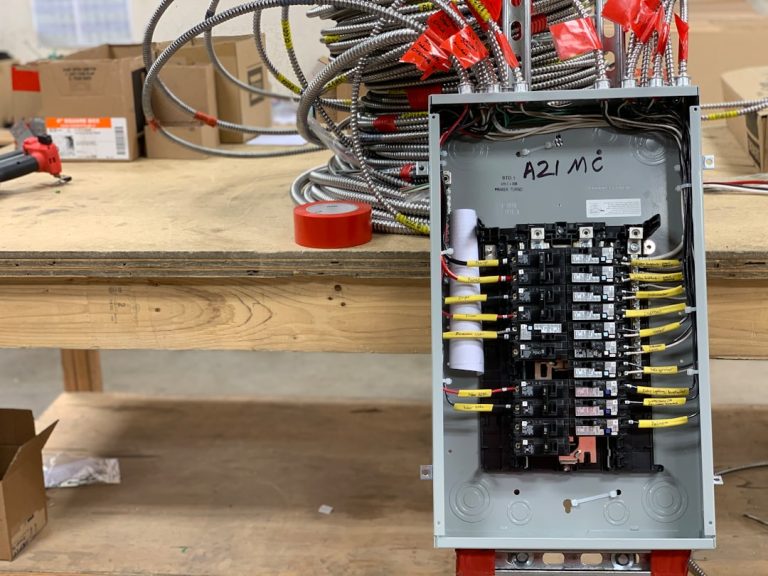
Powerline performance depends heavily on whether both adapters are on the same electrical circuit. Two adapters on the same circuit (same breaker) typically achieve 70-90% of rated speed. Two adapters on different circuits but the same breaker panel achieve 30-60%. Two adapters on different panels (common in larger homes with sub-panels) may not work at all.
The physics here is practical: electrical noise from devices on the same circuit affects both adapters. Noise from devices on different circuits is partially filtered by the wiring between the circuit breaker and the adapter. More distance and more junctions between adapters means more noise potential and weaker signals.
For best results, plug both adapters directly into wall outlets on the same circuit. If that’s not possible, try different outlet pairs — powerline performance varies unpredictably between outlets in the same room. Sometimes moving an adapter from one outlet to another three feet away doubles the throughput.
TP-Link Powerline Adapters
TP-Link powerline adapters are the most popular option and generally perform well in clean electrical environments. Their AV2000 models claim 2Gbps theoretical throughput (real-world: 400-800 Mbps on a good circuit). TP-Link’s adapters include built-in noise filtering and tend to handle electrical interference better than budget alternatives. Their setup is genuinely plug-and-play with a simple pairing button.
Netgear Powerline Adapters
Netgear powerline adapters offer similar performance to TP-Link at comparable prices. Netgear’s PowerLINE series is reliable and well-documented. Real-world throughput typically lands in the 300-600 Mbps range depending on your electrical wiring quality. Netgear adapters include passthrough outlets, which is a genuinely useful feature — you don’t lose a wall outlet when you install the adapter.
D-Link Powerline Adapters
D-Link powerline adapters round out the mainstream options. Performance is competitive but slightly less consistent than TP-Link or Netgear in our testing. D-Link’s advantage is often price — they’re frequently the cheapest branded option. If you’re on a tight budget and have relatively clean electrical circuits, D-Link gets the job done.
When to Choose MoCA or Ethernet Over Powerline
Powerline networking has its place, but if your home has coax cable runs available, MoCA adapters are almost always the better wired alternative. Coax cable is shielded, designed for high-frequency signals, and immune to the electrical noise that plagues powerline. MoCA adapters consistently deliver 80-90% of rated speed, while powerline struggles to hit 50% on a bad circuit.
And if you can physically run cable, Ethernet beats everything. It’s immune to electrical interference, delivers full rated speed, and has the lowest latency of any option. The only disadvantage is the installation effort.
For the full comparison, our MoCA vs Powerline vs Ethernet guide breaks down the pros and cons in detail.
Tips for Maximizing Powerline Performance
- Plug directly into wall outlets — Never use surge protectors, power strips, or extension cords. They filter or attenuate the high-frequency signals powerline networking relies on.
- Use the same circuit when possible — Both adapters on the same breaker give the best results. Different breakers in the same panel work. Different panels may not work at all.
- Keep adapters away from noisy devices — Don’t plug a powerline adapter into an outlet next to a cheap phone charger, dimmer switch, or fluorescent light. Move it to a different outlet.
- Test multiple outlet pairs — Performance varies unpredictably between outlets. Try all available pairs and pick the one with the best throughput.
- Avoid GFCI outlets — Ground Fault Circuit Interrupter outlets can add noise or attenuate powerline signals. Non-GFCI outlets generally perform better.
Powerline Networking Interference — The Bottom Line
Powerline networking works, but it’s the most variable networking technology available to consumers. Your results depend entirely on your home’s electrical wiring quality and what’s plugged into it. In the best case, you get reliable 500+ Mbps between rooms. In the worst case, you get unreliable 50 Mbps that drops when someone turns on a desk lamp. If you have coax cable available, use MoCA instead. If you can run Ethernet, do that. Powerline is the option of last resort — it works when nothing else can, but it comes with more caveats than any alternative.
Additional Resources
The IEEE 1901 Power Line Standard page on Wikipedia provides historical context on how powerline networking standards evolved and why electrical noise affects data signals on power lines.
How-To Geek’s powerline adapter guide covers setup, troubleshooting, and when powerline networking makes sense versus alternatives like MoCA or WiFi.
SmallNetBuilder’s powerline testing includes real-world performance data showing how powerline adapter speed varies based on circuit configuration, distance, and electrical noise sources.
Tom’s Hardware’s powerline reviews regularly evaluate new powerline adapter models and compare them against MoCA and WiFi alternatives for home networking use cases.
Devices Most Likely to Cause Problems
The powerline networking interference devices that cause the most significant problems fall into a few categories:
Motor-driven appliances (refrigerators, air conditioners, fans, vacuum cleaners) generate electromagnetic interference when their motors run. This is the most common source of powerline degradation. The interference spikes when the motor starts and can reduce throughput by 50-80% momentarily.
Switch-mode power supplies (laptop chargers, LED drivers, phone chargers) generate high-frequency noise that overlaps with powerline communication frequencies. Quality chargers include EMI filtering that minimizes this, but cheap unbranded chargers often lack proper filtering.
Light dimmers create electrical noise proportional to the dimming level. A light dimmed to 50% generates significantly more noise than one at full brightness. If your powerline adapters share a circuit with dimmer-controlled lighting, you may see throughput vary as lights are adjusted.
Fluorescent ballasts (older fluorescent lighting fixtures with magnetic ballasts) generate consistent broadband noise that can degrade powerline performance on the same circuit. LED lighting with electronic drivers is generally better but depends on driver quality.
Identifying which powerline networking interference devices share your circuits is the first step toward optimizing your powerline adapter placement.
The most troublesome powerline networking interference devices are motor-driven appliances, cheap switch-mode power supplies, and older dimmer switches.
Frequently Asked Questions
Can powerline adapters damage my electronics?
No. Powerline adapters are designed to IEEE 1901 safety standards and don’t output voltages or frequencies that could damage connected electronics. The signals they use are low-power and well within safe operating ranges for all household devices.
Why is my powerline adapter slow only at certain times?
Intermittent interference from appliances turning on and off. A refrigerator compressor cycling on, a microwave running, or a space heater switching on can temporarily degrade performance. Track what’s running when speed drops to identify the culprit.
Do powerline adapters work across different electrical panels?
Sometimes, but unreliably. If your home has a main panel and a sub-panel, adapters on different panels may work poorly or not at all. The sub-panel acts as an additional filter for the powerline signal. Try it, but have a fallback plan.
Can I plug a powerline adapter into a UPS or battery backup?
Technically yes, but performance will likely be poor. UPS units include noise filtering and power conditioning that interferes with powerline signals. Some UPS units block powerline communication entirely. Plug powerline adapters directly into wall outlets.
Do powerline adapters increase my electricity bill?
Negligibly. Powerline adapters consume 2-5 watts each — roughly $2-5 per year in electricity at average US rates. This is constant draw regardless of whether data is actively being transmitted. Unplug them if you’re not using them and want to minimize phantom power consumption.
If you’re into networking gear jokes and geeky merch, check out Witty Design Finds on Etsy — some fun stuff for the home lab crowd.
One Comment
Comments are closed.