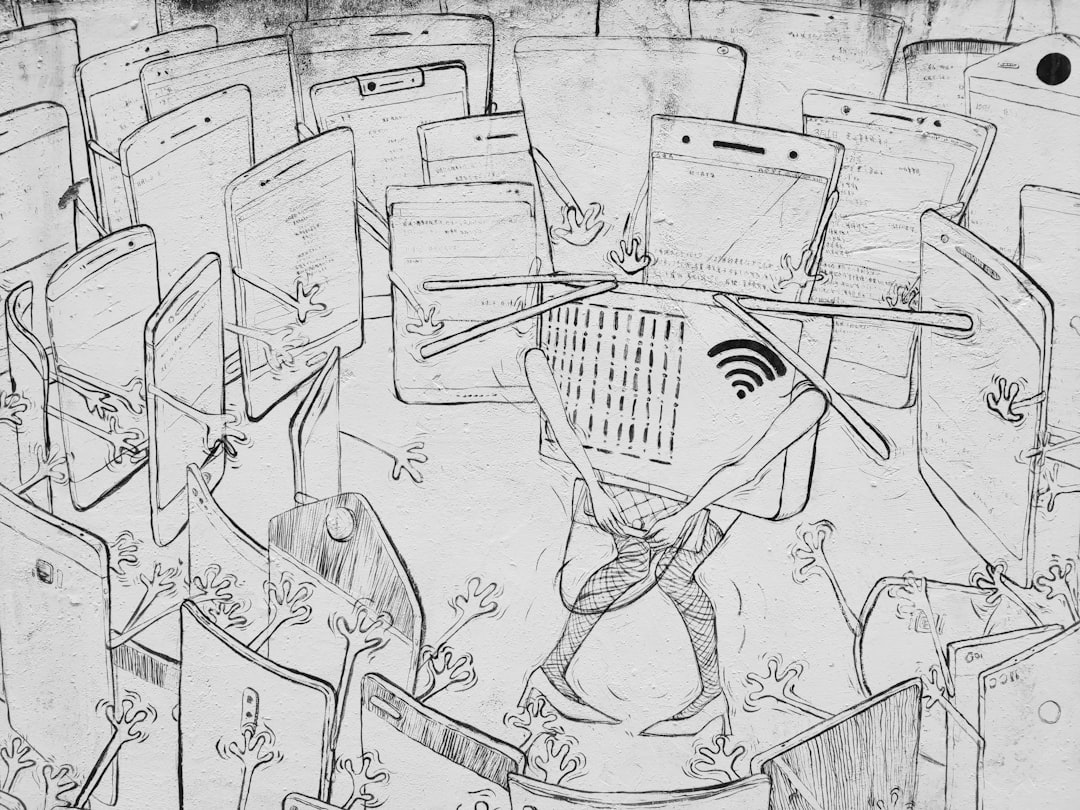
How Many Devices Is Too Many for WiFi?
The average US household now has 25-40 connected devices. Between phones, tablets, laptops, smart TVs, streaming sticks, security cameras, smart speakers, thermostats, light bulbs, appliances, and IoT gadgets, your WiFi network is handling traffic from devices that didn’t exist a decade ago. The question isn’t whether you have too many devices — it’s whether your network can handle them before WiFi congestion becomes a real, daily problem.
Understanding how device congestion affects your specific router model helps you plan upgrades more effectively.
Understanding where the limits are and how to push them higher can save you from the endless cycle of rebooting your router and wondering why Netflix buffers when only one TV is streaming.
For hardware recommendations, our guides to the best mesh WiFi systems, best WiFi 6E routers, and best budget routers — all designed to handle high device counts better than budget routers.
The Real Limit Isn’t Device Count — It’s Airtime
WiFi doesn’t have a hard device limit in the way a switch has port limits. Your router can technically associate hundreds of devices. The bottleneck isn’t the number of connections — it’s airtime, which is the amount of time each device spends actually transmitting and receiving data on the WiFi channel.
Every device on your WiFi network shares the same radio channel. Only one device can transmit at a time (per radio, per channel). When your smart light bulb sends a 100-byte status update, it takes a tiny slice of airtime. When your laptop downloads a 4GB game update, it takes a massive slice. The more devices competing for the same airtime, the less each device gets — and everything slows down.
According to the IEEE 802.11 standard, the practical limit depends heavily on what your devices are doing, not just how many there are. A network with 50 smart bulbs that only send occasional status updates will perform fine. A network with 10 active streaming devices will struggle. It’s the combination of device count and traffic volume that matters.
How Different Devices Impact Your Network
Not all devices stress your WiFi equally. Understanding which devices are the hogs helps you manage the load:
- 4K streaming devices (TVs, Apple TV, Fire Stick) — 15-25 Mbps sustained. These are the heaviest consistent consumers. Three simultaneous 4K streams demand 60-75 Mbps of continuous airtime.
- Video calls (Zoom, FaceTime) — 3-8 Mbps but latency-sensitive. Even modest bandwidth usage becomes problematic if the connection is jittery due to congestion.
- Gaming — Low bandwidth (1-5 Mbps) but extremely latency-sensitive. A congested network adds 20-50ms of latency, which is the difference between winning and losing in competitive games.
- Cloud backups (iCloud, OneDrive, NAS sync) — High bandwidth, low priority. Schedule these for off-peak hours to avoid impacting interactive traffic.
- Smart home devices — Negligible bandwidth individually (bytes per transmission) but they add management overhead. Each device sends periodic keep-alive signals and status updates that consume airtime, even if the data is tiny.
- Security cameras — Moderate to high depending on resolution and recording settings. A single 1080p camera at 15fps consumes 2-5 Mbps continuously. Four cameras equal a 4K stream.
WiFi 6, WiFi 6E, and WiFi 7: How They Handle Device Density
Newer WiFi standards handle more devices better through several improvements:
WiFi 6 (802.11ax) introduced OFDMA (Orthogonal Frequency-Division Multiple Access), which allows a router to communicate with multiple devices simultaneously on the same channel. Think of it as a carpool lane — instead of one device per transmission slot, multiple smaller devices share a slot. This dramatically improves efficiency for IoT devices with small data payloads. OFDMA alone roughly doubles the effective device capacity of a WiFi network.
WiFi 6E adds the 6GHz band, tripling the available spectrum. More spectrum means more channels, which means less interference and more airtime per device. In dense environments (apartments, neighborhoods with many WiFi networks), 6GHz provides a clean lane that doesn’t exist on 2.4GHz or 5GHz.
WiFi 7 adds MLO (Multi-Link Operation), allowing devices to use multiple bands simultaneously. This effectively increases available airtime and improves latency. For more on WiFi 7 hardware, see our guides to the best WiFi 7 routers and best budget WiFi 7 mesh systems.
Practical Device Limits by Router Class
Here are realistic guidelines for how many devices different router types handle before performance degrades noticeably:
- Basic consumer router (WiFi 5): 15-20 active devices. Beyond this, you’ll see increased latency and reduced throughput, especially with mixed traffic types.
- Mid-range WiFi 6 router: 30-40 active devices. OFDMA helps significantly with IoT device management. Sustained performance degrades past 40 active devices.
- WiFi 6E router with 6GHz: 50-60 active devices. The extra spectrum provides breathing room. This is the current sweet spot for device-heavy smart homes.
- Mesh system (2-3 nodes): Each node handles roughly the same device count as a single router, but coverage is better. A 3-node mesh with WiFi 6E can handle 80-100 devices across the home — but performance depends on how many are on each node.
- Enterprise access points (UniFi, Omada): Can handle 100+ devices per AP in theory. In practice, 60-80 active devices per AP maintains good performance. Multiple APs with proper channel planning can scale much higher.
Symptoms That Your Network Is Congested
How do you know if device congestion is your problem versus ISP issues, router hardware, or interference?
- Speed tests fluctuate wildly — Running three speed tests in a row gives 400, 150, and 600 Mbps. This inconsistency indicates airtime competition, not an ISP problem.
- Buffering with good speed test results — Your speed test shows 500 Mbps but Netflix buffers. This happens when burst performance is fine but sustained performance is inconsistent due to other devices competing for airtime.
- Smart home devices become unresponsive — Lights take seconds to respond, sensors report delayed, locks lag. These devices often end up at the back of the airtime queue behind heavy consumers.
- Gaming ping spikes — Your ping is normally 15ms but jumps to 80-150ms periodically. Other devices transmitting large packets cause these spikes.
Upgrade Your Router
The most impactful change is moving from an old router (WiFi 5 or earlier) to a current WiFi 6E model. The combination of OFDMA, 6GHz spectrum, and improved processing handles device density dramatically better. See our best WiFi routers guide for current recommendations.
Use a Mesh System or Multiple Access Points
Distributing devices across multiple access points reduces the load on each radio. A mesh system or dedicated access point setup spreads your 40 devices across 2-3 radios instead of one. Each radio handles fewer devices, so airtime competition decreases proportionally.
Wire Stationary Devices
Every device you move to Ethernet removes it from the WiFi competition entirely. TVs, desktops, gaming consoles, NAS servers, and any device that doesn’t move should be on a wired connection. This single change often resolves congestion issues without buying new equipment. Our wiring guide covers how to plan these connections.
Separate IoT Devices
Put your smart home devices on a separate SSID or VLAN (see our IoT VLAN guide). This doesn’t reduce total airtime usage, but it ensures IoT chatter doesn’t impact your main network’s performance. Many modern routers support IoT network isolation natively.
Schedule Bandwidth-Heavy Tasks
Configure cloud backups, large downloads, and OS updates to run during off-peak hours (overnight). Most NAS backup software, cloud sync tools, and operating systems allow scheduled updates. A 50GB backup job running at 3am doesn’t impact anyone. The same job at 7pm kills the evening’s streaming.
How Many Devices Is Too Many for WiFi When Congestion Kills Performance — The Answer
For a modern WiFi 6E router, the practical ceiling is around 50-60 active devices before you’ll notice congestion-related degradation. But “active” matters — 60 devices where 50 are smart bulbs sending occasional pings is fine. 60 devices where 20 are streaming 4K video is not.
The fix is a combination: upgrade to WiFi 6E or WiFi 7, distribute devices across multiple access points, wire everything that doesn’t need WiFi, and schedule heavy bandwidth tasks for off-peak hours. Do all four and you can comfortably handle 80-100 devices in a typical home.
Additional Resources
The IEEE 802.11 working group sets the WiFi standards that determine how many devices access points can theoretically support. The specifications document per-AP client limits, though real-world performance varies significantly.
SmallNetBuilder’s router testing includes multi-client performance benchmarks that show how throughput degrades as device count increases. Their data is invaluable for understanding when your specific router model will start struggling.
How-To Geek’s WiFi router buying guide covers router specifications that matter for high-device-count households, including CPU power, RAM, and radio configuration.
Related Articles
The device congestion problem is partly a hardware issue. Budget routers with 256MB RAM and single-core processors hit their limits at 20-30 devices. Mid-range routers with 512MB RAM and dual-core processors handle 40-60 devices comfortably. High-end routers with 1GB+ RAM and quad-core processors can juggle 100+ devices.
However, device count isn’t just about the router’s connection table. Each active device consumes airtime on your WiFi radio. A home with 40 devices where 25 are actively streaming video will overwhelm even a high-end router’s radio capacity, while 80 devices that are mostly idle (smart bulbs, sensors) will run fine on mid-range hardware.
The practical takeaway: pay attention to how many devices are actively using bandwidth, not just how many are connected. A smart home with 50 connected devices but only 5 actively streaming will perform very differently from one with 25 devices all streaming simultaneously.
The answer lies in looking at active bandwidth consumers rather than total connected device count.
Understanding your congestion threshold helps you decide whether you need a router upgrade or a complete network redesign.
Frequently Asked Questions
How many devices can connect to WiFi 6?
WiFi 6 routers typically handle 30-40 active devices before performance degrades. OFDMA helps manage IoT devices efficiently, but high-bandwidth devices (streaming, gaming) still consume significant airtime regardless of WiFi version.
Do smart home devices slow down WiFi?
Individually, no — each IoT device uses minimal bandwidth. Collectively, yes — 30-40 IoT devices each sending periodic status updates consume measurable airtime. The impact is real but usually manageable with WiFi 6 or newer hardware that uses OFDMA efficiently.
How do I check how many devices are on my WiFi?
Check your router’s admin interface or app — most show a list of connected devices. Many routers also show bandwidth usage per device, which helps identify heavy consumers. Third-party tools like GlassWire provide detailed per-device monitoring.
Can too many devices crash a WiFi router?
Unlikely with modern hardware. Routers have connection table limits (typically 200-256 simultaneous WiFi clients), but you’d need an unusually large number of devices to hit them. Performance degrades long before you reach any hard limit.
Is mesh WiFi better than a single router for many devices?
Yes. A mesh system distributes devices across multiple radios, reducing per-radio congestion. A 3-node mesh effectively triples your WiFi capacity. For homes with 40+ devices, mesh or multiple access points are strongly recommended over a single router.
If you’re into networking gear jokes and geeky merch, check out Witty Design Finds on Etsy — some fun stuff for the home lab crowd.