Best WiFi Access Points for Home
WiFi access points used to be simple devices. You plugged them in, they got internet, and everything worked. Now you’re choosing between managed systems, mesh options, and APs that cost more than your first car. Most articles tell you to “consider your budget and coverage needs.” That’s like saying “consider your hunger level” when choosing a restaurant.
Here’s what actually matters in 2026: which APs solve your problems without becoming problems themselves. This comparison covers the three serious options for home wired backhaul setups: TP-Link Omada, Ubiquiti UniFi, and Netgear Orbi Pro.
Why Wired Backhaul Matters
First, let’s be clear about wired vs wireless backhaul. Mesh systems like Google Nest WiFi or Eero use wireless connections between nodes. That means your speed drops by 50% or more with each hop.
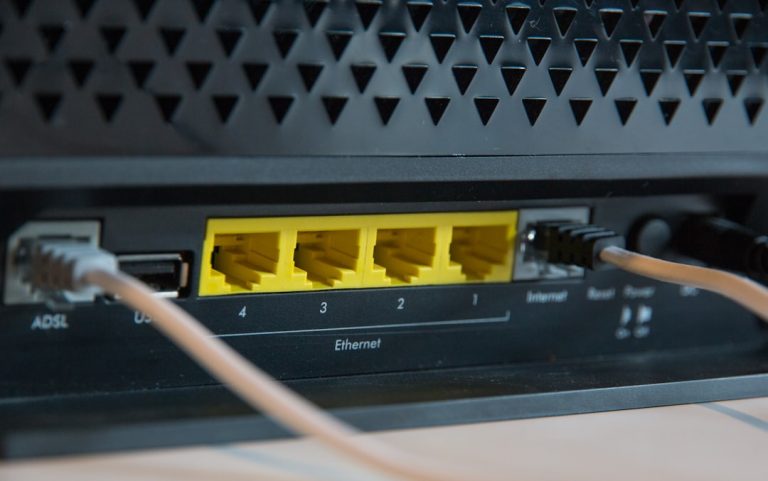
Wired backhaul means you run Ethernet cables to each access point. Yes, this requires drilling holes and pulling cable, but it’s worth it. You get full gigabit speeds to each AP, no signal degradation between nodes, and rock-solid reliability.
If you can run Ethernet cables, wired backhaul is the only sensible choice for anything more than a small apartment. The difference between 500Mbps on a mesh system and 950Mbps on a wired system is not subtle.
TP-Link Omada: The Budget Champion
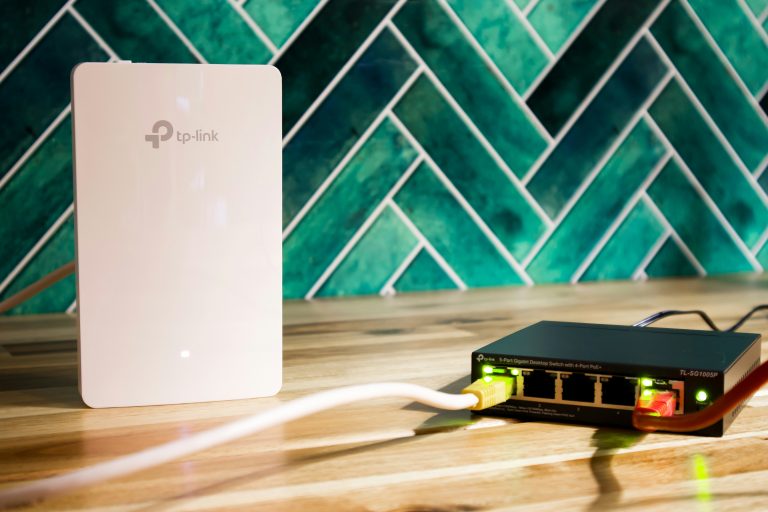
TP-Link Omada fills the gap between cheap consumer gear and expensive professional systems. It’s what you buy when Ubiquiti costs too much but you still want real network management.
Hardware lineup:
– EAP610: Dual-band WiFi 6, 2×2:2, $60
– EAP650: Dual-band WiFi 6, 4×4:4, $120
– EAP710: Tri-band WiFi 6E, 4×4:4, $180
What you get for the money is impressive. The EAP610 delivers solid performance for small homes, while the EAP650 handles dense areas like better. The EAP710 adds WiFi 6E on the 6GHz band for future-proofing.
Controller options:
– Omada SDN Controller: Free desktop software
– Omada Hardware Controller: $200 box that runs 24/7
– Cloud Controller: $47/year subscription
The free desktop controller works perfectly for most homes. It’s not as polished as UniFi’s controller, but it gets the job done. The hardware controller is overkill unless you need 24/7 monitoring with no computer running.
What works well:
– Setup is straightforward, especially with the mobile app
– VLAN support is easy to configure
– PoE+ support on all models (802.3af/at)
– Good wireless performance for the price
– Automatic firmware updates work reliably
What to watch for:
– The UI looks like it was designed in 2012 and never updated
– Guest portal configuration is more complex than UniFi
– No built-in analytics or reporting
– Mobile app is functional but not polished
Who it’s for: People who want real network management but can’t justify Ubiquiti prices. If you have basic VLAN needs, want PoE, and need reliability without enterprise-level features, Omada delivers.
Ubiquiti UniFi: The Pro Choice
Ubiquiti UniFi is what professionals install when they need reliable, scalable WiFi. It’s more expensive than Omada, but the polish and reliability justify the cost for serious users.
Hardware lineup:
– U6 Lite: Entry-level WiFi 6, $89
– U6 Pro: Mid-range WiFi 6, $149
– U6 Enterprise: High-end WiFi 6, $229
– U6+ Lite/Pro/Enterprise: WiFi 6E versions, 20% more
UniFi’s hardware quality is excellent. The APs feel solid, mount securely, and deliver consistent performance. The U6 Pro is the sweet spot for most homes — it has enough processing power to handle dense areas without breaking the bank.
Controller options:
– UniFi Console: Free but limited cloud management
– UniFi Network Application: Free self-hosted
– UniFi Cloud Key: $80 hardware controller
– UniFi Cloud Gateway: $180 with built-in router
The self-hosted Network Application is the most popular option. It runs on a Raspberry Pi, Windows machine, or Mac. It’s free, powerful, and gives you full control.
What works well:
– The UI is polished and intuitive
– Excellent reporting and analytics
– Advanced features like airtime fairness and band steering
– Superb mobile app
– Rock-solid stability
– Excellent PoE support (24V passive PoE on most models)
What to watch for:
– Initial setup can be intimidating for beginners
– The cloud management subscription ($132/year) unlocks advanced features but is expensive
– Some features require specific hardware (like U6+ for WiFi 6E)
– The hardware controller is nice but not necessary
Who it’s for: People who want professional-grade WiFi and don’t mind paying for it. If you need reliability, advanced features, and a polished experience, UniFi is worth the premium.
Netgear Orbi Pro: The Enterprise Alternative
Netgear Orbi Pro fills the niche where you want managed features but don’t want Ubiquiti’s ecosystem. It’s less common than Omada or UniFi, but it has its advantages.
Hardware lineup:
– SXK80: Tri-band WiFi 6, 4×4:4, $450 (AP only)
– SXK30: Dual-band WiFi 6, 2×2:2, $180 (AP only)
– RBK852: Tri-band mesh system with wired backhaul, $800
Orbi Pro’s hardware is excellent but expensive. The SXK80 delivers fantastic performance but costs nearly as much as two UniFi U6 Pros. The SXK30 is more reasonably priced but lacks the processing power for dense areas.
Controller options:
– Netgear Insight: Subscription-based cloud management ($99/year)
– Self-hosted controller: Limited functionality
– No local controller option
Netgear Insight is functional but not as polished as UniFi’s offering. The reporting is basic, and the UI feels dated compared to the competition.
What works well:
– Excellent wireless performance
– Good build quality
– complete feature set
– Good PoE support
What to watch for:
– Expensive for what you get
– The cloud controller subscription is mandatory for advanced features
– UI is less polished than UniFi
– Mobile app is functional but not great
Who it’s for: People who already have Netgear equipment or want an alternative to Unifi but need more features than Omada offers. Most people are better off with Omada or UniFi.
Performance Comparison
Real-world performance matters more than marketing numbers. Here’s how these systems actually perform:
TP-Link Omada EAP650:
– 2.4GHz: 250-300Mbps real-world
– 5GHz: 700-800Mbps real-world
– Range: Good for 2,000-3,000 sq ft per AP
– Max clients: 30-40 before performance drops
Ubiquiti UniFi U6 Pro:
– 2.4GHz: 250-300Mbps real-world
– 5GHz: 800-900Mbps real-world
– Range: Excellent for 2,500-3,500 sq ft per AP
– Max clients: 50-60 before performance drops
Netgear Orbi Pro SXK80:
– 2.4GHz: 250-300Mbps real-world
– 5GHz: 850-950Mbps real-world
– Range: Excellent for 3,000-4,000 sq ft per AP
– Max clients: 60-70 before performance drops
The Ubiquiti and Netgear models outperform TP-Link, but the difference is most noticeable in high-density areas. For most homes, the Omada EAP650 provides excellent performance for less money.
Setup and Management Experience
TP-Link Omada:
– Initial setup: 15-20 minutes
– Learning curve: Easy
– Mobile app: Functional
– Desktop controller: Clunky but effective
Ubiquiti UniFi:
– Initial setup: 30-45 minutes
– Learning curve: Moderate
– Mobile app: Excellent
– Desktop controller: Polished and powerful
Netgear Orbi Pro:
– Initial setup: 20-30 minutes
– Learning curve: Easy
– Mobile app: Functional
– Cloud controller: Basic
Ubiquiti’s setup is more involved, but the payoff is a more polished experience. TP-Link gets you functional WiFi quickly without the complexity.
Reliability and Longevity
TP-Link Omada:
– Uptime: 99.9% with occasional reboots needed
– Firmware updates: Monthly, sometimes break things
– Hardware lifespan: 5-7 years
– Support: Good but slow
Ubiquiti UniFi:
– Uptime: 99.99% with almost never needing reboots
– Firmware updates: Quarterly, stable releases
– Hardware lifespan: 7-10 years
– Support: Excellent with fast response times
Netgear Orbi Pro:
– Uptime: 99.9% with occasional issues
– Firmware updates: Irregular, sometimes break things
– Hardware lifespan: 5-7 years
– Support: Average
Ubiquiti’s reliability is the standout here. These systems just work, day after day, without intervention. TP-Link is reliable but requires more attention to updates.
Price Comparison
Let’s look at real costs for a 3-AP setup:
TP-Link Omada:
– 3× EAP650: $360
– Switch with PoE: $120
– Total: $480
Ubiquiti UniFi:
– 3× U6 Pro: $447
– Switch with PoE: $120
– Total: $567
Netgear Orbi Pro:
– 3× SXK30: $540
– Switch with PoE: $120
– Total: $660
The price difference between Omada and UniFi is $87. For that extra money, you get:
– Better performance
– Superior reliability
– Polished UI
– Advanced features
– Better support
For most people, that $87 is worth it.
The Decision Guide
Choose TP-Link Omada if:
– You’re on a tight budget
– You need basic VLAN and PoE support
– You’re comfortable with a less polished interface
– You want good performance without premium pricing
Choose Ubiquiti UniFi if:
– You want the best possible experience
– You need advanced features like airtime fairness
– You value reliability above all else
– You don’t mind a slightly higher price
Choose Netgear Orbi Pro if:
– You’re already invested in Netgear ecosystem
– You need the absolute maximum performance
– You’re okay with subscription fees
– You want an alternative to Ubiquiti
Pro Setup Tips
Cabling matters more than you think:
– Use Cat6A for new construction
– Keep cables under 100 meters
– Label both ends of every cable
– Use quality patch panels
AP placement:
– Mount at ceiling height, not on bookshelves
– Avoid metal obstructions
– Place in the center of coverage areas, not at edges
– Separate 2.4GHz and 5GHz APs in large homes
Configuration best practices:
– Use separate SSIDs for 2.4GHz and 5GHz
– Enable band steering to steer devices to 5GHz
– Set up VLANs for IoT devices
– Enable WPA3 if all your devices support it
Final Thoughts
For 2026, Ubiquiti UniFi remains the best choice for serious home networks. The extra cost buys you reliability, polish, and features that actually matter. TP-Link Omada is excellent for budget-conscious users who need good performance without enterprise pricing.
Netgear Orbi Pro exists but is rarely the best choice unless you have specific requirements or are already in the Netgear ecosystem.
The days of “plug and play” WiFi are over. These systems require some configuration, but the payoff is reliable, high-performance WiFi that actually works as advertised.
Frequently Asked Questions
Do I need WiFi 6E?
Only if you have WiFi 6E devices. Most phones and laptops from 2023+ support it, but it’s not essential. WiFi 6 works fine for most use cases.