Best PoE Switches for Home 2026: Power Your Network Without the Cable Clutter
Running separate power cables to every access point, IP camera, and VoIP phone in your home is a mess. Power over Ethernet (PoE) eliminates it — one cable handles both data and power, and the best PoE switches for home 2026 make it affordable and easy to implement even in a single-family house.
The options range from budget unmanaged units to fully managed switches with VLAN support.
What Is PoE and Why Does It Matter?
Power over Ethernet delivers DC power over standard Ethernet cabling alongside data. A PoE-capable switch detects compatible devices (called powered devices, or PDs) and supplies power through the cable — no AC adapter or separate power run required.
The standards that matter for home use:
- IEEE 802.3af (PoE) — Up to 15.4W per port. Covers most IP cameras, basic APs, VoIP phones
- IEEE 802.3at (PoE+) — Up to 30W per port. Covers higher-end APs, PTZ cameras, PoE lighting
- IEEE 802.3bt (PoE++/4PPoE) — Up to 60W (Type 3) or 90W (Type 4) per port. Covers high-performance APs, PoE displays, some small computers
For a home network with Wi-Fi access points and IP cameras, PoE+ (802.3at) is usually sufficient. Check your specific AP’s power requirements before buying — some newer tri-band or Wi-Fi 7 APs need PoE++ to run at full performance.
Key Specs to Evaluate When Shopping
Before picking the best PoE switches for home 2026, understand these specs:
Total PoE budget — The switch has a maximum power budget across all ports. A switch with 8 PoE+ ports and a 120W budget can’t power 8 devices at 30W each (that would be 240W). Check the total budget against your planned devices’ actual power draw.
Managed vs. unmanaged — Unmanaged PoE switches are plug-and-play with no configuration. Managed switches add VLANs, QoS, link aggregation, port mirroring, and traffic monitoring. For a home network with IoT device isolation, a managed switch is worth the premium.
Uplink ports — Most home switches have 1–2 non-PoE uplink ports connecting to your router or core switch. Check that uplink ports support the speed you need (1G, 2.5G, or 10G).
Fanless vs. fan-cooled — Fanless switches are silent and better for living spaces. Fan-cooled switches handle higher PoE loads without throttling but will be audible if placed outside a closet.
The Best PoE Switches for Home in 2026
1. TP-Link TL-SG108PE — Best Budget PoE+ Switch
Price: ~$60
Ports: 8x 1G (4x PoE+), 2x SFP uplinks
PoE Budget: 64W
Managed: Partial (Easy Smart — web UI with limited VLAN support)
The TL-SG108PE is the most popular entry-level PoE+ switch for home use, and for good reason. Four PoE+ ports at 30W each handle two access points and two cameras easily. The Easy Smart web UI offers basic VLAN, QoS, and port mirroring — enough for simple IoT isolation.
It’s not a full managed switch, but it does more than an unmanaged unit and costs half of what a proper managed switch runs. If your needs are simple and you want PoE without the complexity, this is the starting point.
Cons: VLAN support is basic. No RSTP. SFP ports are only 1G.
2. TP-Link TL-SG2210MP — Best Managed PoE+ for Prosumer Home Networks
Price: ~$160
Ports: 8x 1G PoE+, 2x 1G non-PoE, 2x SFP
PoE Budget: 150W
Managed: Full (Omada SDN or standalone)
The SG2210MP is a proper managed switch with full IEEE 802.1Q VLAN support, RSTP, QoS, IGMP snooping, and integration with TP-Link’s Omada SDN platform. The 150W PoE budget is generous — enough for 5–6 demanding APs simultaneously.
If you’re running multiple VLANs (trusted, IoT, guest) with a pfSense/OPNsense router or a Ubiquiti gateway, the SG2210MP is one of the best PoE switches for home 2026 at this price. Omada integration allows central management from the Omada controller app if you’re already running TP-Link APs.
Cons: Web UI can feel slow. 1G uplink limits throughput if you have a 2.5G router.
3. Ubiquiti UniFi USW-Lite-8-PoE — Best for UniFi Ecosystems
Price: ~$109
Ports: 4x 1G PoE, 4x 1G non-PoE
PoE Budget: 52W
Managed: Yes (UniFi Network Application)
If you’re already in the UniFi ecosystem — running a UniFi router and UniFi access points — the USW-Lite-8-PoE is the logical switch choice. It integrates directly with the UniFi dashboard, giving you per-port traffic graphs, PoE status, and switch health alongside your other UniFi hardware.
The 52W PoE budget is on the tighter side; it comfortably powers two or three PoE+ APs. For larger deployments, step up to the USW-Pro-8-PoE (85W) or USW-24-PoE (95W).
One of the standout features of the best PoE switches for home 2026 in the UniFi lineup: profile-based VLAN configuration that applies across all switches and APs from a single click. Managing VLANs across 4 switches and 6 APs is genuinely easy in UniFi.
Cons: Requires UniFi Network Application for full management. Smaller PoE budget than similarly priced competitors.
4. Netgear GS308EP — Best Plug-and-Play Unmanaged PoE+
Price: ~$80
Ports: 8x 1G (8x PoE+)
PoE Budget: 62W
Managed: Partial (Insight basic web UI)
All 8 ports on the GS308EP are PoE+ capable — unusual at this price. The Netgear Insight web interface offers basic monitoring, port management, and PoE scheduling (useful for automatically cutting power to devices at night). It’s not a full managed switch, but the PoE scheduling alone is worth it for some users.
Build quality on the GS308EP is solid, the fanless design runs silently, and the metal enclosure is wall/rack mountable.
Cons: Netgear Insight requires cloud account for some features. 62W budget spread across 8 PoE+ ports requires power budgeting.
5. Sodola 8-Port 2.5G PoE Switch — Best for Multi-Gig Home Networks
Price: ~$130
Ports: 8x 2.5G (6x PoE+), 2x 10G SFP+ uplinks
PoE Budget: 120W
Managed: Partial (web UI)
Multi-gigabit PoE switches were expensive in 2024. In 2026, options like the Sodola and similar offerings from D-Link and Zyxel have brought 2.5G PoE within reach of home users. If you have a Wi-Fi 7 AP that supports 2.5G Ethernet uplinks (like the TP-Link EAP773 or Ubiquiti U7 Pro), a 2.5G PoE switch fully utilizes that backhaul connection.
The 10G SFP+ uplink ports are ideal for connecting to a 10G capable router or NAS. A great pairing: 2.5G PoE switch → 10G uplink to pfSense box → 10G NAS. Check our best NAS drives guide if you’re building out storage alongside your network upgrade.
Cons: Less name-brand recognition — research firmware update history before committing. Web UI is functional but basic.
Best PoE Switches for Home 2026: Comparison
| Switch | Ports | PoE Standard | PoE Budget | Managed | Multi-Gig | Price |
|---|---|---|---|---|---|---|
| TP-Link TL-SG108PE | 8 (4 PoE+) | 802.3at | 64W | Easy Smart | No | ~$60 |
| TP-Link TL-SG2210MP | 8 PoE+ | 802.3at | 150W | Full (Omada) | No | ~$160 |
| Ubiquiti USW-Lite-8-PoE | 4 PoE+ | 802.3at | 52W | Full (UniFi) | No | ~$109 |
| Netgear GS308EP | 8 PoE+ | 802.3at | 62W | Partial | No | ~$80 |
| Sodola 8P 2.5G | 6 PoE+ | 802.3at | 120W | Partial | 2.5G | ~$130 |
What Can You Power With PoE?
The best PoE switches for home 2026 open up possibilities beyond just access points:
Wi-Fi access points — The primary use case. PoE APs eliminate the need for power outlets near ceiling or wall mount locations. Our best WiFi access points guide covers which APs use which PoE standard.
IP security cameras — PoE cameras eliminate battery changes and AC adapter runs. See our best home security cameras guide for PoE-compatible camera picks.
VoIP phones — Standard desk phones in a home office use 802.3af at under 7W.
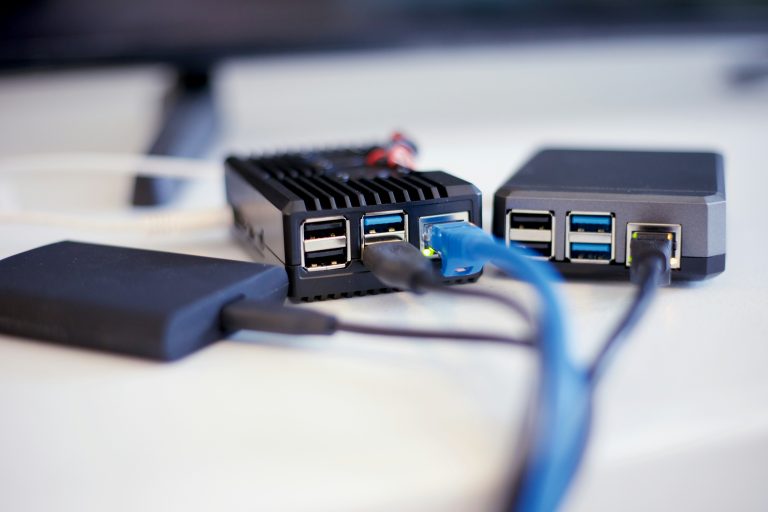
Raspberry Pi / SBC — With a PoE HAT, a Raspberry Pi can be powered entirely from a PoE switch port. Useful for running Home Assistant, Pi-hole, or other services near your network closet.
Smart home hubs — Some hub devices accept PoE input with the right adapter, keeping your smart home hub on the same reliable power source as your network gear.
PoE and Your Network Closet
A PoE switch is the heart of a well-wired home network closet. A complete setup typically includes:
- pfSense/OPNsense router (or UniFi Dream Machine)
- Managed PoE switch — for AP and camera power
- Non-PoE patch/distribution switch — for desktop connections if needed
- Patch panel — all wall runs terminate here
- UPS — powers everything; see our best UPS guide
With this setup, every Wi-Fi AP, IP camera, and IoT hub in your home runs on a single clean infrastructure that you control entirely.
Our Recommendations
Best overall for most home networks: TP-Link TL-SG2210MP. The 150W budget, full managed features, and Omada integration make it the most capable option at its price.
Best budget PoE: TP-Link TL-SG108PE. Four PoE+ ports is enough for two APs and two cameras, and the price is hard to argue with.
Best for UniFi users: Ubiquiti USW-Lite-8-PoE. The ecosystem integration is the killer feature.
Best for multi-gig networks: Sodola 8P 2.5G. The 2.5G ports future-proof your AP connections and the 10G SFP+ uplinks keep your core infrastructure fast.
Whatever you choose, the best PoE switches for home 2026 will clean up your network closet, eliminate wall wart clutter, and give you centralized power management for every device you care about.
External references: IEEE 802.3bt PoE Standard Overview | TP-Link Omada Documentation | SmallNetBuilder Switch Performance Charts
Calculating Your PoE Power Budget: A Practical Guide
The most common mistake when buying a PoE switch for home is ignoring the total power budget. A switch rated for “8x PoE+ ports” does not mean it can deliver 30W to all 8 ports simultaneously — the switch has a total power budget that caps aggregate output.
Here’s how to calculate whether a switch will cover your actual devices:
Step 1 — List your PoE devices and their real power draw:
- Entry-level Wi-Fi 5/6 access point: 10–13W typical (802.3af)
- Mid-range Wi-Fi 6E/7 access point (e.g., Ubiquiti U6 Pro): 13–17W typical
- High-performance Wi-Fi 7 AP (e.g., TP-Link EAP773): up to 25W (PoE+)
- Standard IP camera: 7–12W typical
- PTZ or IR camera: 12–18W
- VoIP desk phone: 3–6W
- Raspberry Pi 5 with PoE HAT: 5–10W depending on load
Step 2 — Sum expected peak draw: Assume devices pull near their rated power on startup. Two Wi-Fi 7 APs at 25W each plus two cameras at 10W each = 70W peak. A switch with a 64W PoE budget (like the TL-SG108PE) can’t safely support this load.
Step 3 — Add 20% headroom: Never budget at 100% of the switch’s rated PoE capacity. Component variations, cable length losses, and device firmware behavior can cause momentary spikes. A switch running at 90–100% PoE capacity may throttle ports or cause instability. Budget for 80% maximum utilization.
Example for a 3-AP home setup: Three mid-range APs at 15W each = 45W. Apply 20% headroom: need at least 56W budget. The TP-Link TL-SG108PE (64W) just fits. The TP-Link TL-SG2210MP (150W) gives comfortable room for expansion. If you later add cameras, the 150W switch scales; the 64W switch doesn’t.
The best PoE switches for home 2026 in the managed category (TL-SG2210MP, USW-Lite-8-PoE) show per-port power draw in their management dashboards — making it easy to verify actual consumption vs. your estimate and identify any device drawing unexpectedly high power.