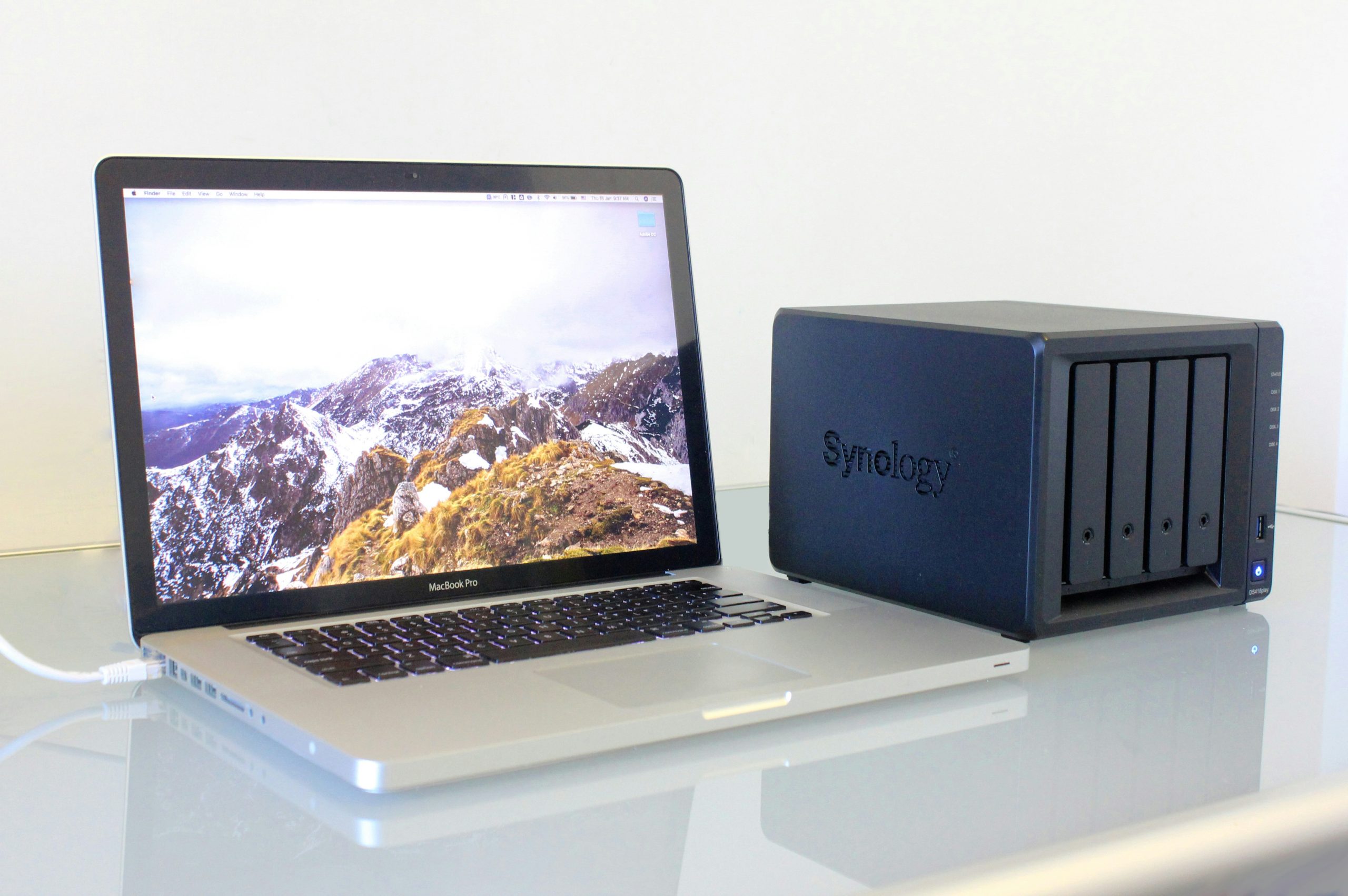
Best NAS for Home Use in 2026: Storage, Backup, and Media Done Right
The Best NAS for Home in 2026: Own Your Data
The best NAS for home 2026 gives you a private cloud with no monthly fees and no storage ceiling. Here are the top options across every budget and use case.
Every month you pay for cloud storage, you’re renting space you don’t control. Google can change pricing. Dropbox can throttle your uploads. iCloud can go down. And at some point, the math stops making sense — a few years of cloud storage fees buys you a NAS outright, with no recurring cost and no storage ceiling beyond the drives you install.
A NAS (Network Attached Storage) is a small, always-on computer with multiple drive bays connected to your network. At its simplest, it’s a private cloud on your shelf. At its most capable, it’s a media server, a backup system for every device in your house, a security camera NVR, a Docker host, and a VPN server — all running simultaneously on hardware you own.
This guide covers the best NAS for home use in 2026, from beginner-friendly 2-bay units to power-user 4-bay systems that can run a small home lab.
Quick Comparison
| NAS | Bays | CPU | RAM | Network | Best For | Price |
|---|---|---|---|---|---|---|
| Synology DS423+ | 4 | Intel J4125 | 2GB (exp. 6GB) | 1GbE x2 | All-round home use | ~$500 |
| QNAP TS-464 | 4 | Intel N5105 | 8GB | 2.5GbE x2 | Power users / home lab | ~$550 |
| Synology DS224+ | 2 | Intel J4125 | 2GB (exp. 6GB) | 1GbE x2 | Beginners / small homes | ~$300 |
| TerraMaster F4-424 | 4 | Intel i3-N305 | 8GB | 2.5GbE x2 | Budget performance | ~$450 |
| QNAP TS-264-8G | 2 | Intel N4505 | 8GB | 2.5GbE x2 | Entry level power users | ~$350 |
Our Top Picks
1. Synology DS423+ — Best Overall
Synology has dominated the home NAS market for a reason: DSM (DiskStation Manager) is simply the best NAS operating system available. It’s polished, well-documented, actively developed, and backed by an enormous community. When you buy a Synology, you’re buying the software as much as the hardware.
The DS423+ runs on Intel’s Celeron J4125 quad-core, which includes Intel QuickSync — hardware video transcoding that makes 4K Plex streams smooth without taxing the CPU. Base RAM is 2GB but expands to 6GB with an affordable SO-DIMM upgrade, which is worth doing if you plan to run multiple packages simultaneously.
The DSM app ecosystem is what separates Synology from the competition:
- Synology Photos — Google Photos replacement with facial recognition, album sharing, and mobile backup. Your photos stay on your hardware.
- Synology Drive — Google Drive/Dropbox replacement with desktop sync clients for Windows, Mac, and mobile.
- Surveillance Station — full-featured NVR supporting up to 2 IP cameras on the free license (additional cameras require paid licenses).
- Plex / Jellyfin / Emby — media server with hardware transcoding for 4K streams.
- Active Backup for Business — backs up Windows PCs, Macs, VMs, and cloud storage to your NAS automatically.
RAID options: The DS423+ supports SHR (Synology Hybrid RAID), which is Synology’s flexible RAID that allows mixing drive sizes — useful as you expand storage over time. Traditional RAID 1, 5, and 6 are also supported.
One important note on drives: Synology has been pushing their own HAT series drives and the latest DSM versions display warnings when using third-party drives not on the compatibility list. Third-party drives (Seagate IronWolf, WD Red Plus) still work fine, but check the compatibility list before buying to avoid nag screens.
What we like:
– DSM is the gold standard of NAS software
– Intel QuickSync for smooth 4K transcoding
– Extensive app ecosystem covering every home use case
– Excellent documentation and community support
– SHR allows mixing drive sizes as you expand
What to watch:
– Third-party drive warnings in newer DSM versions
– Only 1GbE network ports — fine for most homes, but 2.5GbE would be welcome
– Expandable to 6GB RAM but stock 2GB gets crowded running multiple packages
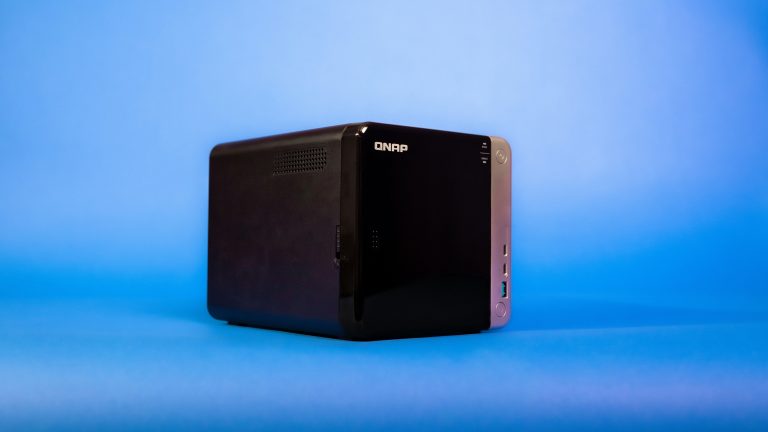
2. QNAP TS-464 — Best for Power Users
If the Synology is a polished appliance, the QNAP TS-464 is a home lab in a box. QNAP gives you significantly more raw hardware for the money — 8GB RAM standard, dual 2.5GbE ports, and most importantly a PCIe Gen 3 slot that lets you expand with a 10GbE card, additional NVMe SSD cache, or a USB 4.0 adapter.
The Intel Celeron N5105 runs cooler and more efficiently than the J4125 in the Synology while delivering comparable performance. The extra RAM matters — running Plex, a VPN server, a few Docker containers, and file sync simultaneously on 2GB gets uncomfortable fast. 8GB gives you real headroom.
QTS (QNAP’s OS) is more complex than DSM. The interface is denser, the terminology is more technical, and there are more ways to misconfigure things. But it’s also more powerful — QTS supports Container Station (Docker + Kubernetes), VM Station (full virtual machines), and a more flexible network configuration than DSM offers.
NVMe SSD cache dramatically improves mixed workloads. Install two M.2 NVMe SSDs in the built-in slots and configure them as a read/write cache — frequently accessed files serve from SSD speeds, large media files stay on spinning drives. The TS-464 has two M.2 slots built in without occupying the PCIe slot.
QuMagie is QNAP’s answer to Synology Photos — AI-powered photo management with facial recognition and geotagging. It’s functional but less polished than Synology’s equivalent.
What we like:
– 8GB RAM standard — real headroom for multiple workloads
– PCIe slot for 10GbE or additional NVMe
– Dual 2.5GbE ports for link aggregation
– Docker and VM support via Container Station and VM Station
– Two built-in M.2 NVMe slots for SSD cache
What to watch:
– QTS has a steeper learning curve than DSM
– More ways to get into trouble with misconfiguration
– UI is functional but less intuitive than Synology
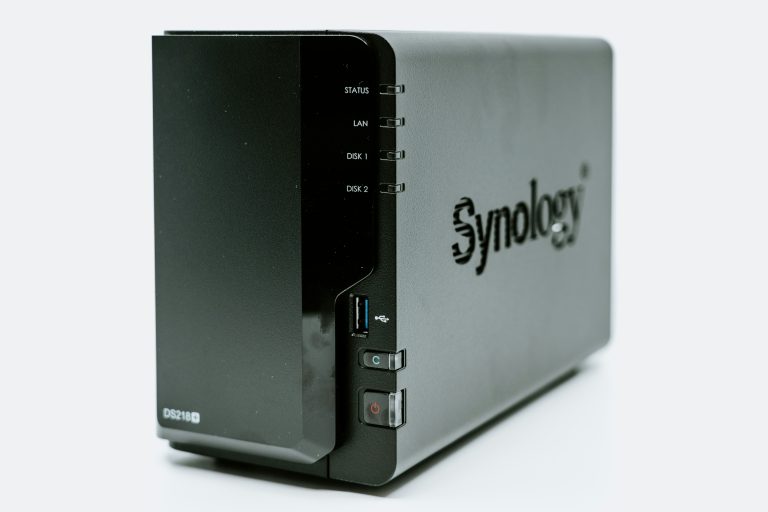
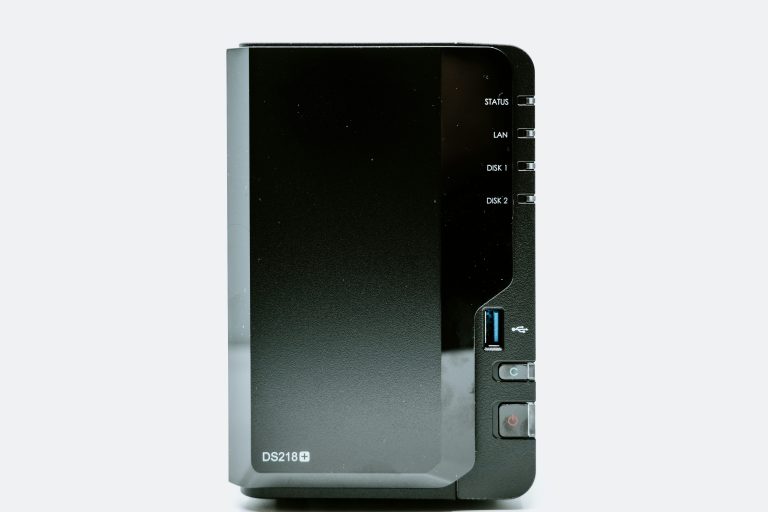
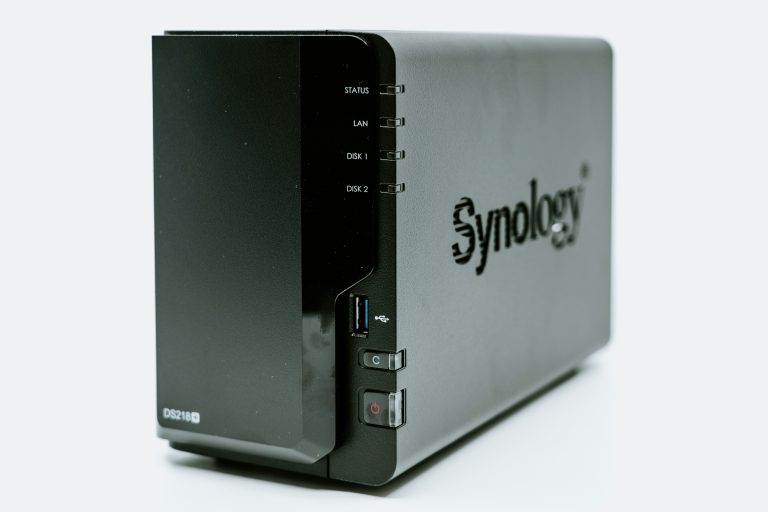
3. Synology DS224+ — Best for Beginners
The DS224+ is the entry point into the Synology ecosystem and the right call for most people buying their first NAS. Same Intel J4125 processor as the DS423+, same DSM software, same app ecosystem — just two bays instead of four and a lower price.
Two bays is enough for the most common home use cases. Set up RAID 1 (mirrored) with two 4TB drives and you have 4TB of protected storage — enough for 200,000+ photos, years of backups, and a solid media library. If you outgrow it, you’re looking at a DS423+ upgrade, but most home users never hit the ceiling.
Who this is for: Someone who wants photo backup off Google Photos, automatic backup for household PCs and Macs, and maybe a Plex server for their movie collection. The DS224+ handles all of that without breaking a sweat and without the complexity of a 4-bay unit.
Who should skip it: Anyone planning to run Docker containers, multiple VMs, or a demanding Plex server with frequent 4K transcoding for multiple simultaneous users. The 2-bay limit and shared hardware will become a constraint.
What we like:
– Full DSM feature set at a lower entry price
– Intel QuickSync for 4K transcoding
– Expandable RAM for growing workloads
– Perfect size for apartments and small homes
What to watch:
– Only 2 bays — limited future expansion
– 1GbE network ports
– Not ideal for multi-user Plex with heavy transcoding
4. TerraMaster F4-424 — Best Budget 4-Bay Performance
TerraMaster doesn’t have Synology’s brand recognition, but the F4-424 punches well above its price. The Intel Core i3-N305 (8 efficiency cores) is the most powerful CPU in this roundup — faster than the Celeron chips in every other unit here — and it ships with 8GB RAM and dual 2.5GbE ports.
TOS (TerraMaster OS) has improved considerably over recent versions. It covers the basics — RAID management, file sync, media serving, backup — without the depth of DSM or QTS. Plex works well on the F4-424 thanks to the i3 CPU handling transcoding without strain.
The trade-off is ecosystem maturity. Synology and QNAP have years of app development, a larger community, and more third-party integrations. TerraMaster is catching up but isn’t there yet. For users who want a capable file server and media box without complex NAS features, it’s excellent value.
What we like:
– Intel i3-N305 is the fastest CPU in this roundup
– 8GB RAM standard
– Dual 2.5GbE ports
– Competitive price for 4-bay hardware
What to watch:
– TOS is less mature than DSM or QTS
– Smaller community and fewer third-party integrations
– Fewer app options than Synology
5. QNAP TS-264-8G — Best Entry-Level Power User NAS
The TS-264-8G gives you 2-bay simplicity with power-user specs: Intel Celeron N4505 dual-core, 8GB RAM, dual 2.5GbE ports, and two M.2 NVMe slots for SSD cache. It’s significantly more capable than the equivalent Synology 2-bay at a comparable price.
Where the DS224+ is for someone who wants a polished appliance, the TS-264-8G is for someone who wants a compact NAS they can grow into — running Docker containers, caching frequently used files on NVMe, and taking advantage of 2.5GbE without spending $500 on a 4-bay unit.
What we like:
– 8GB RAM in a 2-bay unit
– Dual 2.5GbE — faster than most home switches, but ready when you upgrade
– Two M.2 NVMe slots for SSD cache
– More capable than spec-equivalent Synology 2-bay units
What to watch:
– QTS learning curve applies here too
– 2-bay limit
– Less polished experience than Synology DS224+
What Drives to Buy
Never use desktop or laptop drives in a NAS. Consumer drives are designed for 8 hours/day workloads. A NAS runs 24/7, and desktop drives will fail faster and more unpredictably under that load.
NAS-rated drives are designed for always-on operation, vibration compensation (important in multi-bay units), and error recovery settings tuned for RAID:
- Seagate IronWolf — the most popular NAS drive. Reliable, well-priced, available in 1TB–20TB. The IronWolf Pro adds a 5-year warranty and is worth the premium for critical data.
- WD Red Plus — the key is “Plus” — WD Red Plus uses CMR (Conventional Magnetic Recording) which is reliable in RAID. Avoid plain “WD Red” which uses SMR and can cause RAID rebuild issues.
- Toshiba N300 — solid budget option, good reliability track record, available in large capacities.
Starting recommendation: 2x 4TB IronWolf in RAID 1 for a beginner setup. 4TB usable, fully protected, and enough for years of home use.
RAID: What You Actually Need to Know
RAID is not a backup. It protects against drive failure, not against accidental deletion, ransomware, or NAS hardware failure.
- RAID 1 (Mirror): Two drives, identical copies. One fails, your data is safe. 50% storage efficiency.
- RAID 5: Three or more drives, can survive one drive failure. Better storage efficiency than RAID 1.
- SHR (Synology Hybrid RAID): Synology’s flexible RAID that allows mixing drive sizes. Good for building up storage incrementally.
Pair your RAID setup with an offsite backup — at minimum, use Synology’s Hyper Backup or QNAP’s Hybrid Backup Sync to back up critical data to a cloud service (Backblaze B2 is excellent value at $6/TB/month). RAID + cloud backup = proper data protection.
Plex vs Jellyfin: Which Should You Run?
Both run well on any NAS in this roundup. Here’s the real breakdown:
Plex — Better apps (especially on Apple TV, Roku, and smart TVs), easier setup, better music library management. Free tier covers most use cases. Plex Pass ($5/month or $120 lifetime) adds hardware transcoding, offline sync, and live TV. The main trade-off: Plex account required, some features depend on Plex’s servers.
Jellyfin — 100% free and open source, no account required, fully local. Less polished apps, occasional bugs, but actively developed. If privacy and zero cost are priorities, Jellyfin is the answer.
For 4K HDR content: hardware transcoding (Intel QuickSync on all models above) is essential. Software transcoding a 4K stream will tax any NAS CPU and result in buffering for other users.
Bottom Line
For most home users: Synology DS423+ — best software, strong hardware, room to grow. Beginners with modest needs: DS224+. Power users who want raw capability and expandability: QNAP TS-464. Budget 4-bay performance: TerraMaster F4-424. Compact power-user setup: QNAP TS-264-8G.
Whatever you choose, pair it with NAS-rated drives in RAID 1 minimum, and set up an offsite backup before you trust it with anything important.
More from wiredhaus
- Best WiFi 7 Router 2026 — get the most out of your NAS over the network
- IoT VLAN Setup Home Network — keep your NAS on the trusted network
- Best Smart Home Hub 2026 — automate alongside your NAS
Prices checked February 2026. Affiliate links help support wiredhaus at no extra cost to you.