Best Budget WiFi 7 Mesh Routers Under $300 in 2026
Best Budget WiFi 7 Mesh Routers Under $300 in 2026
The best budget WiFi 7 mesh routers under $300 prove that you don’t need to spend $700 to get whole-home Wi-Fi 7 coverage. The market has matured fast — entry-level Wi-Fi 7 hardware that would have cost $500 a year ago now comes in well under $300.
Here are the best options for buyers who want real Wi-Fi 7 performance — MLO, 320MHz channels, proper backhaul — without the flagship price tag.
What You Sacrifice at This Price Point
upfront: under $300 means trade-offs. Here’s what typically gets cut:
- 10G ports — most budget Wi-Fi 7 systems max out at 2.5G
- Tri-band dedicated backhaul — some use shared dual-band backhaul
- Premium build quality — plastic instead of metal, smaller antennas
- Advanced firmware features — fewer VPN options, basic QoS
What you don’t sacrifice: actual Wi-Fi 7 radio hardware, MLO support, and speeds well beyond what most residential internet connections can use.
Quick Comparison
| System | Type | Coverage | Backhaul | Ports | Price |
|---|---|---|---|---|---|
| TP-Link Deco BE33 | Mesh 2-pack | 4,500 sq ft | Wireless | 2.5G | ~$180 |
| Eero Max 7 | Single router | 2,500 sq ft | N/A | 2.5G | ~$250 |
| TP-Link Archer BE3600 | Single router | 2,500 sq ft | N/A | 2.5G | ~$120 |
| Netgear Orbi 370 | Mesh 2-pack | 5,000 sq ft | Wireless | 2.5G | ~$280 |
| ASUS RT-BE58U | Single router | 3,000 sq ft | AiMesh | 2.5G | ~$200 |
Our Top Picks
1. TP-Link Deco BE33 2-Pack — Best Overall Under $300
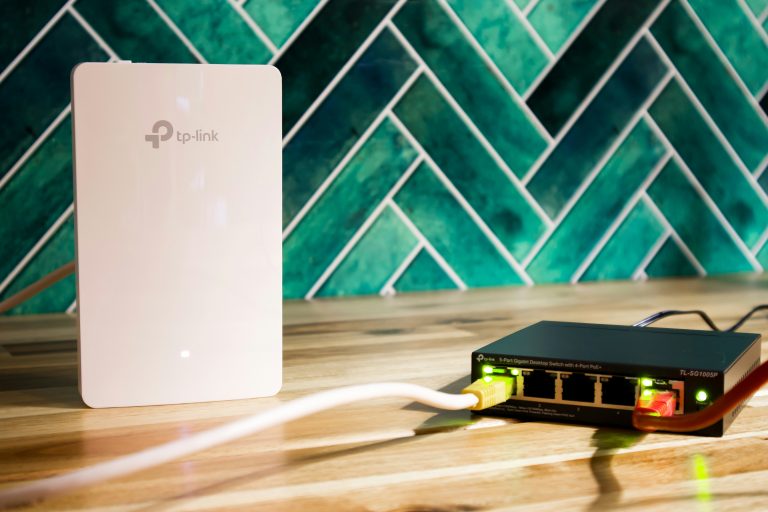
At ~$180 for a 2-pack, the Deco BE33 is the most compelling budget Wi-Fi 7 mesh deal available. BE11000 tri-band (not the flagship BE19000+ class, but real tri-band Wi-Fi 7), dedicated wireless backhaul, and TP-Link’s mature Deco app.
What the BE33 delivers:
– Genuine tri-band Wi-Fi 7 with MLO
– Dedicated 6GHz wireless backhaul — device bands stay clean
– 2.5G WAN + 2.5G LAN on main node
– EasyMesh compatible for expanding with other TP-Link hardware
– Covers 4,500 sq ft with two nodes
Real-world performance: In typical suburban homes, the BE33 2-pack handles 30-40 connected devices without breaking a sweat. Speeds won’t match the $700 ASUS ZenWiFi BQ16, but they’ll saturate most residential internet connections (500Mbps-2Gbps) without issue.
What to watch: Satellite nodes have only 1G LAN ports — fine for most uses but a limit if you’re connecting wired devices to satellite locations.
2. ASUS RT-BE58U — Best Single Router Under $300
The RT-BE58U is ASUS’s mid-range Wi-Fi 7 entry and it punches well above its price. BE7200 dual-band (no 6GHz band — the main compromise vs tri-band), but genuine MLO support between 2.4GHz and 5GHz, a 2.5G WAN port, and ASUS’s best-in-class firmware.
Why it’s worth considering: ASUS firmware on a budget router still beats competitors’ premium firmware. AiMesh support means you can add any ASUS router as a satellite later. AiProtection Pro (Trend Micro security) included. Full VPN server support.
The dual-band limitation: No 6GHz band means no access to the cleanest spectrum. In dense apartment environments, 5GHz congestion can be a real issue. In suburban homes with less RF noise, you’ll likely never notice.
What we like:
– ASUS firmware quality at budget price
– AiMesh expandable
– 2.5G WAN port
– Full VPN and advanced features
What to watch:
– Dual-band only — no 6GHz
– Single router, not a mesh system
3. TP-Link Archer BE3600 — Best Entry-Level Wi-Fi 7
At ~$120, the Archer BE3600 is the cheapest genuine Wi-Fi 7 router available. Dual-band BE3600 — not going to win any speed benchmarks against flagship tri-band systems, but for homes under 2,000 sq ft with internet speeds up to 1Gbps, it’s completely capable.
Who this is for: Apartment dwellers, renters who don’t want to spend big on a temporary space, or buyers who just want to dip a toe into Wi-Fi 7 without commitment. Also an excellent secondary router for a guest area or garage.
What you actually get:
– Wi-Fi 7 with MLO (2.4GHz + 5GHz bonding)
– Dual 2.5G ports
– TP-Link HomeShield (basic security, free tier)
– EasyMesh for expansion
What to watch: No 6GHz band. Coverage limited to ~2,000 sq ft. Not suitable for high-device-count homes.
4. Netgear Orbi 370 2-Pack — Best Coverage Under $300
The Orbi 370 is Netgear’s budget mesh entry and it delivers where it counts: coverage. 5,000 sq ft from a 2-pack with Netgear’s reliable mesh implementation. Dual-band (no 6GHz), 2.5G ports, and the Nighthawk app for management.
Netgear’s mesh reliability is the headline. The Orbi line has earned its reputation for seamless roaming and consistent performance across nodes. The 370 brings that to a budget price with the expected trade-offs.
What we like:
– Best coverage numbers in this roundup for a 2-pack
– Netgear Orbi reliability at a budget price
– Clean Nighthawk app
– 2.5G ports
What to watch:
– Dual-band only — shared backhaul
– Fewer advanced features than premium Orbi line
5. Eero Max 7 — Best for Amazon/Eero Households
The Eero Max 7 is a single router that covers up to 2,500 sq ft with Wi-Fi 7 (tri-band, BE19000 class). At ~$250 it’s the most expensive single unit in this roundup, but it’s the only one here with a proper tri-band radio and MLO across all three bands.
Buy this if you’re already in the Eero ecosystem and want a Wi-Fi 7 upgrade without switching platforms — existing Eero nodes can extend coverage. Also the right call for smaller homes that want the best single-router performance under $300.
What we like:
– Tri-band Wi-Fi 7 — the only true tri-band in this roundup
– Eero app quality is excellent
– Expandable with existing Eero hardware
– Amazon Alexa integration
What to watch:
– 2.5G ports only (no 10G)
– Single router — needs existing Eero nodes for whole-home coverage in larger spaces
– Eero+ subscription for advanced features
Is Budget Wi-Fi 7 Worth It Over Premium Wi-Fi 6E?
Yes, in most cases. Even budget Wi-Fi 7 hardware brings real improvements:
MLO (Multi-Link Operation) — available on all Wi-Fi 7 devices regardless of price tier — reduces latency for gaming and video calls in ways Wi-Fi 6E simply can’t.
Future-proofing — your next phone, laptop, and smart TV will be Wi-Fi 7 capable. Buying Wi-Fi 7 now means your network is ready.
6GHz spectrum — where available (tri-band models), the 6GHz band is clean, uncrowded, and fast. Budget dual-band Wi-Fi 7 misses this, but even 5GHz + MLO is an improvement over Wi-Fi 6E.
The exception: a premium Wi-Fi 6E mesh (e.g., Google Nest WiFi Pro 3-pack at $399) might outperform a budget Wi-Fi 7 2-pack in coverage and real-world reliability. Don’t buy budget Wi-Fi 7 just for the label — buy it for the specific hardware features it delivers.
Bottom Line
Best overall: TP-Link Deco BE33 2-pack — tri-band Wi-Fi 7 mesh with dedicated backhaul at $180 is remarkable value.
Best single router: ASUS RT-BE58U — ASUS firmware quality at a budget price point.
Cheapest entry to Wi-Fi 7: TP-Link Archer BE3600 — $120 for apartments and small spaces.
Best coverage: Netgear Orbi 370 2-pack — reliable mesh for larger homes under $300.
Best for Eero households: Eero Max 7 — tri-band upgrade within the ecosystem.
Prices checked February 2026. Affiliate links help support wiredhaus at no extra cost to you.
Setting Up Your Budget Wi-Fi 7 Mesh System: What to Actually Do
Budget mesh systems are marketed as plug-and-play, and for the most part they are — but a few setup choices matter significantly for performance.
Node placement: The biggest mistake with any mesh system is placing nodes too far apart. Wireless backhaul throughput drops fast with distance and obstacles. For a 2-pack covering a 2-story home, place the second node roughly halfway between the main router and your farthest coverage area — not at the extreme edge. A node struggling to maintain backhaul drags down speeds for every device connected to it.
Wired backhaul if possible: Every budget Wi-Fi 7 mesh system in this roundup supports wired Ethernet backhaul. If you can run a single cable between nodes — even temporarily through a hallway — the performance improvement is measurable. Wireless backhaul on a dual-band system cuts throughput roughly in half for each hop. Wired backhaul eliminates that penalty entirely.
Channel and band settings: Let the system auto-configure initially. After a week of normal use, check your router app for channel congestion data. If you’re in a dense apartment building, manually assigning a less-congested 5GHz channel can reduce interference from neighbors.
IoT device segmentation: Most budget mesh apps support guest networks or separate SSIDs. Put smart home devices (bulbs, cameras, locks) on a separate network from your main computers and phones. This reduces broadcast domain congestion and adds a layer of isolation between your IoT gear and your primary devices.
FAQ: Budget Wi-Fi 7 Mesh Routers Under $300
Do I actually need tri-band in a budget Wi-Fi 7 mesh system?
For a 2-pack covering a typical single-family home, tri-band with a dedicated 6GHz backhaul (like the TP-Link Deco BE33) is worth the premium. The dedicated backhaul band keeps client speeds high even when nodes are far apart. If you’re running a 2-pack in a smaller space where nodes are close together, dual-band backhaul works fine — the performance hit is smaller when backhaul signal is strong.
Can I mix budget Wi-Fi 7 nodes with older hardware?
Within the same brand’s ecosystem, usually yes. TP-Link EasyMesh and ASUS AiMesh allow different models to work together. Cross-brand mixing (e.g., Deco + Orbi) isn’t supported. Adding budget Wi-Fi 7 nodes to an older system typically means the older hardware becomes the bottleneck for backhaul — you don’t gain Wi-Fi 7 performance end-to-end.
Is a budget Wi-Fi 7 system better than a premium Wi-Fi 6E system?
For most users, yes — and not just because of the Wi-Fi 7 radio. The hardware underlying budget Wi-Fi 7 products is genuinely newer and more capable than 2-year-old Wi-Fi 6E gear. MLO (Multi-Link Operation) reduces latency in ways Wi-Fi 6E can’t, and 2.5G WAN ports are now standard even on budget models. The exception: a tri-band Wi-Fi 6E system with wired backhaul will often outperform a dual-band budget Wi-Fi 7 system in real-world throughput. Specs on paper don’t always translate to performance in practice — what matters is the combination of band configuration, backhaul type, and node placement.
Should I wait for prices to drop further?
At ~$180 for a tri-band Wi-Fi 7 2-pack (Deco BE33), the value proposition is already strong. Prices on the Deco BE33 and similar systems have plateaued — you’re unlikely to see significant further drops without the category shifting to Wi-Fi 8 (not on the horizon before 2027). If you need better coverage now, buy now. If your current setup works adequately, waiting never hurts.